Open ctrlX I/O Engineering and open the Device Repository:
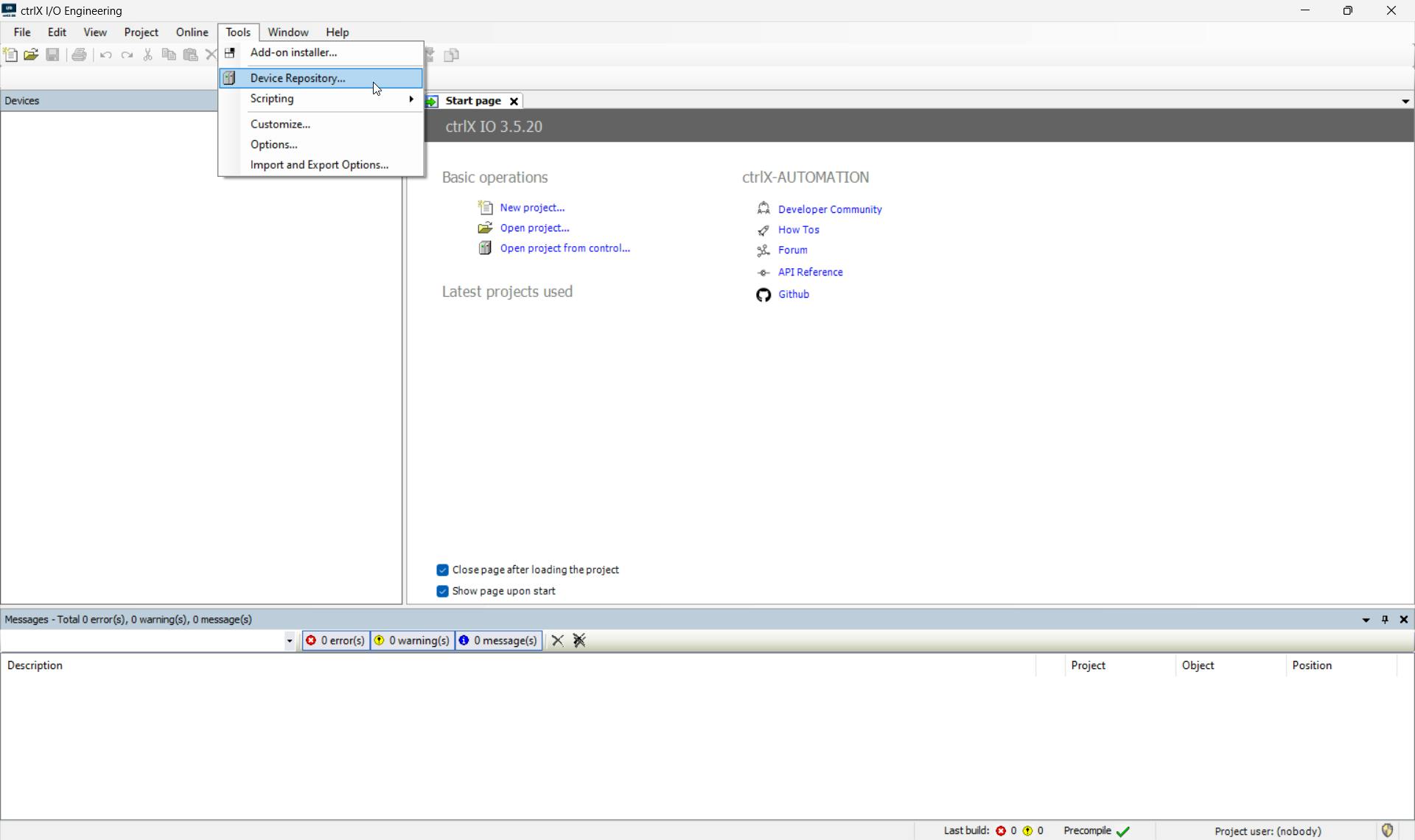
Press Install:
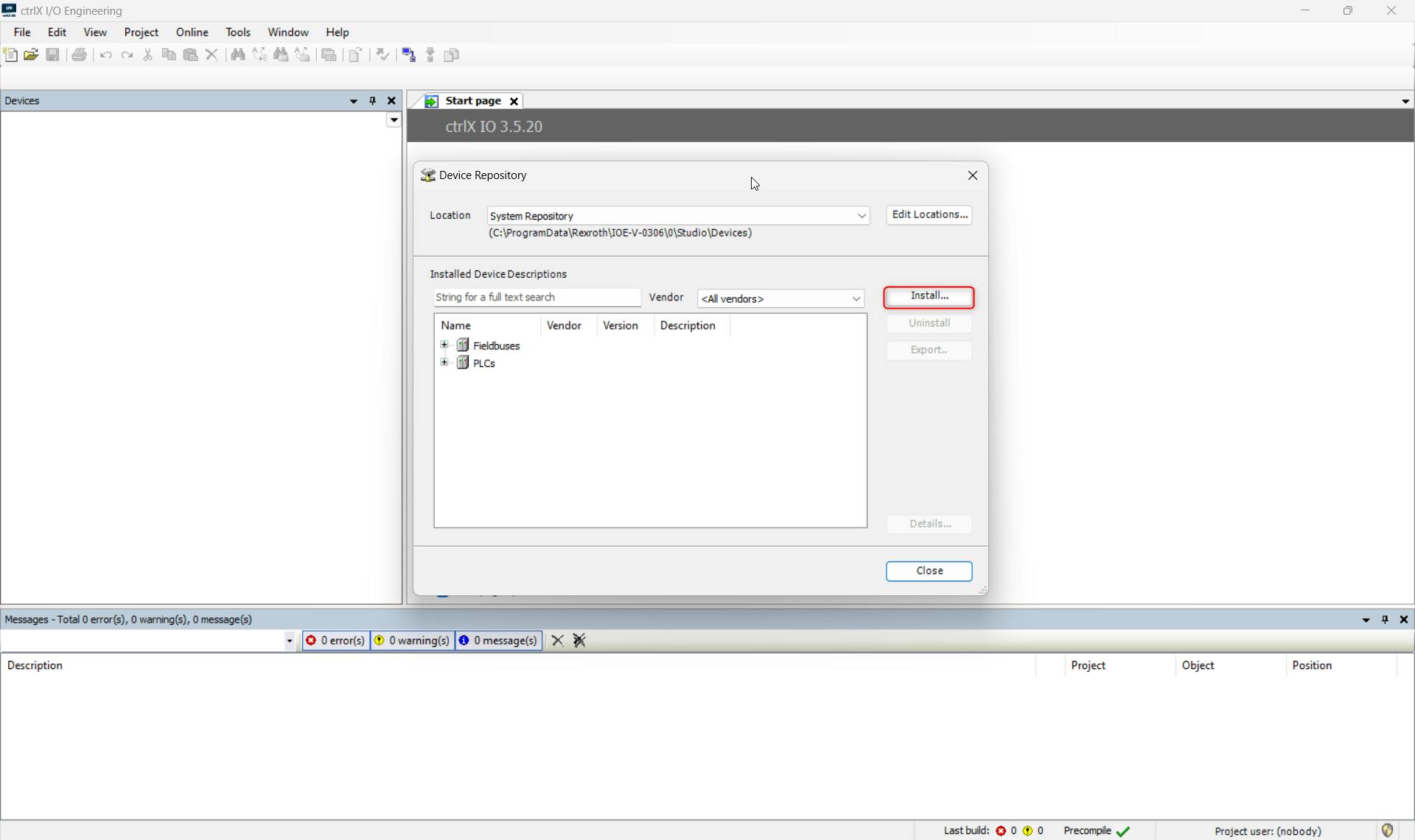
Select the ESI-File and press "Open":
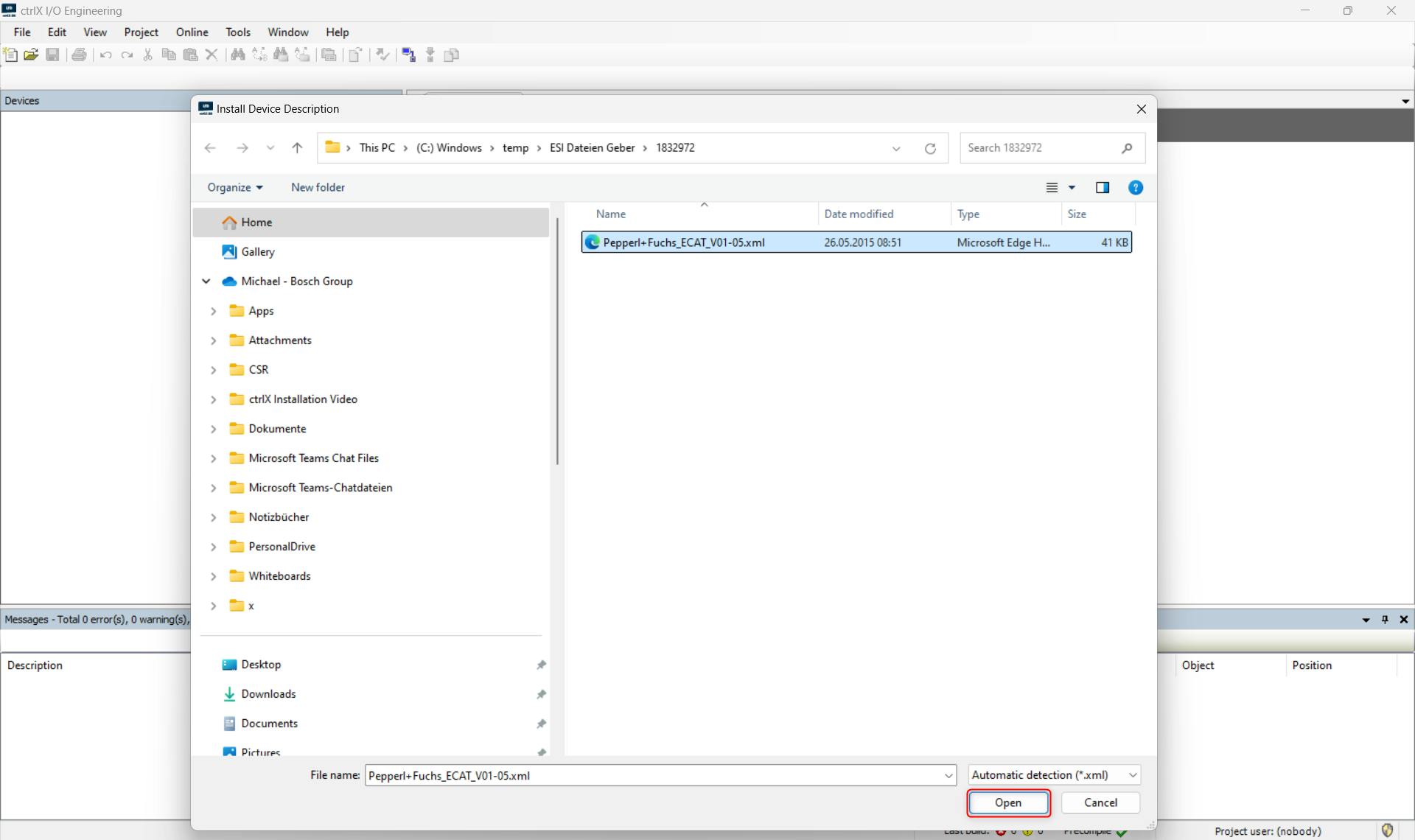
The Device is now installed in the ctrlX I/O Engineering:
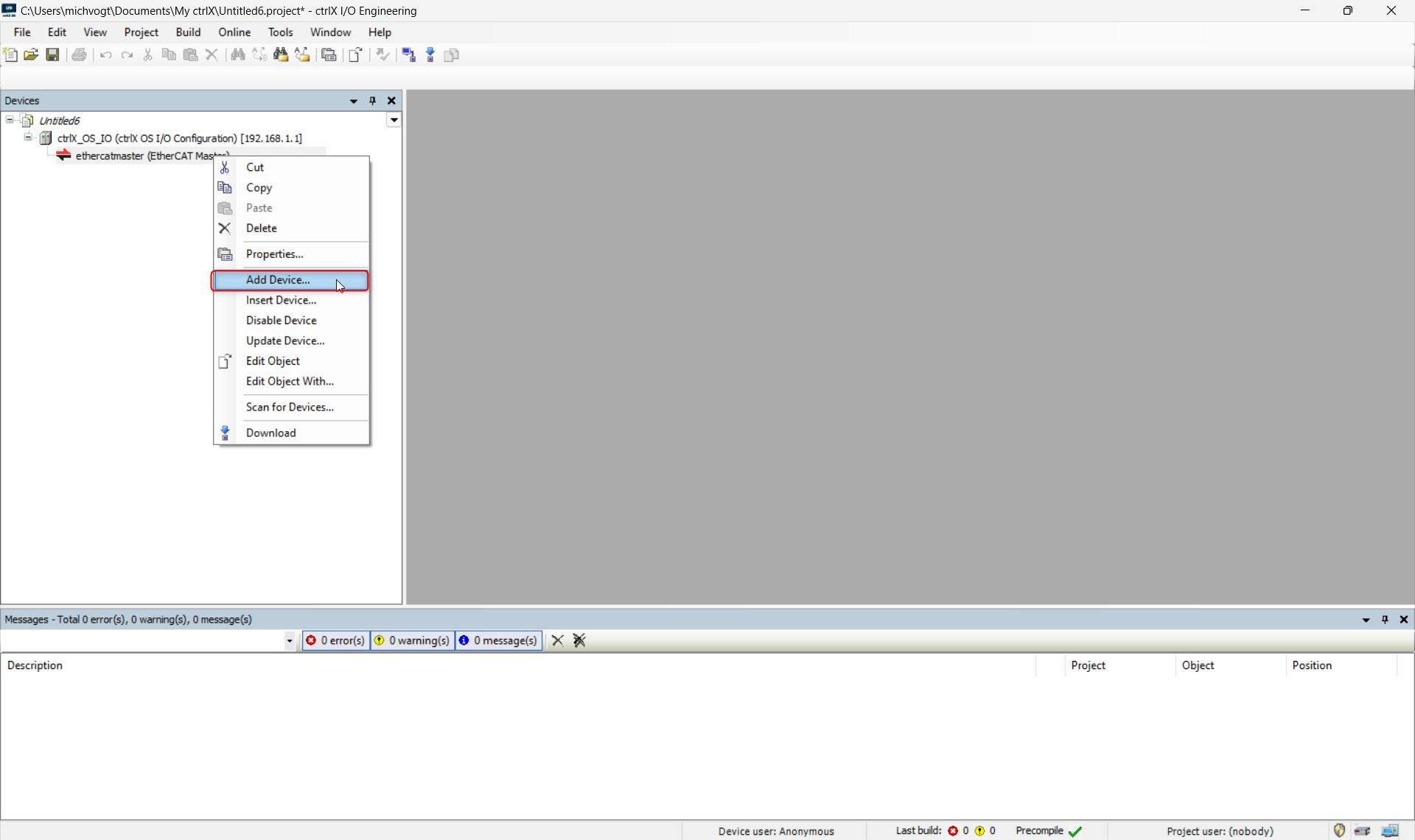
Add the device by right-clicking on the EtherCAT master:
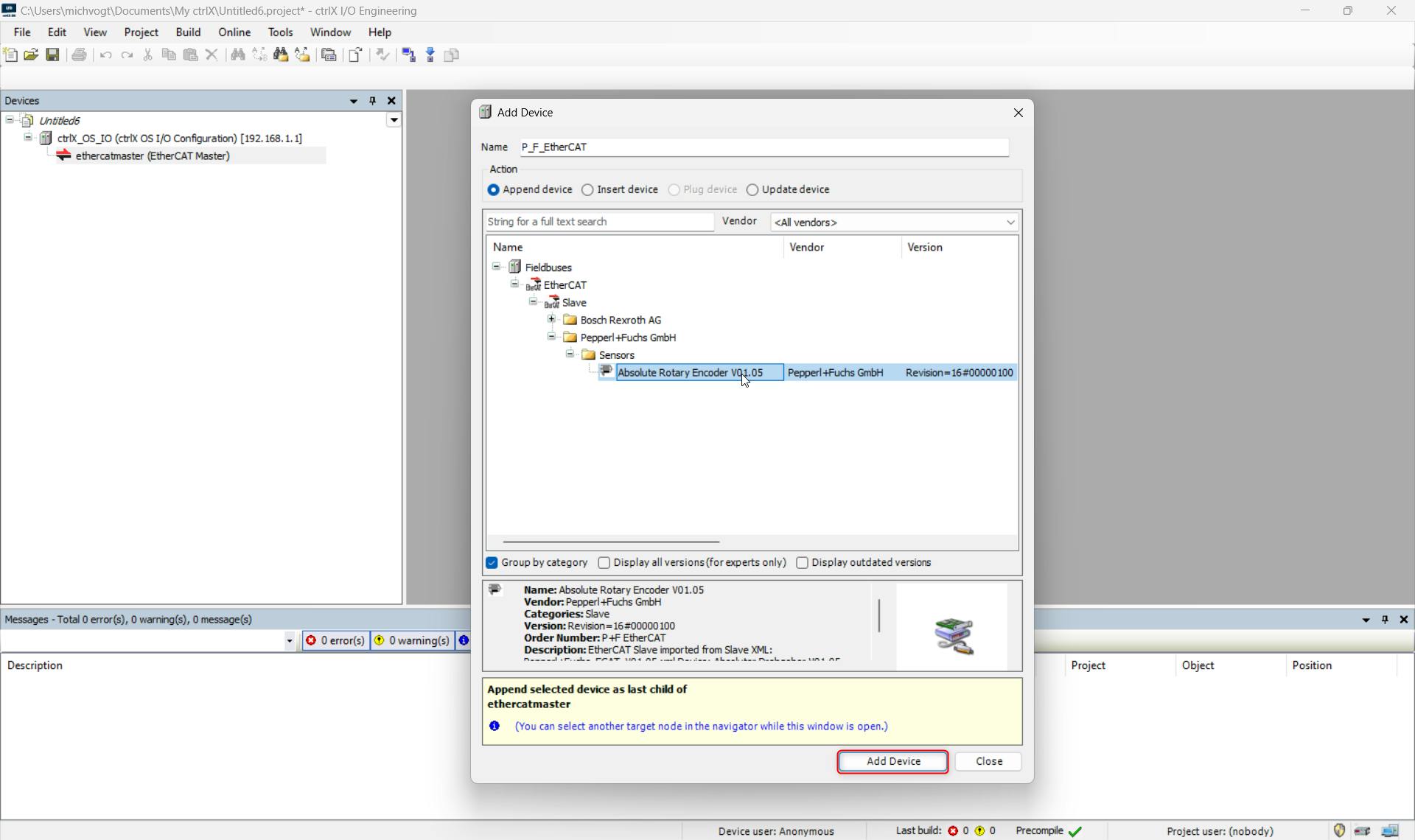
Select the Device and press "ADD DEVICE":
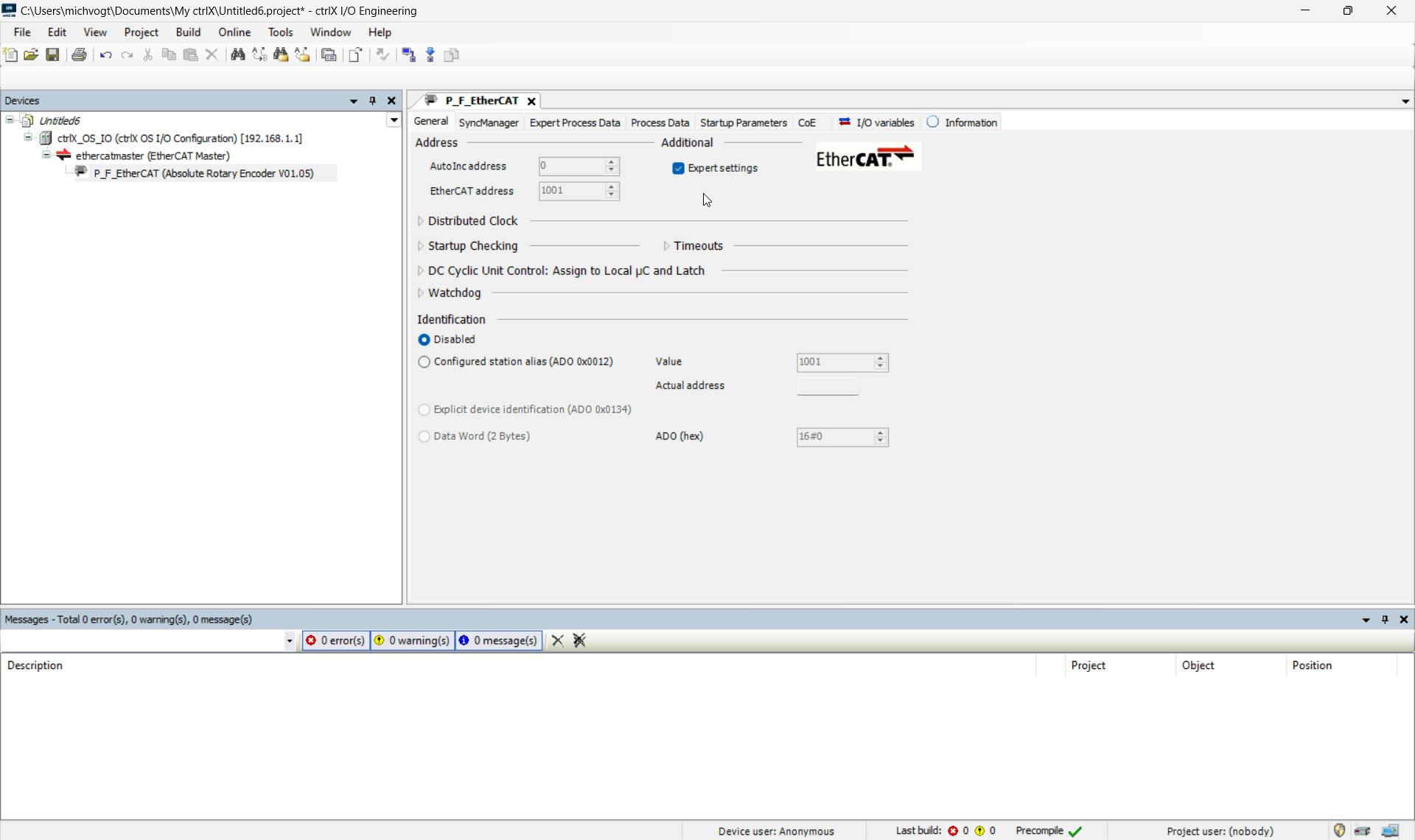
Under General you can activate the "Expert Settings" you can see the EtherCAT Address an the Distributed clock:
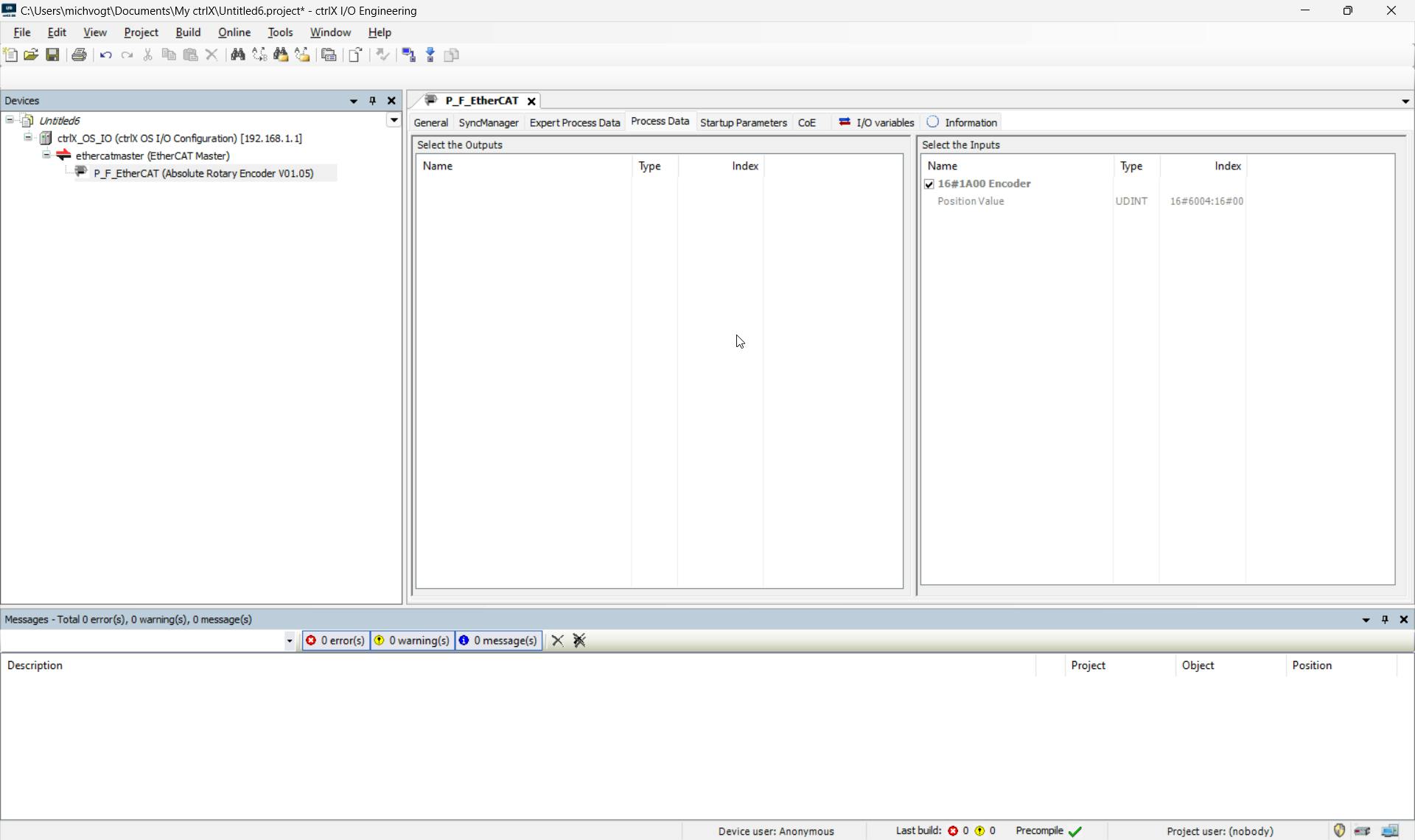
Under the “Process Data” tab, you can see the position value that is transferred cyclically:
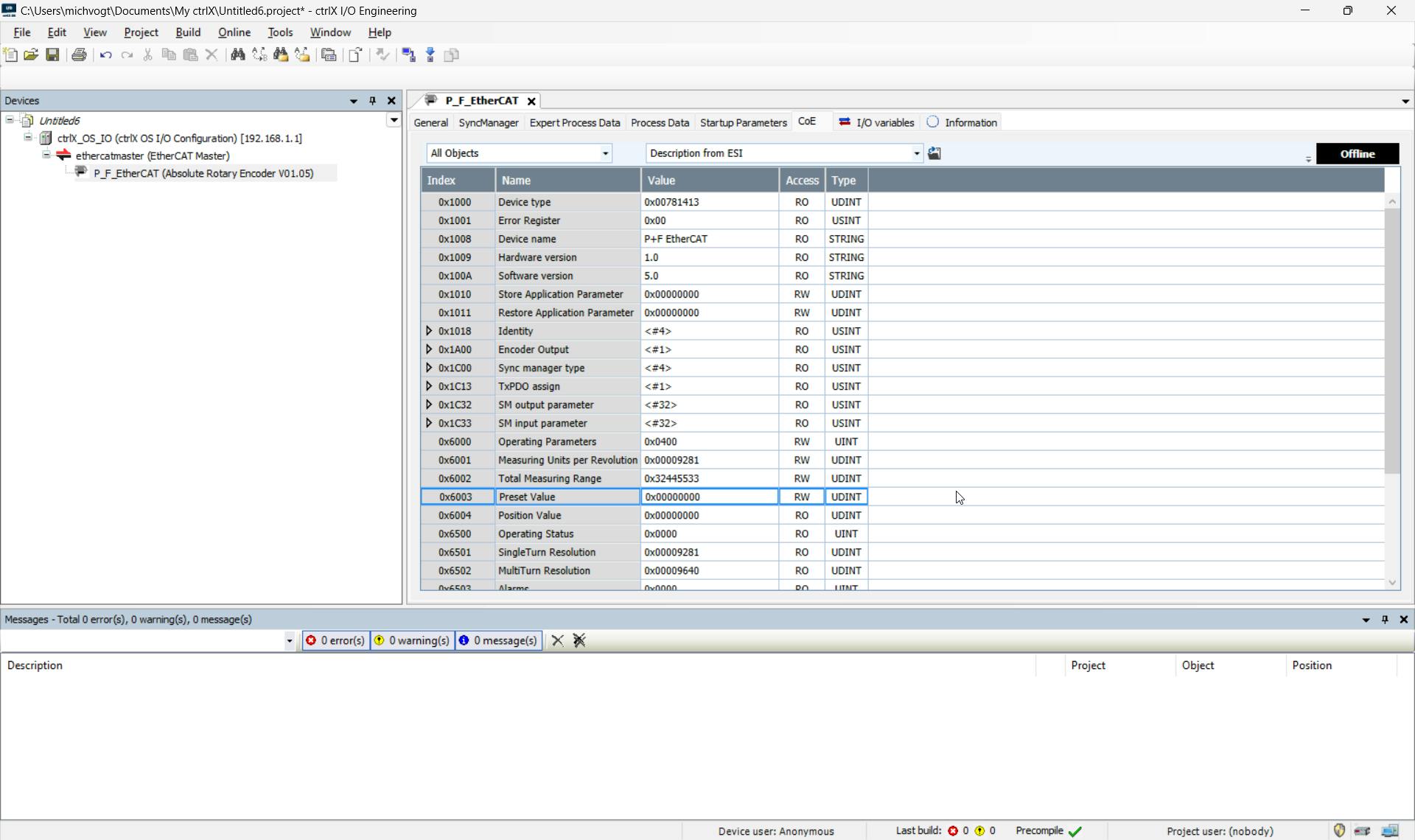
The “Coe” tab shows all objects with the corresponding attributes, which can also be read only or read and written here in online mode, depending on the attribute:
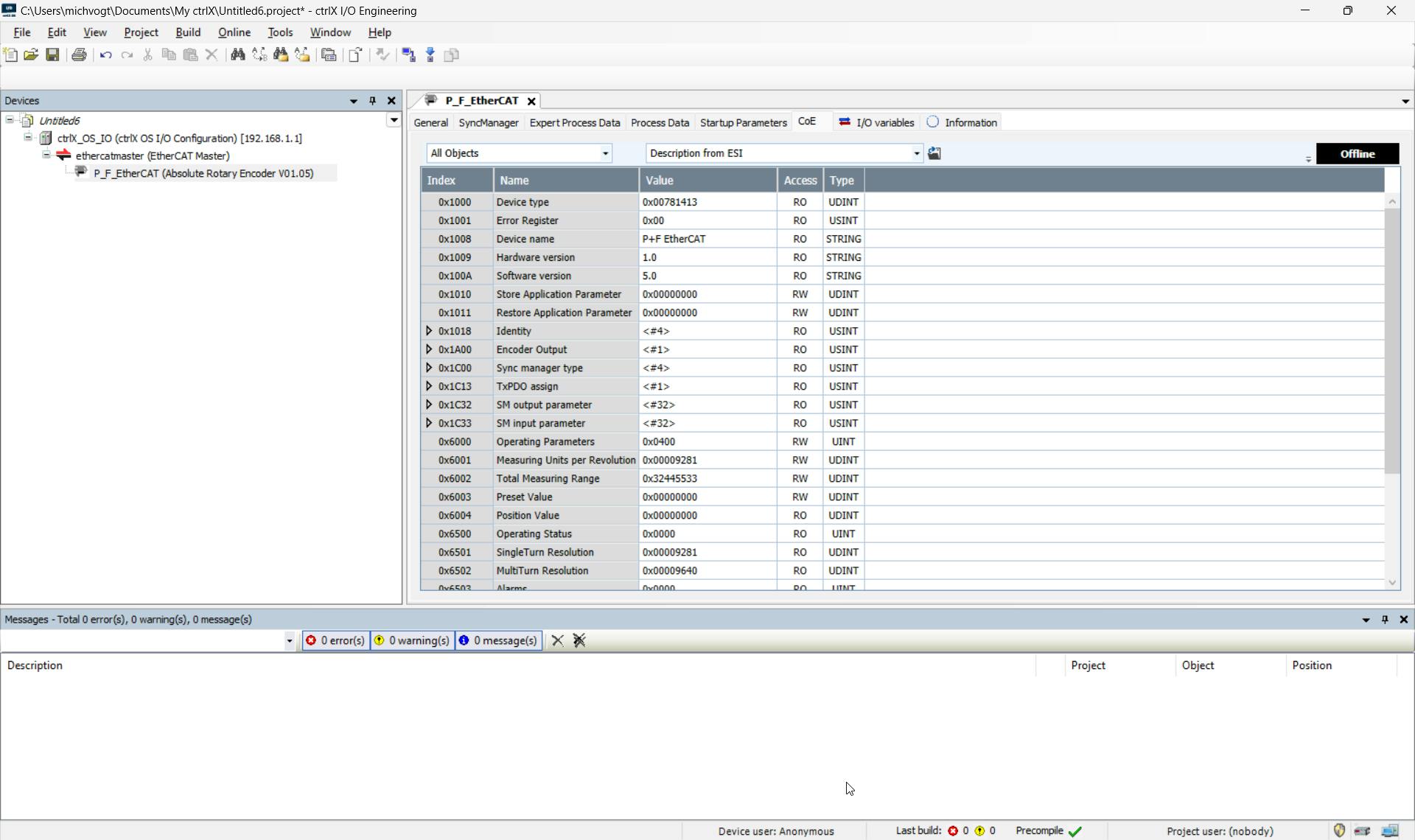
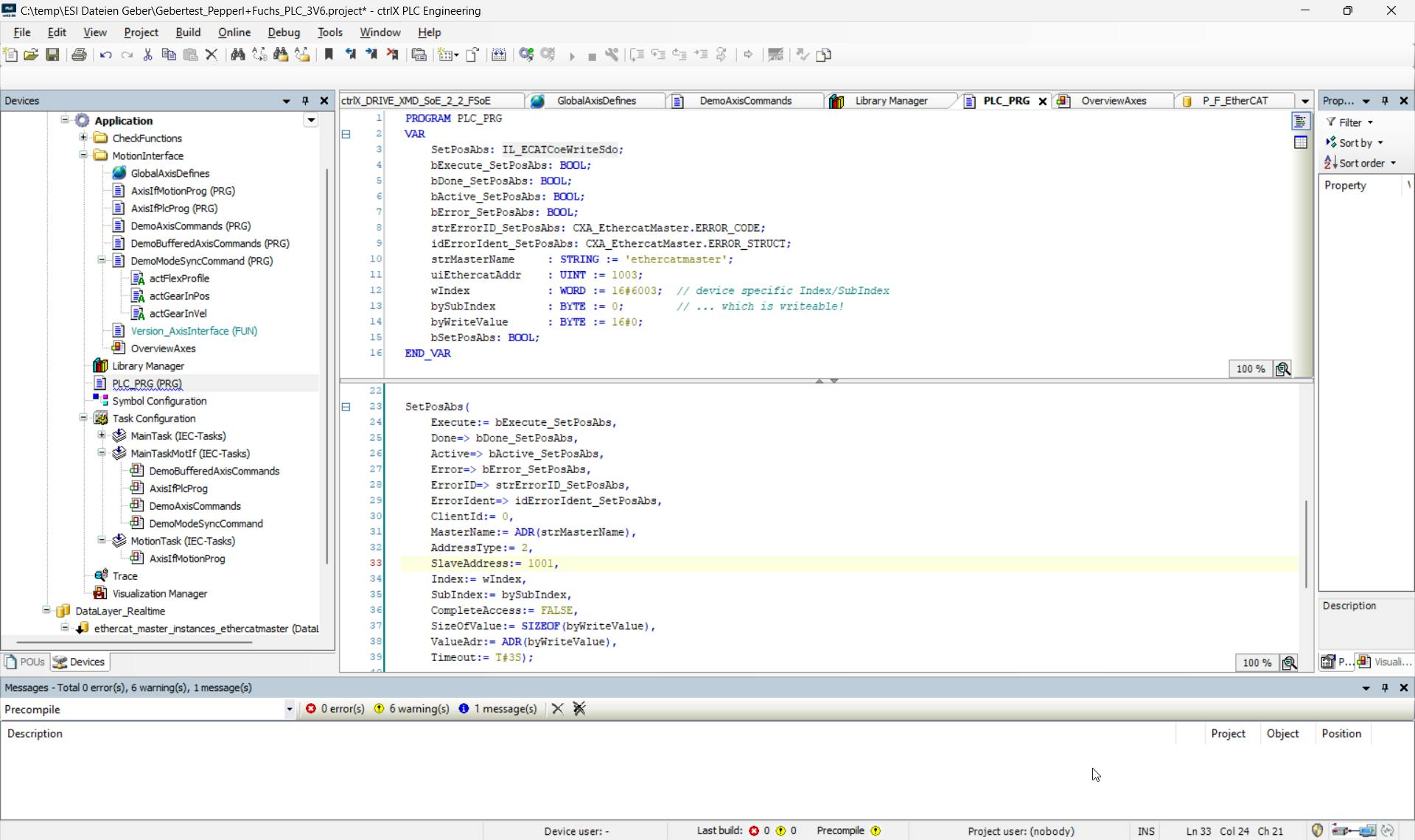
The absolute dimension can be set or a position can be set acyclic with an FB via the PLC using object 0x6003:
The Position from the Encoder, you can read in the PLC in the DataLayer:
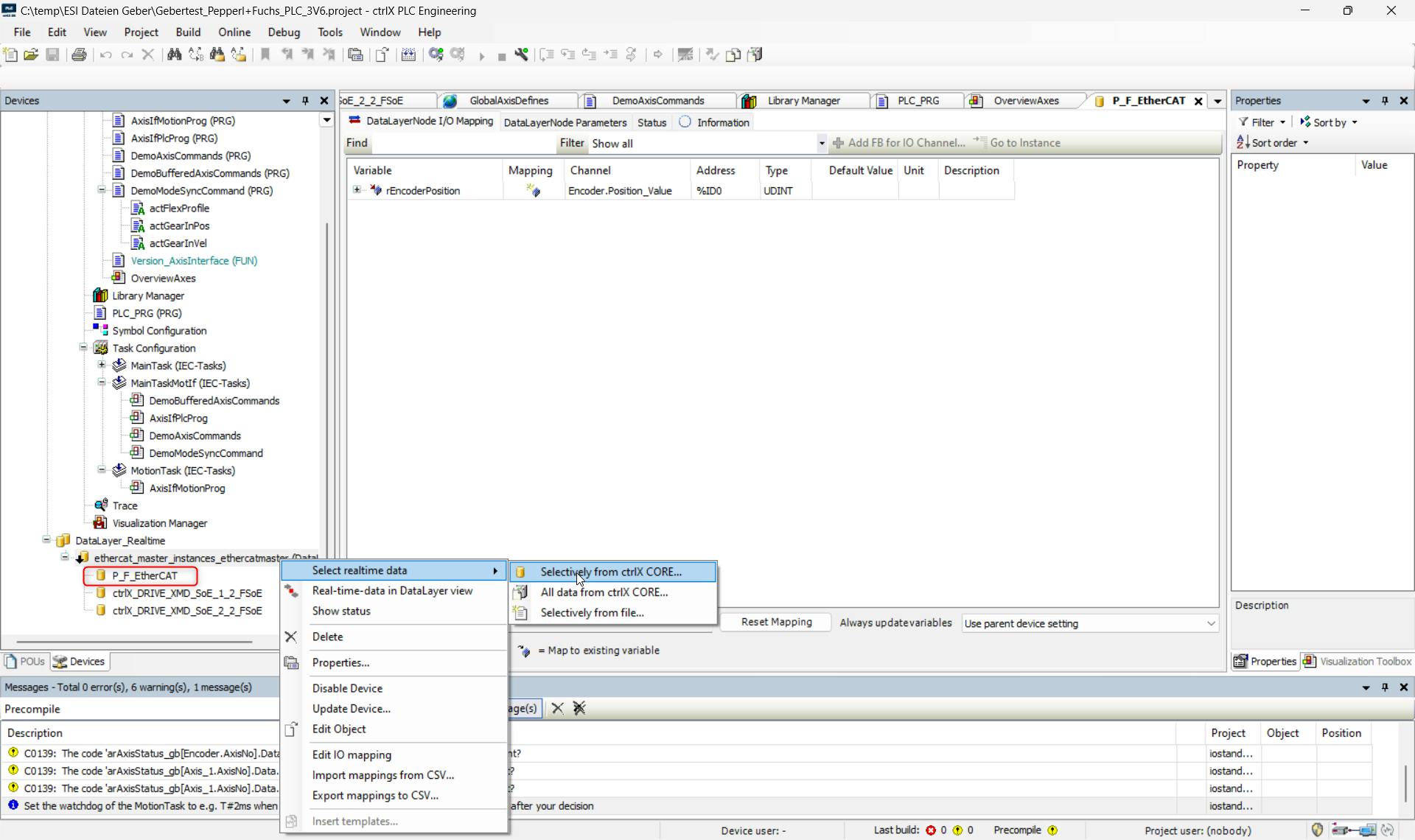
If you want to write a position in the encoder, you must insert the LIB CXA_ETHERCATMASTER.
In the CXA_ETHERCATMASTER Lib you find the FB IL_ECATCoeWriteSdo, you need this FB for an acyclic write access.
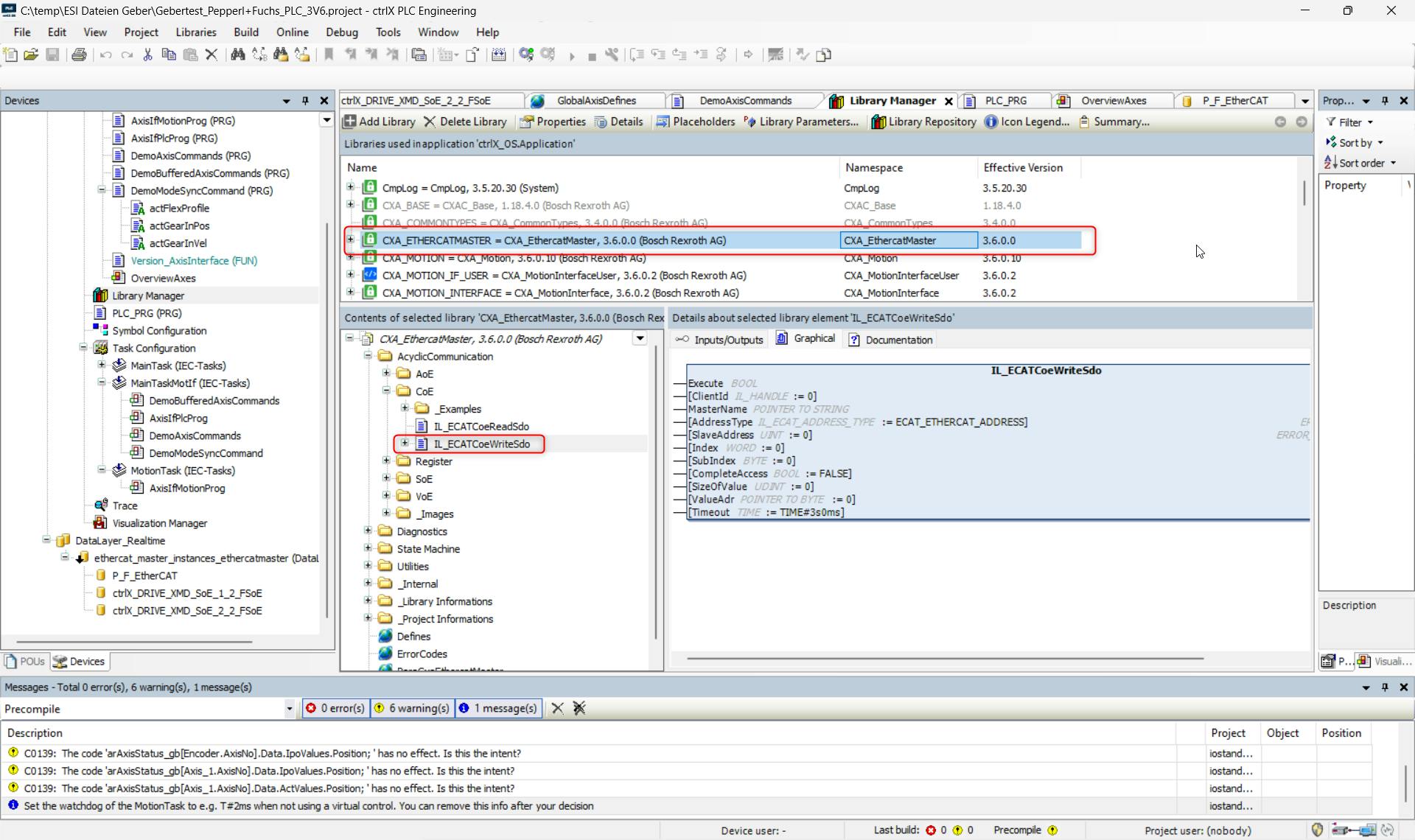
In the Lib is a example for WriteSdo:
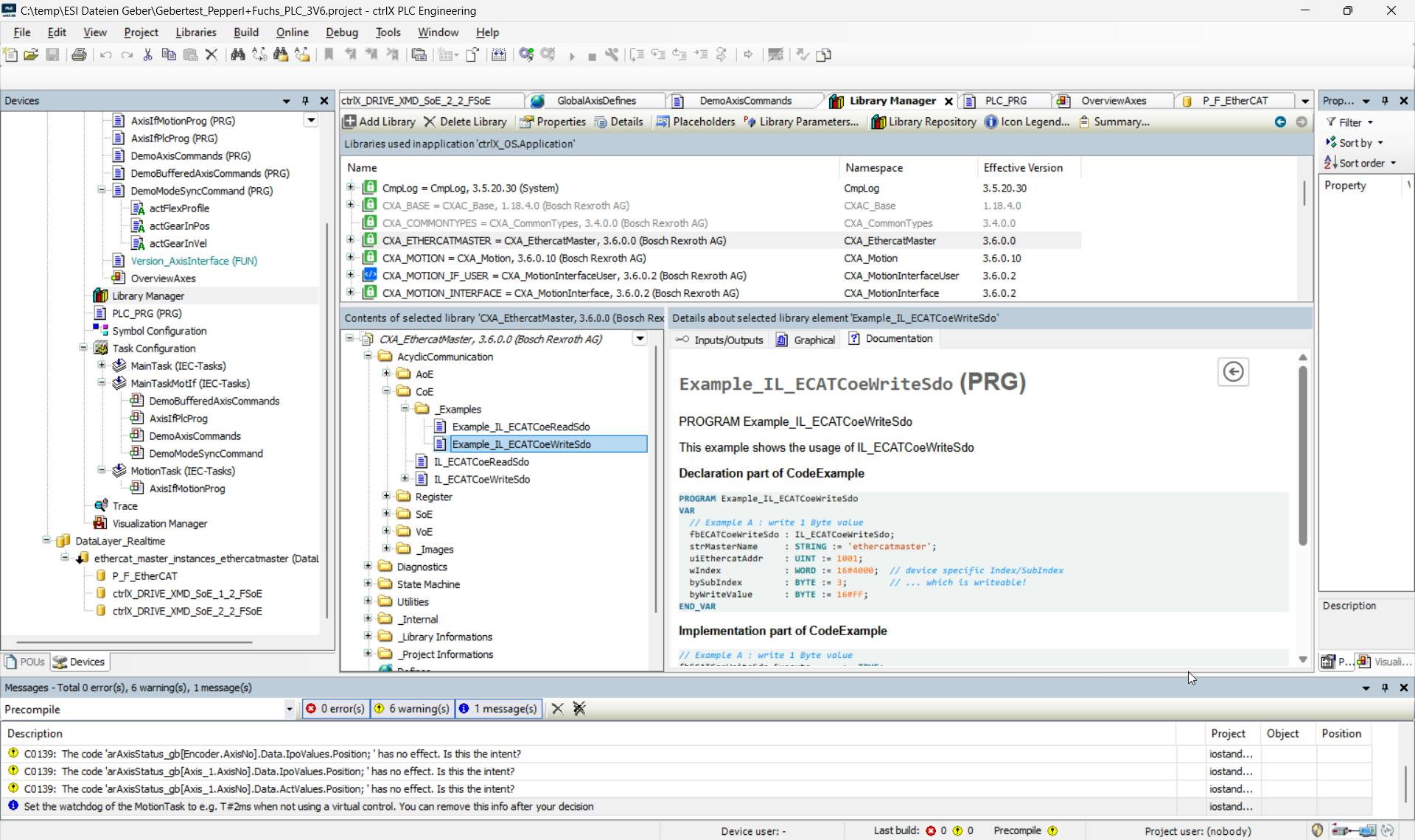
You can copy this example into your program and adapt the name and the EtherCAT address. In the example, the EtherCAT standard name of the master is used.
Below article describes how to use the encoder as an encoder axis in order to use it as a real axis encoder: