Introduction
ctrlX MOTION 3.6 provides expanded Touch Probe functionality to capture axis positions based on the rising or falling edge of a Probe input of ctrlX DRIVE. This is typically used for registration processes in Packaging and Printing applications.
Options for capturing:
The encoder position of the drive on which the Probe input is used (S-0-0051, S-0-0053)
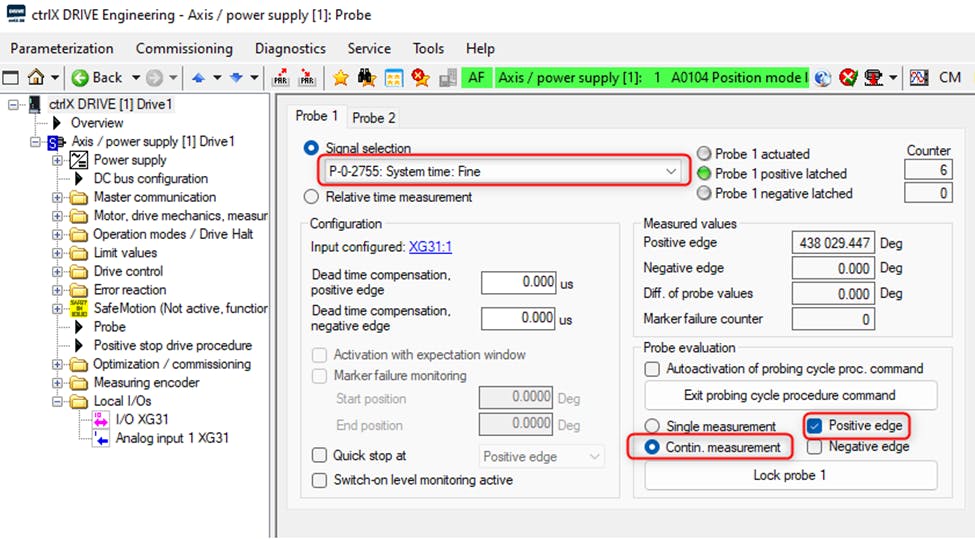
The Actual or Commanded (IPO) position of an axis based on a time stamp captured in the drive (S-0-1305.0.2/P-0-2755). In this case the Probe function of ctrlX MOTION uses the time stamp to interpolate the position of an axis based on the time at which the edge was recorded in relation to cyclic system time and position values. This method allows the Probe input of any ctrlX DRIVE to be used to capture the position of any axis (real or virtual).
Positions within the calculation pipeline of a synchronized axis (also derived from the time stamp). For example:
Incoming master position
Master position after master offsets are applied
Master position after electronic gear ratio is applied
System fine time: the user can directly capture S-0-1305.0.2/P-0-2755 if needed instead of axis position

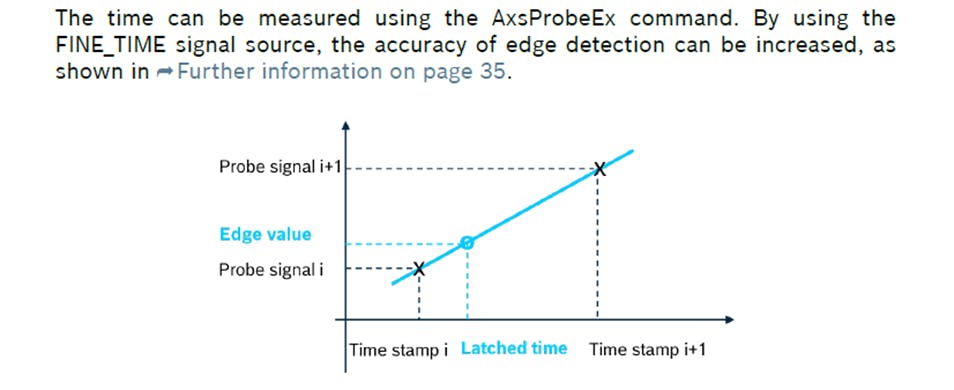
Conceptual Overview
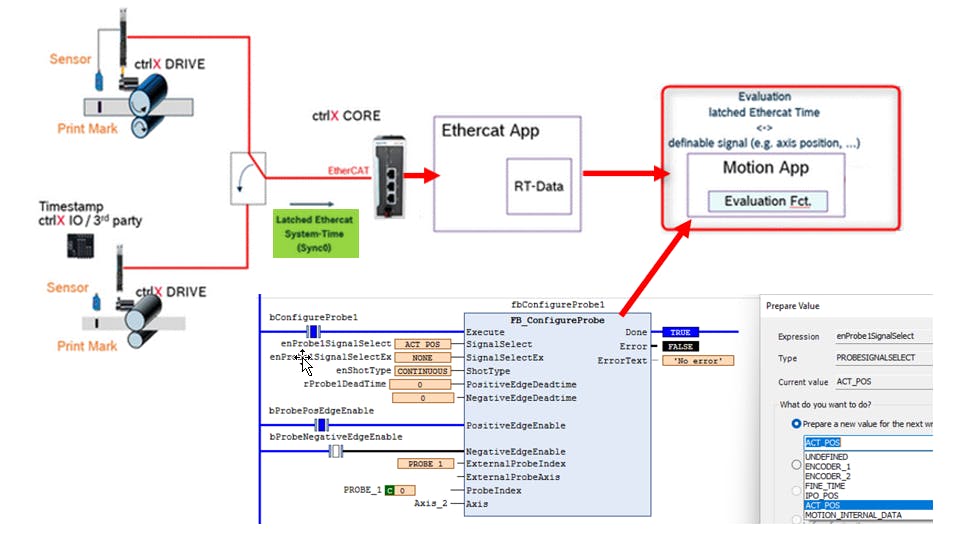
This new feature to derive the position from a timestamp greatly expands the use cases for the probe inputs of ctrlX DRIVE. The timestamp is latched with an accuracy of +/- 1 μs. The delay of 1 EtherCAT cycle for the latched timestamp to be processed by the control is compensated for automatically using deadtime compensation. Therefore the accuracy of the captured position does not depend on the EtherCAT or PLC cycle time. (assuming constant velocity)
Configuring the Probe
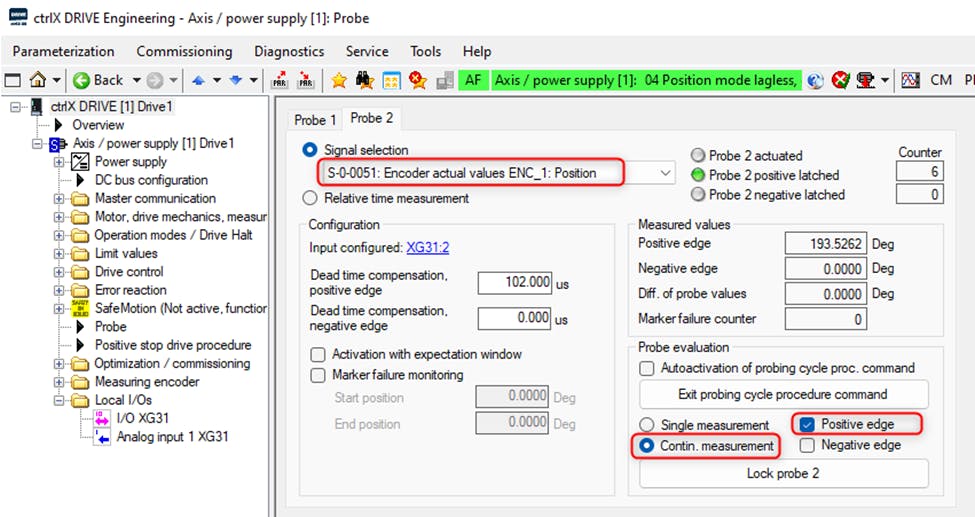
The relevant AT touch probe parameters must be configured in I/O Engineering and linked to the Axis Profile. For example, here I have configured the minimum AT parameters required to capture the positive edge of Probe 1 and Probe 2.
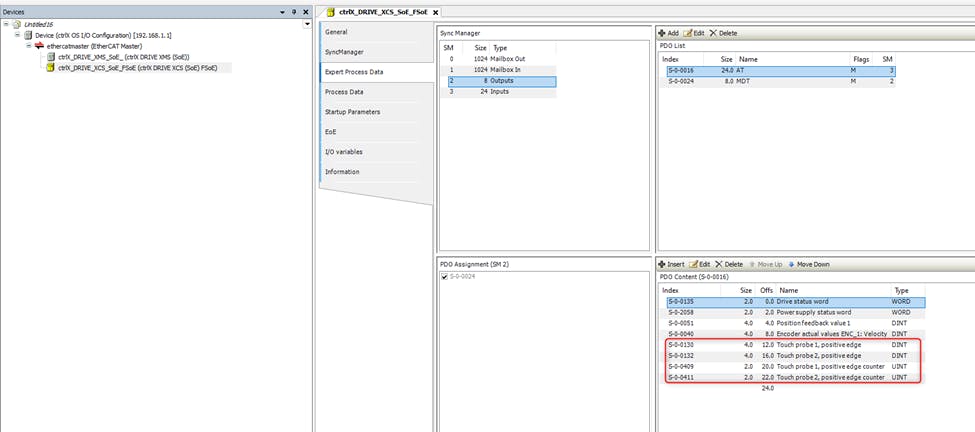
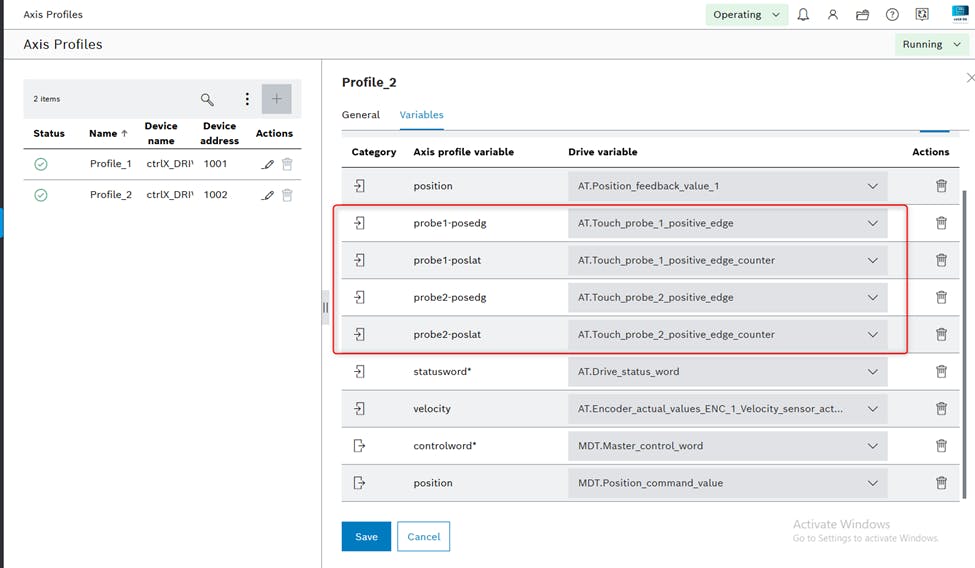
Then you must configure the probe1/probe2 in the Data Layer. Every axis, whether real or virtual, has a probe1 and probe2 in the Data Layer path motion/axs/AxisName/cfg/functions/probe. Most of the settings available here are consistent with previous versions of the probe function.
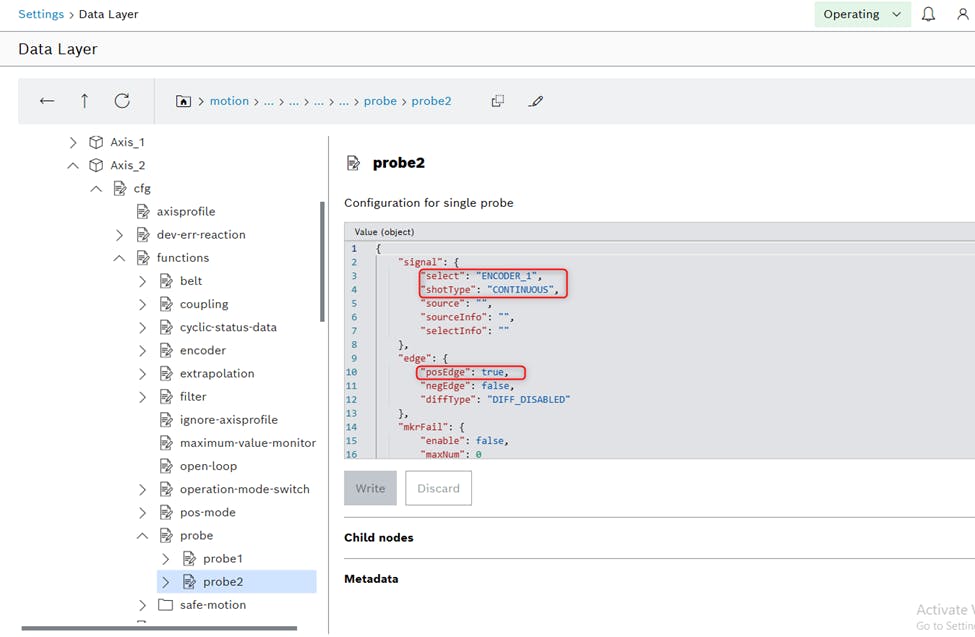
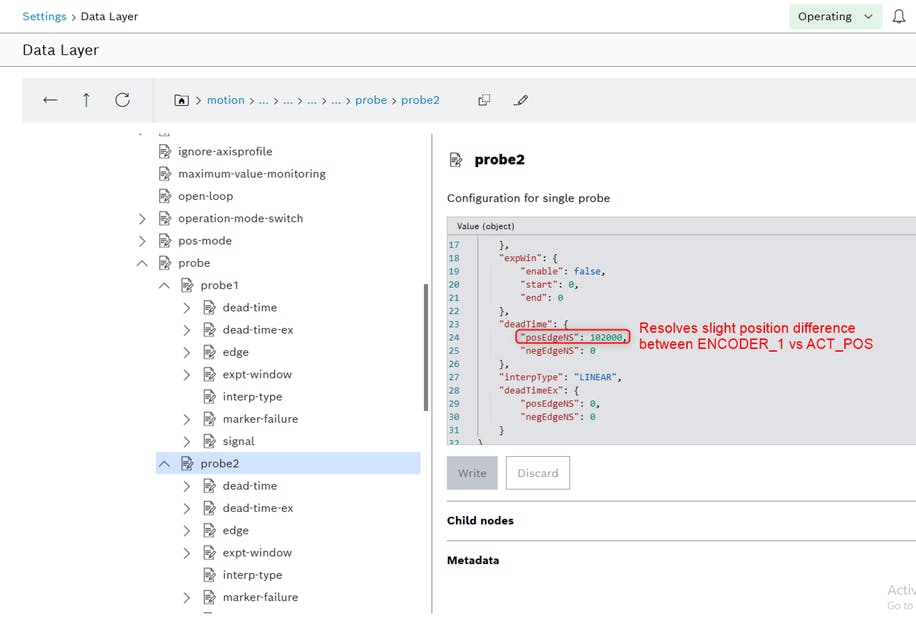
Here I’ve configured probe2 to capture ENCODER_1 position every time a positive edge is detected.
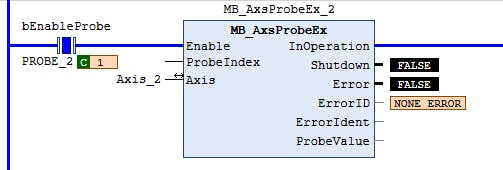
Upon enabling of MB_AxsProbeEx in ctrlX PLC, the settings you configured above in the Data Layer are transferred to the respective Probe of ctrlX DRIVE and the position values are ready to be received.
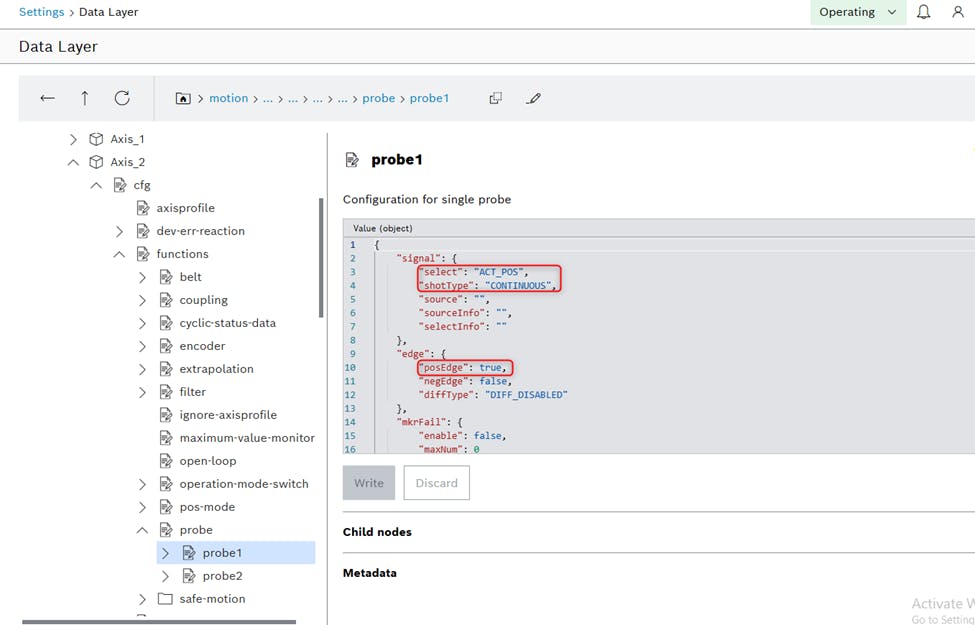
I configured probe1 to capture ACT_POS. In theory this should provide the same result as ENCODER_1, but a different method is utilized. In this case a time stamp is captured in the drive. The captured position is interpolated by relating the time stamp to the cyclic values of S-0-0051 as described earlier.
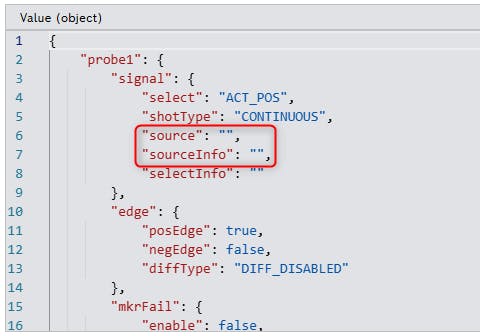
Note: if “source” and “sourceInfo” are left empty, then probe1 and probe2 are automatically linked to the Probe inputs of the drive that is connected via Axis Profile. By setting “source” to the name of a different axis, and sourceInfo to probe1 or probe2, you can point the probe function of the axis whose position you want to capture to the physical probe input of a different axis. This is especially useful for a "virtual axis" - that is, an axis with no physical drive assigned.
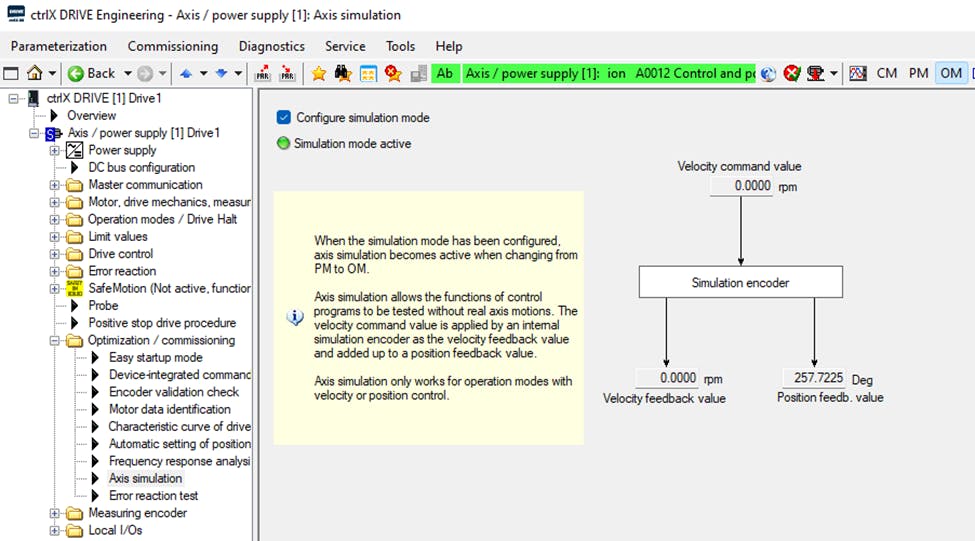
For this test I activated Simulation mode in ctrlX DRIVE so that I get a “perfect” signal in S-0-0051 that is unaffected by encoder jitter. That makes it easier to compare these two methods.
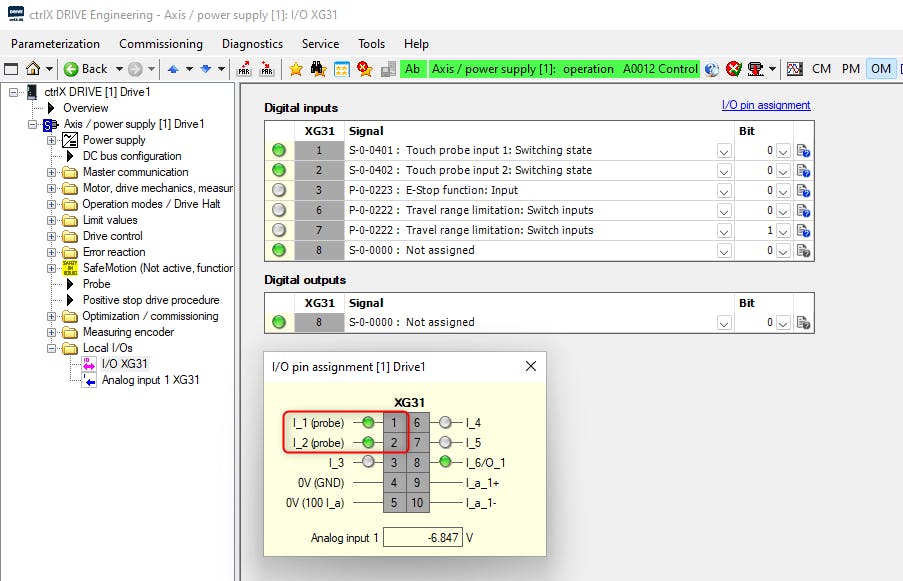
I wired the same switch into XG31 pins 1 and 2 so that the rising edge will occur at exactly the same time, allowing me to compare the different capture methods of Probe1 and Probe2.
Enabling the Probe and Evaluating the Results
As mentioned the Probe is enabled using the function block MB_AxsProbeEx from the library CXA_PlcOpen. The results are available in the ProbeValue output structure. Every time a new positive edge is seen on the drive Probe input, MeasuredValuePosEdgeCount will increment and the new value will appear in MeasuredValPosEdge.
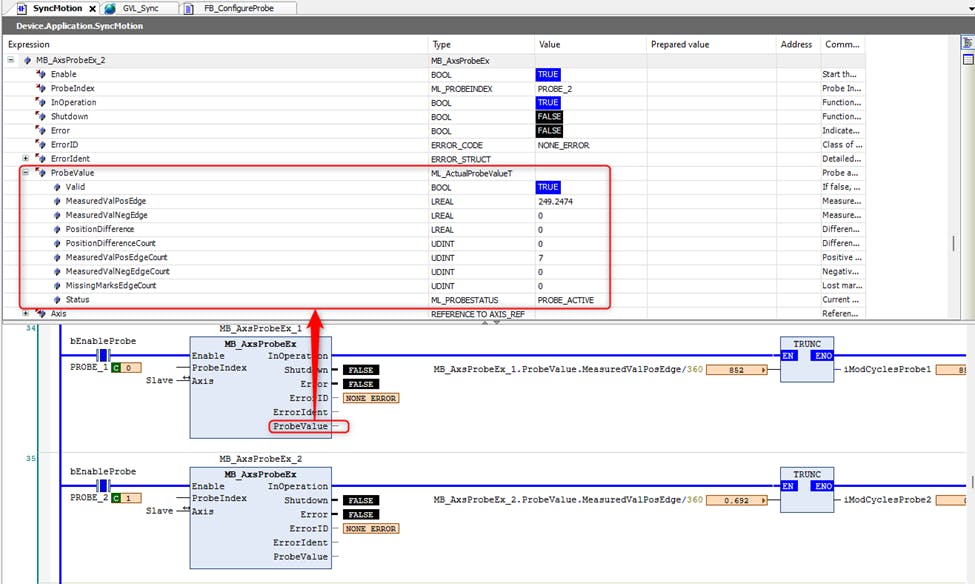
I found that the accuracy of probe1 (ACT_POS) and probe2 (ENCODER_1) is essentially identical, but I needed 102 us of deadtime compensation on probe1 to avoid a velocity-dependent shift. The actual deadtime compensation needed on a real application depends on the response time of the registration sensor and other process factors.
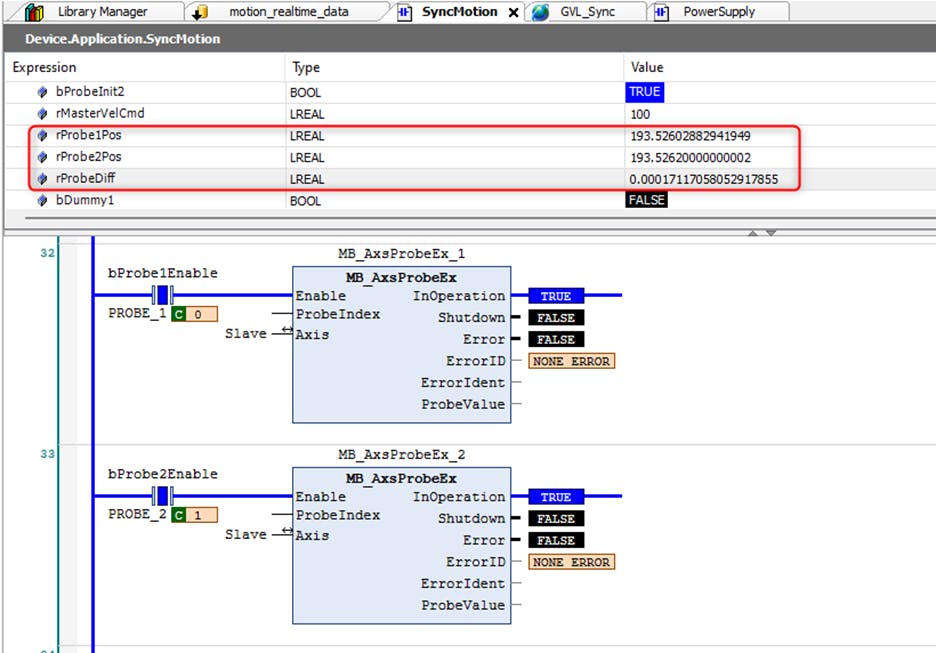
My goal so far was to establish that the time stamp method of capturing the actual position of a real axis provides the same accuracy as capturing the position directly in the drive. My testing has established that this is true in the case of steady-state velocity. Please watch this demonstration video for a closer look.
It should be noted that S-0-0051 is updated in the drive according to the position loop update (125/250 μs), whereas it's updated in the control according to the EtherCAT update rate (typically 1/2 ms). Therefore capturing S-0-0051 directly in the drive provides an advantage during accel/decel because of the limitations of linear interpolation.
The time-stamp probe method can also be used to capture the commanded position (IPO_POS) or master positions in the calculation pipeline of a synchronized axis (MOTION_INTERNAL_DATA). When MOTION_INTERNAL_DATA is selected, you must provide a path to the calculation pipeline step. The function block I provided will do this step automatically.
Function Block for Configuration
Currently there is no WebUI or standard function block to configure probe1/probe2. For now I made a custom fb FB_ConfigureProbe to do this. The ProbeUtilities export file includes this FB and related enumerations. Note: not all possible settings have been encapsulated in this FB yet, but it can easily be extended as needed.
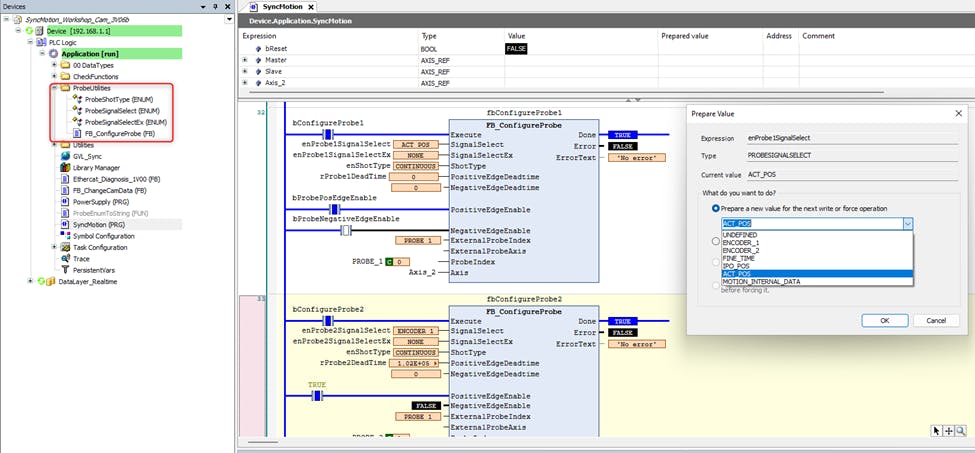
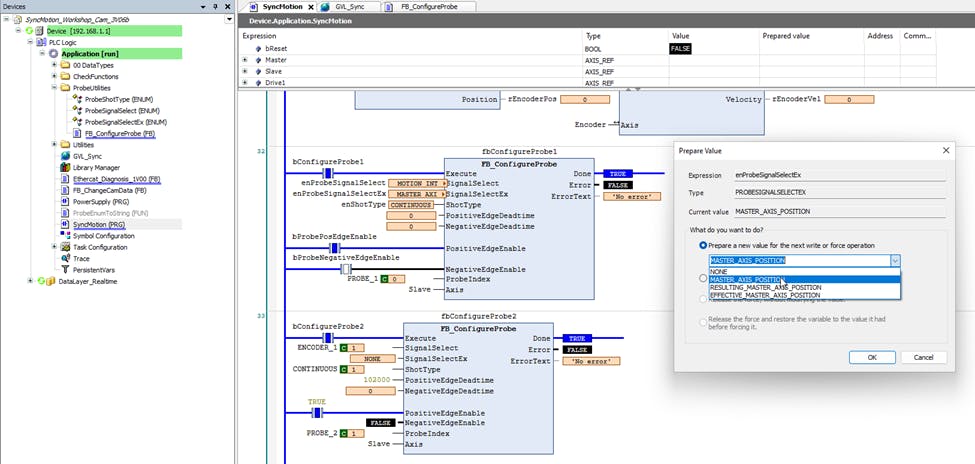
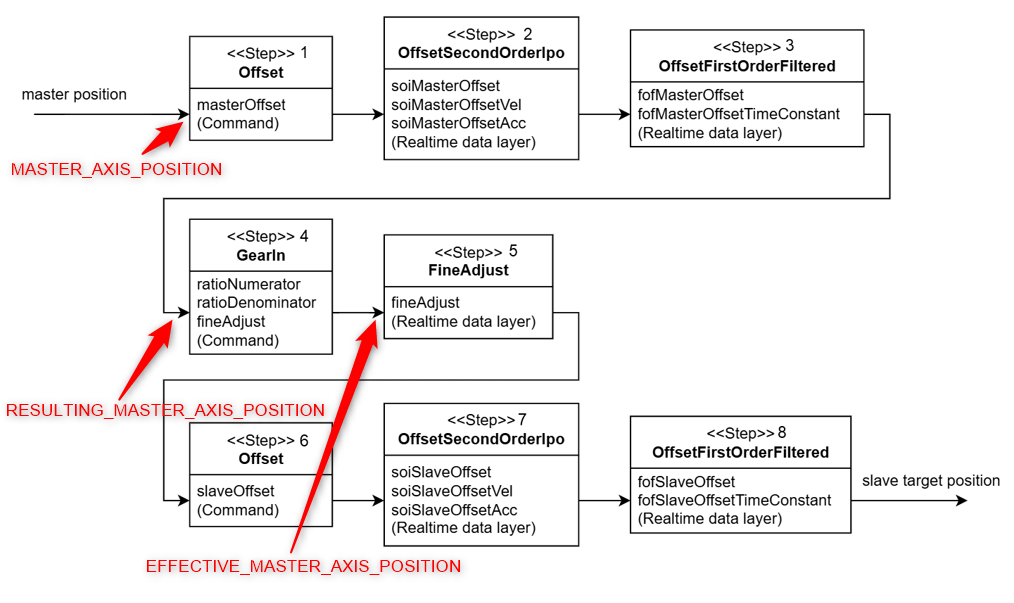
The input SignalSelectEx is only relevant if GearInPos is active and SignalSelect = MOTION_INTERNAL_DATA. Here we can capture positions in the calculation pipeline of a synchronized axis. So far I have included the following options with names related to the MLC/IndraDrive platform:
MASTER_AXIS_POSITION: position of incoming Master axis (equivalent to P-0-0053 in IndraDrive, A-0-0300 in MLC)
RESULTING_MASTER_AXIS_POSITION: position of Master axis after DynOffsets.Master.Position and ProcessCtrl.Master.Position (equivalent to P-0-0775/A-0-2650)
EFFECTIVE_MASTER_AXIS_POSITION: position of Master axis after RatioNumerator/RatioDenominator and FineAdjust (equivalent to P-0-0776/A-0-2651)
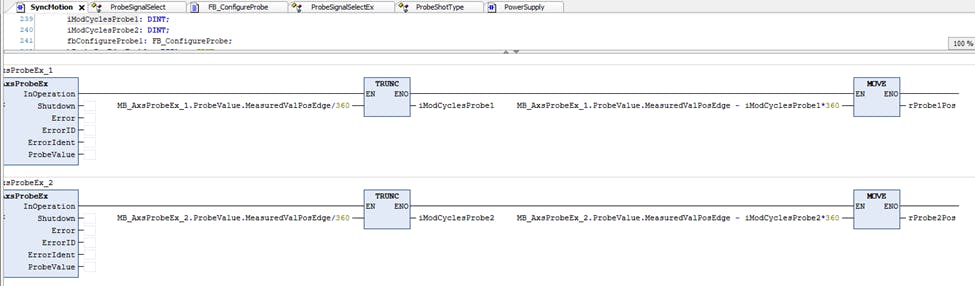
Note: these master positions are not in modulo format and the standard MOD functions don’t work for LREAL. Here is an example of how to convert it to modulo 360.
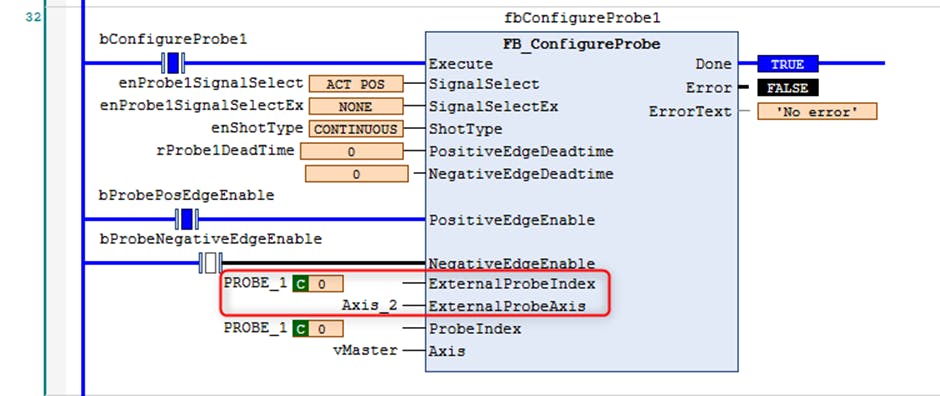
Normally you can leave the inputs ExternalProbeIndex and ExternalProbeAxis unassigned. These are only used if the axis of the position to be captured is different than the axis of the physical probe input. In this example I want to capture the position of vMaster by using the Probe1 input of the ctrlX DRIVE associated with Axis_2.
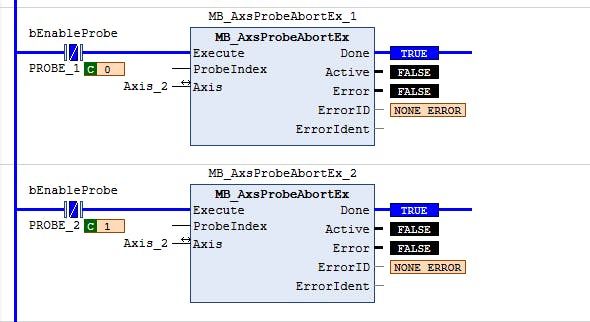
If you want to change the configuration after you’ve already activated the probe, you must first disable the probe with MB_AxsProbeAbortEx.
Additional Resources