Enable https for Codesys Webvisu

I am using webvisu and understand that through port 8080, I can get to my webvisu page using HTTP. I want to now enable HTTPS communication. I am following the Instructions on Codesys to setup the HTTPS using the Security agent addon.

I followed the instructions to create a certificate for my Webserver, but I don't know what port to find the webpage on. How is this configured?

https://content.helpme-codesys.com/en/CODESYS%20Visualization/_visu_execute_webvisu.html
Best reply by StephenO

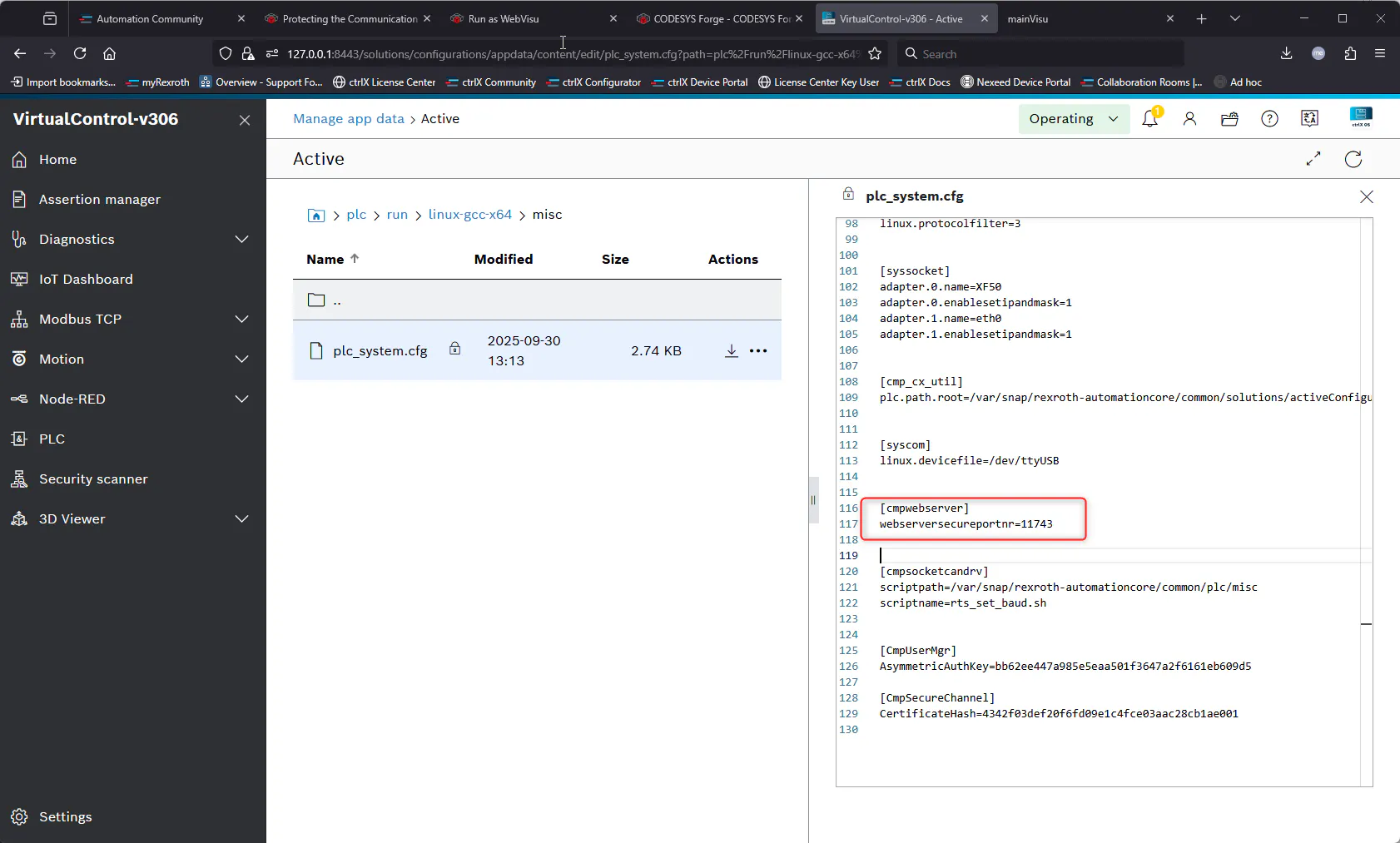
The port for the web server is configured in the PLC appdata of the Core. The file name is plc_system.cfg.

You can specify the port number for the webserver in the configuration file. The default on my virtual Core is 11743.

Note that if you are using Port Forwarding mode for your virtual core, you will need to add this port to the configuration. The same is required for the http port for Webvisu

View original
3 replies