When exporting a curve or other data from the Smart Function Kit Pressing software, you will get the files in a JSON format. File extension is JSON and the content shows a hierarchically structure.
Extract a curve, either by manual download or via REST-API
Locate the file on your computer.
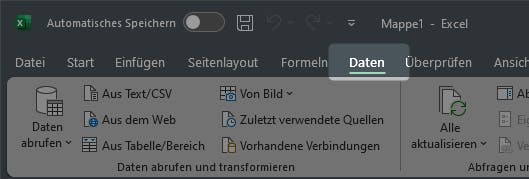
Open Excel and select "Data" (German screenshot: "Daten")
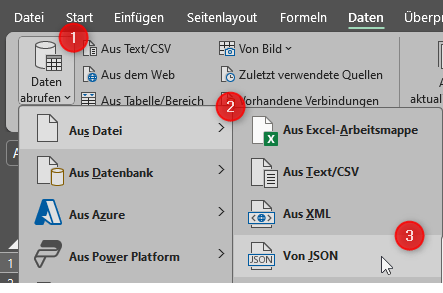
Navigate to "get Data" ("Daten abrufen"), then select "From File" ("Aus Datei") and "From JSON" ("Von JSON").
Select then the JSON file to be imported.
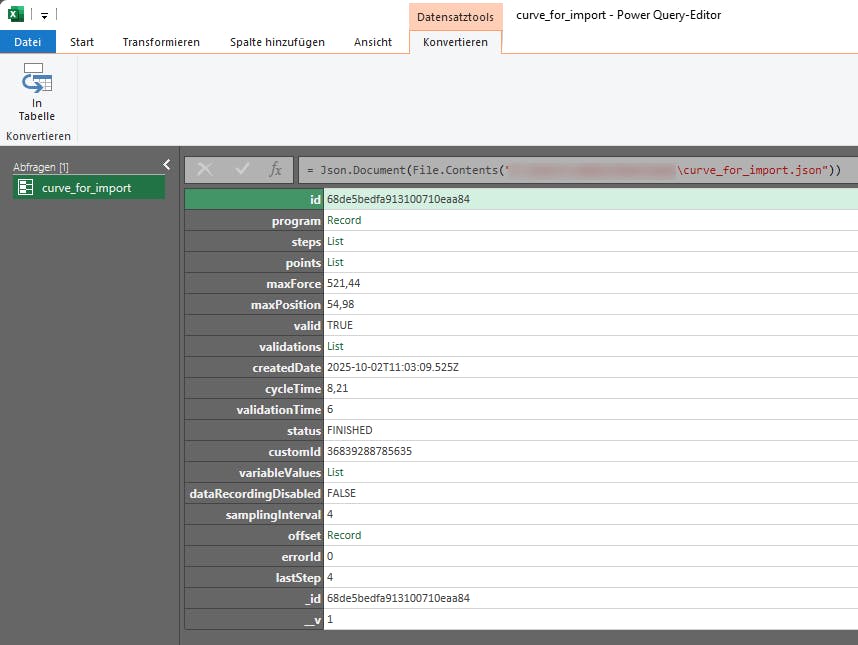
A new window opens. Here, you can see and select the data to be imported. We will import the curve points next.
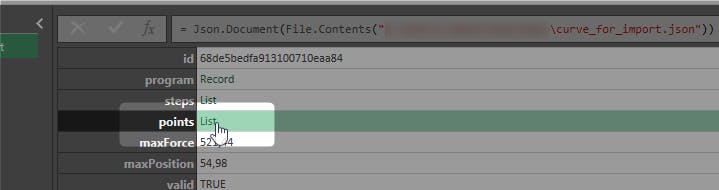
Select "point" with a mouse click.
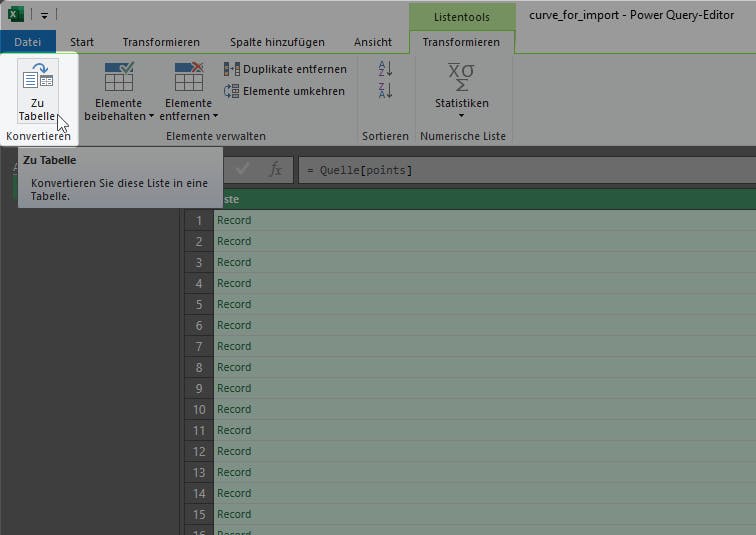
Excel will now drill down into this data. You will see the underlying structure. Click there to "Convert to Table" ("Zu Tabelle konvertieren")
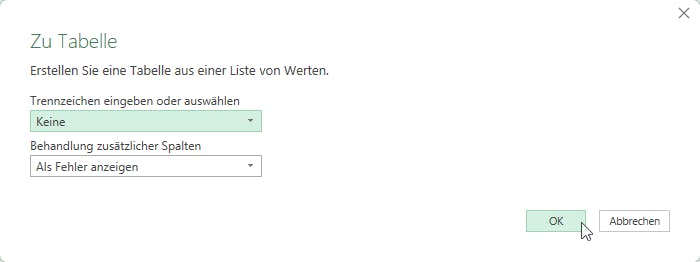
Click "OK" next or select other options
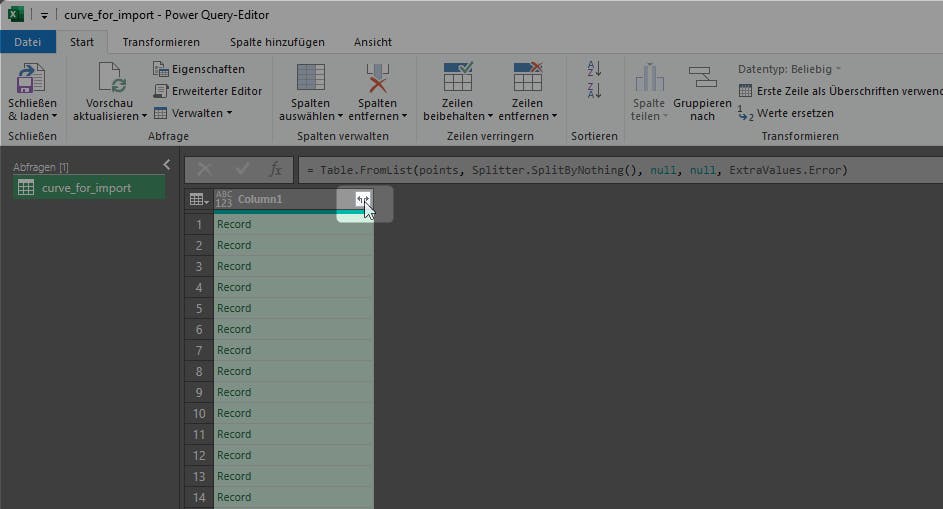
You will see next the extracted data. As there is still hierarchy in that dataset, we need to expand the data. Click the button in the column header
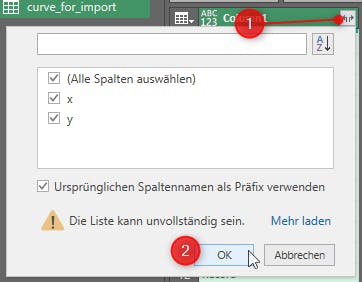
Select the data to be extracted and confirm with OK. For curve points, we want all (x = position, y = force)
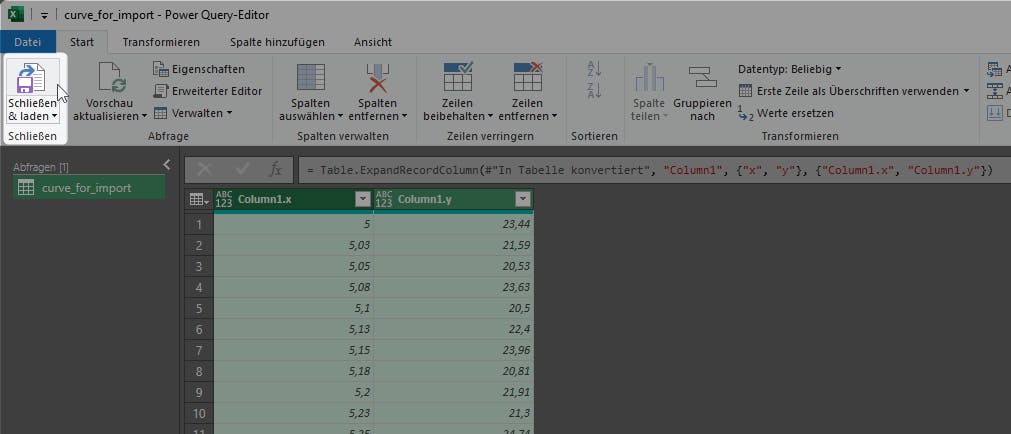
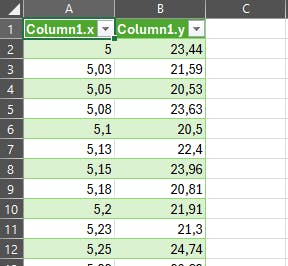
The curve points are extracted and visible. Copy to your Excel sheet with "Close & Load" ("Schließen & laden")
Finish! The curve points are available now in the Excel sheet.