Hello,
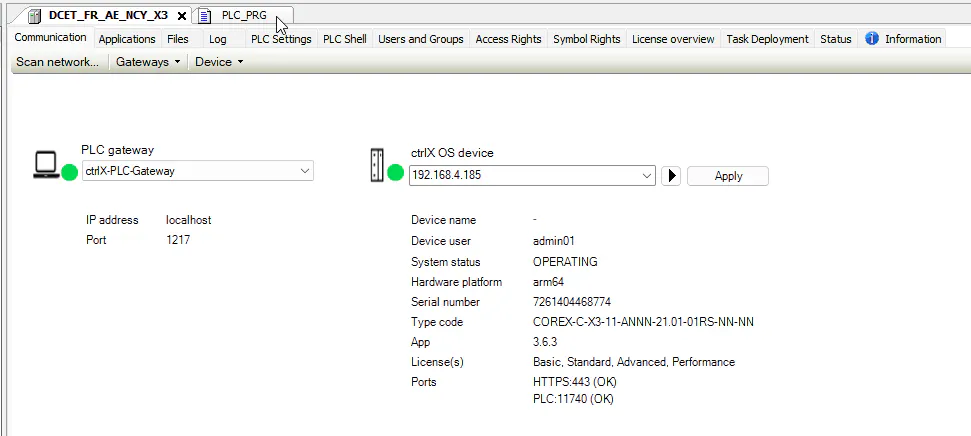
I have a problem to conect my PLC Engineering to my ctrlX X3 (Version 3.6) and it looks like there is a Device name difference between the certificate and my ctrlX...
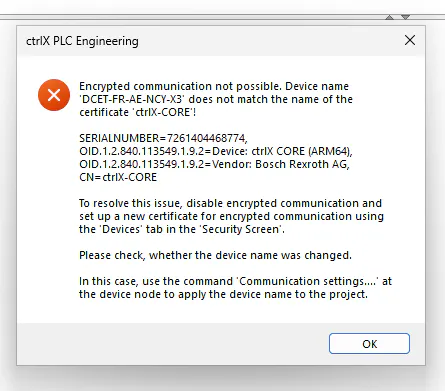
It is true, I changed the hostname of my ctrlX and I didn't regenerate the certificates...
How can I regenerate it, I suppose it is in settings/certificate/ but which one?
I also need to deactivate in Codesys the encrypte communication but I don't find where ?
How can I also re-insert the new certificates generated?
Thanks for your help
ThibaultM