Could not open library CXA_PLCopen

Hi,
I want to add the CXA_PLCopen library. When I select the library in the Add Library menu (Application/ctrlX AUTOMATION/Motion/CXA_PLCopen) I get the error message:

Could not open library '#CXA_PLCOPEN'. (Reason: The library 'CXA_PLCopen, 3.6.0.19 (Bosch Rexroth AG)' has not been installed to the system.)

Next I tried the menu "Download Missing Libraries" with the Download URL to https://store.codesys.com/CODESYSLibs/Bosch%20Rexroth%20AG/CXA_PLCopen/3.6.0.19 but the the download failed - the requested URL was not found.

Where can I find the library and install it?

I am using ctrlX PLC Engineering version 3.6.3-

Thank you.
Best reply by CodeShepherd

There are specific library versions shipped with specific ctrlX PLC version, therefore using an "older" project that needs such library can result in such error.

The infrastructure for downloading missing libraries is currently under construction, so only CODESYS own libraries can be loaded that way.

To get the specific version it needs to be packed in a project archive in an older ctrlX PLC Engineering version and so imported into a new one, or this has to done by hand.

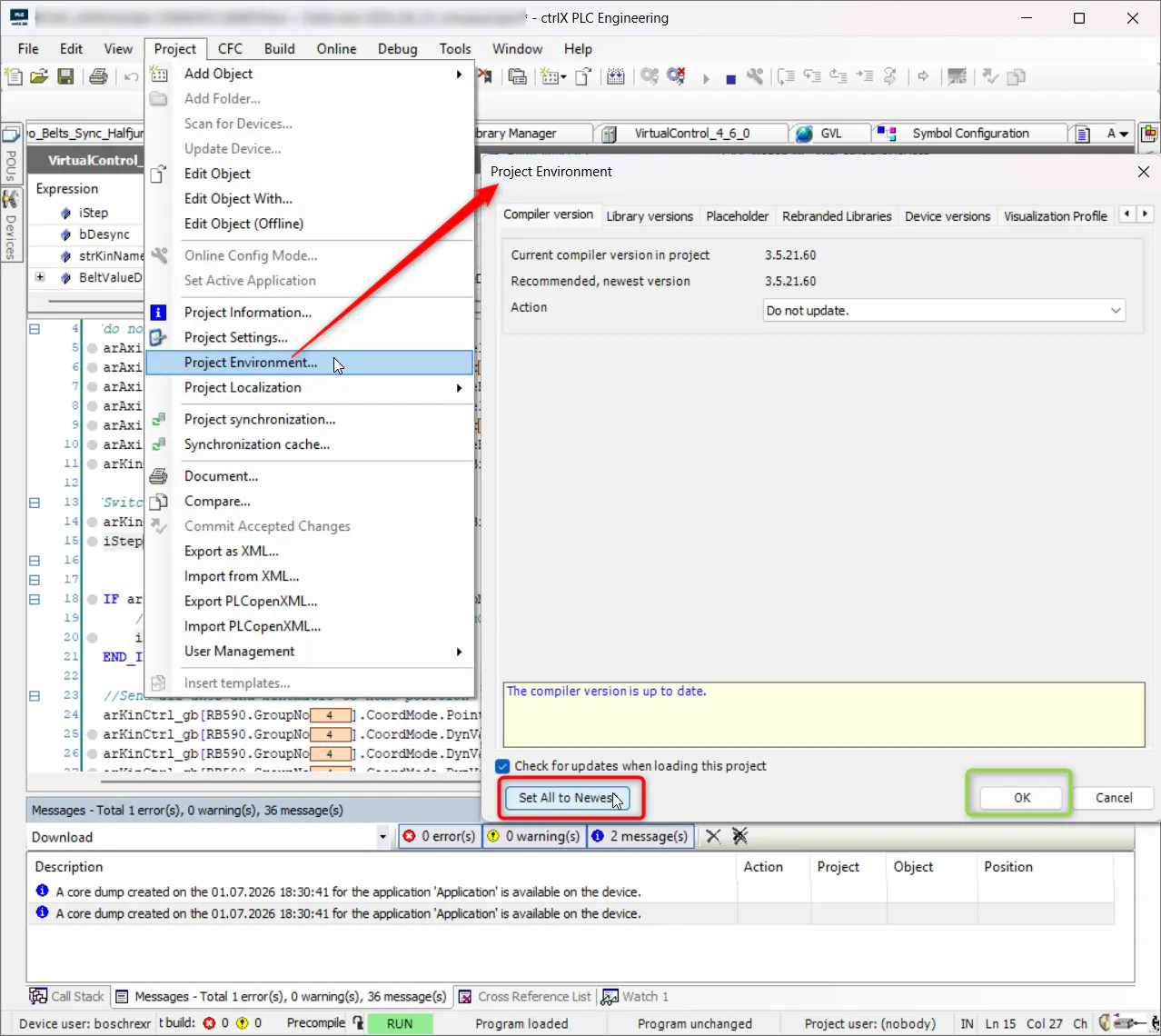
Way more easy is to update the library (and other sources) used to the current ctrlX PLC Engineering version:

ctrlX PLC Engineering - Project Environment... - set used sources to newest
View original
3 replies