Introduction
This how-to guide describes how to integrate an XVE + XMS/XMD under an XM42 and how to activate the drive power via the bb contacts.
Requirements
XM42
XVE/XVR + XMS/XMD
Step-by-Step Guide
Wiring of the drives
The ‘ready’ status of all drives connected to the DC bus is determined by evaluating the Bb relays of all axes "XMS/XMD". (red line)
The collective signal from the Bb contacts of all axes "XMS/XMD" is connected to the input terminal of the power supply "XVE/XVR". (red line)

The output signal from the power supply "XVE/XVR" sends feedback to all drives that the DC bus is ready to deliver power "bb -> Ab". (black line)
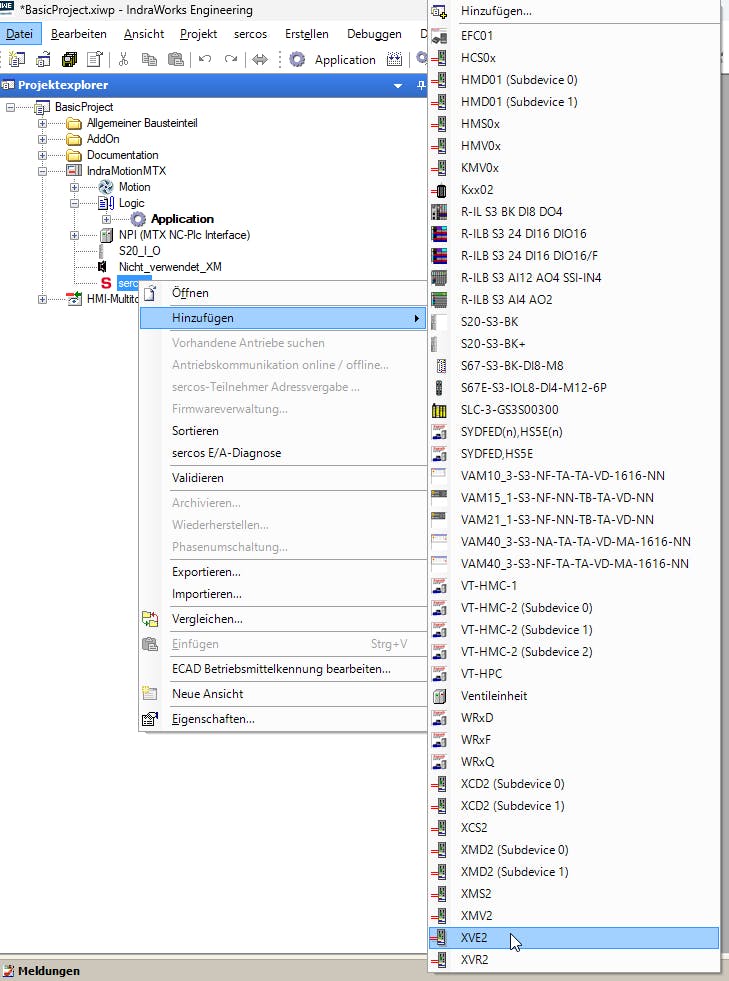
Add power supply "XVE/XVR" to Sercos
Power supply "XVE/XVR" must be added manually as a Sercos device in IndraWorksEngineering!
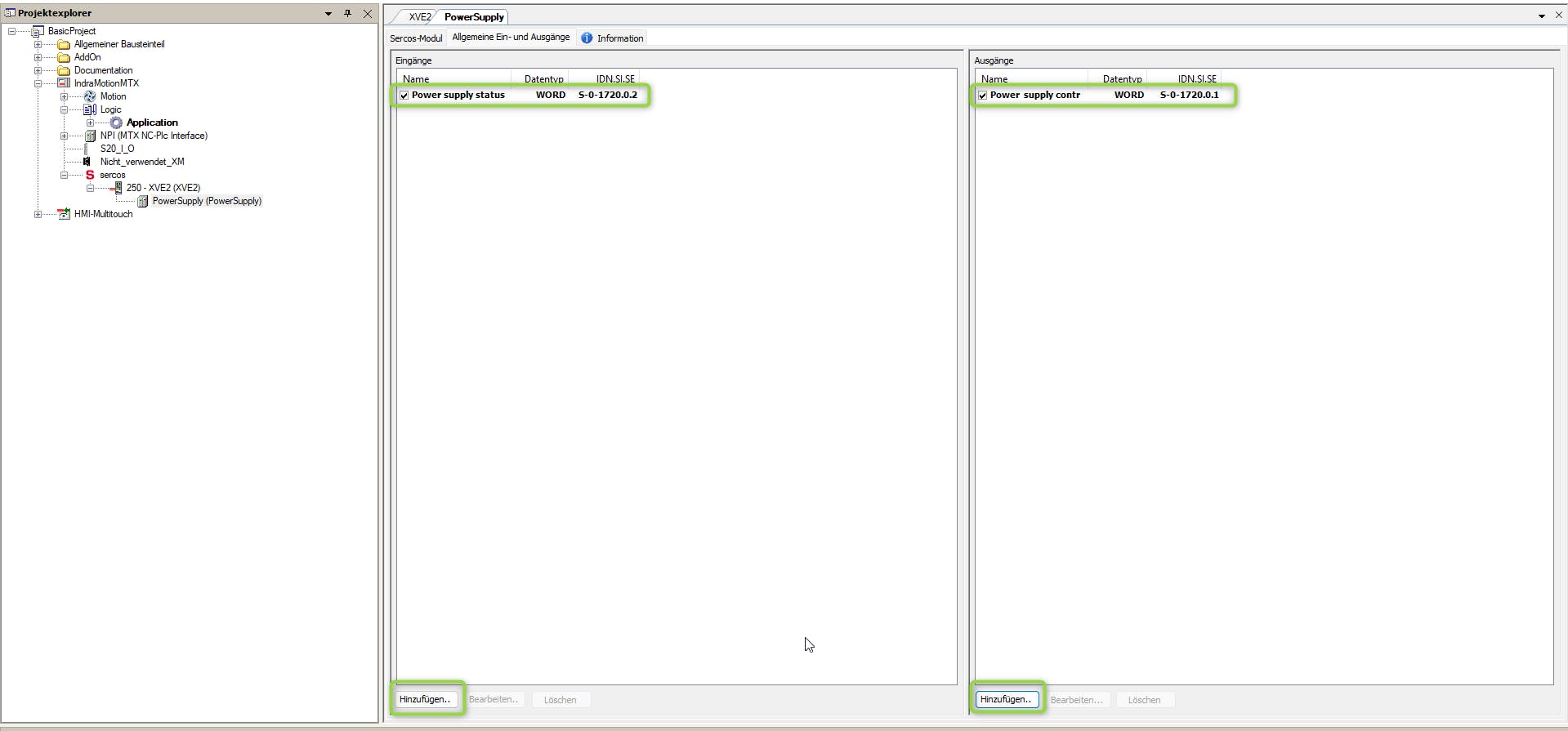
Configure Input and Output of power supply. Add S-0-1720.0.2 to Input / Add S-0-1720.0.1 to Output.
After configuration of IO device you have to download the plc program and switch the PLC to run mode.
If Sercos fieldbus is running you will see two devices for the power supply "XVE/XVR".
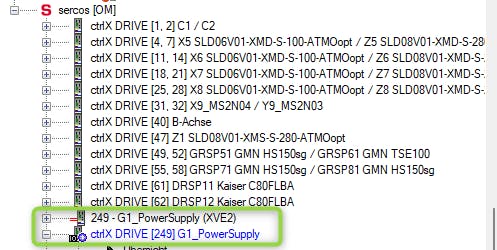
Make following adjustments on "XVE/XVR".


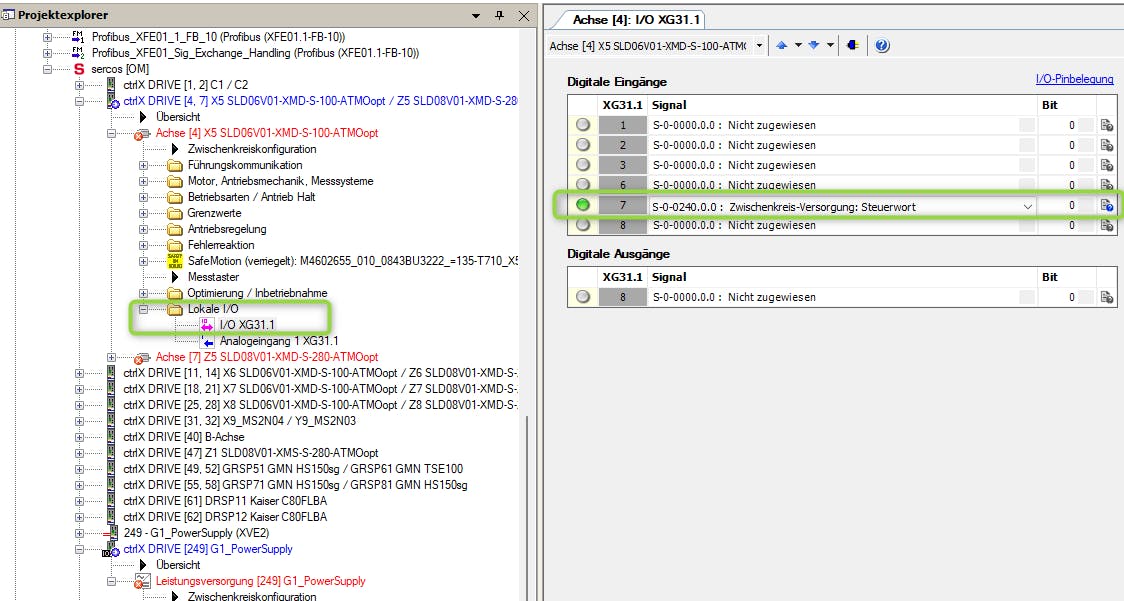
Make following adjustments to all drives connected to DC bus.