Used test equipment
Here you are with the equipment used as base for this article:
PC with TwinCAT / EtherCAT Master / EtherCAT (SoE)
ctrlX DRIVE Engineering 01V28.3
XCS2-W0023ARN-02NETM5ECDA-S0504N2TE1P5NN
FWA-XD1-AXS-V-0504N-NN-01
MS2N03-B0BYN-CMDG0-NNNNN-NN
XCD2-W2323ARN-02AETM5ECNN-S0504N2TX1P5NN
FWA-XD1-AXS-V-0504N-NN-01
MS2N03-B0BYN-CMSH0-NNNNN-NN
MS2N03-B0BYN-CMDG0-NNNNN-NN
The attachment contains backup files of all drive parameters for the individual use cases and topics. These files were made based on the listed equipment above.
Why to use a measuring encoder on the drive?
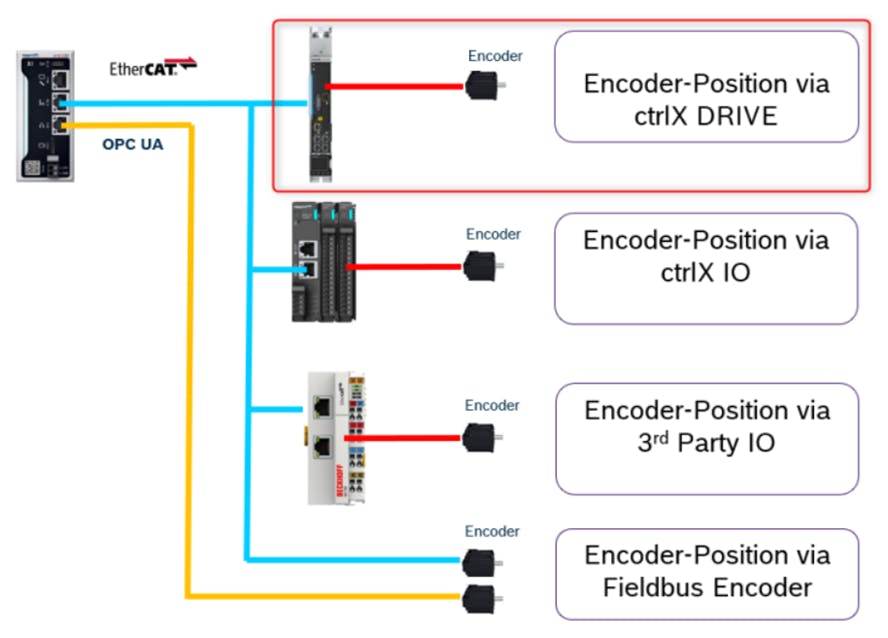
A real encoder can be connected to an encoder interface (hardware) on the ctrlX DRIVE used for evaluating the encoder and providing its values for a higher-level control for further processing.
Instead of a real encoder, a virtual encoder can be configured as well.
There is currently no function in the ctrlX DRIVE that directly uses the measuring interface functionality. In the future, technology functions in the ctrlX DRIVE might use the information.
Prerequisites
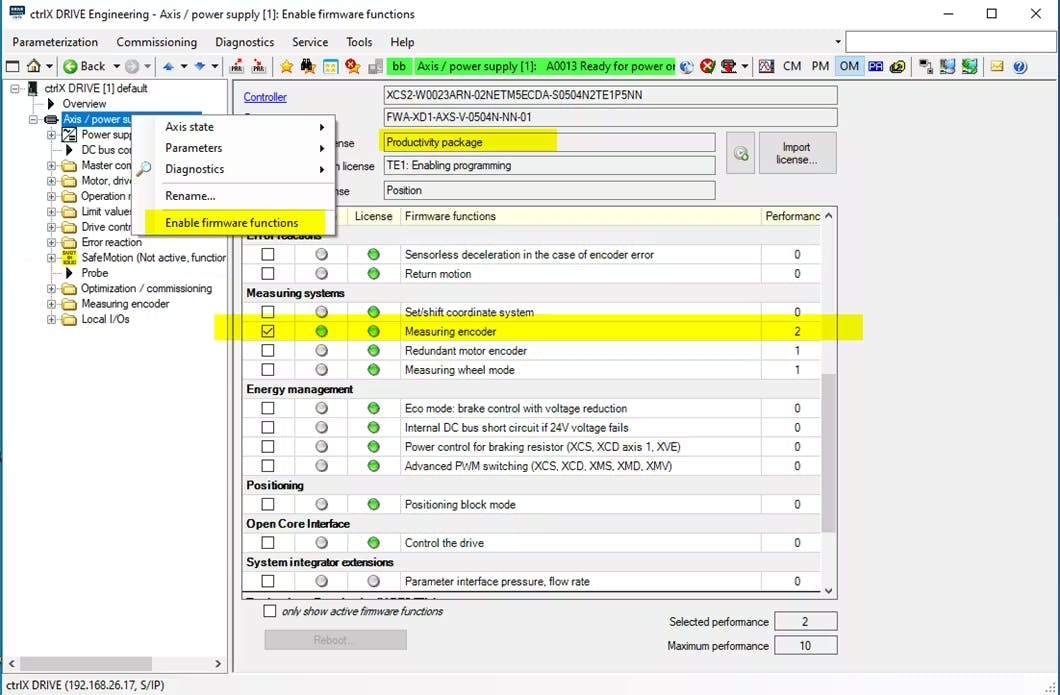
ctrlX DRIVE firmware >= …0504… and Productivity Packet
Activation of the firmware function in the dialog "Activation of firmware functions"
A measuring encoder can be a real rotary encoder connected to the controller or a virtual encoder
Real encoder: See list of encoders that can be connected to the encoder interface (standard application)
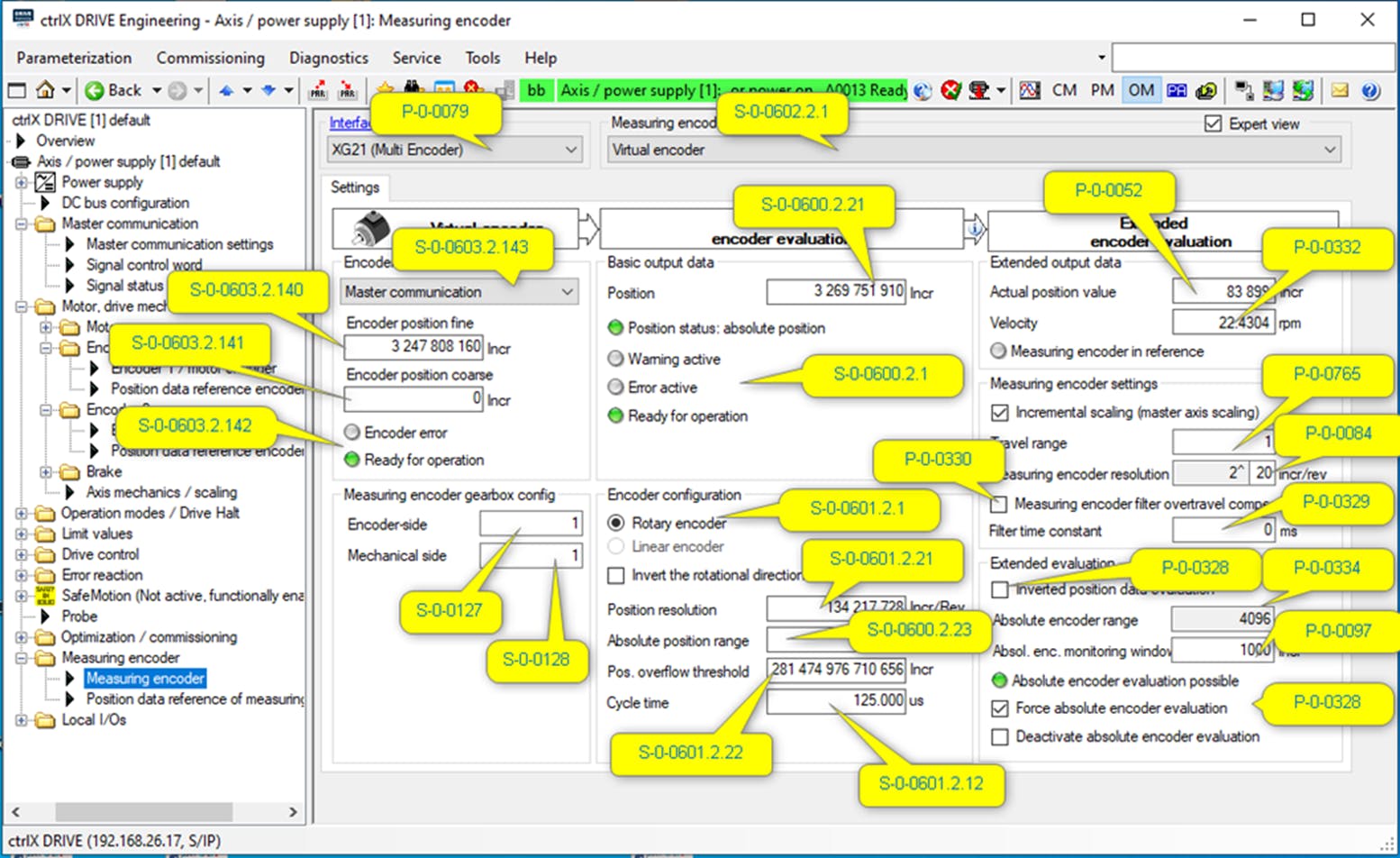
Virtual encoder: In parameter S-0-0603.2.143 / P-0-2230 you can choose between "direct input, “master communication" and "virtual peripheral interface" for the virtual encoder. In parameter S-0-0603.2.140 / P-0-2227 "Virtual encoder OPT_2: position, fine" the position is written.
For direct input, the maximum value can be 31 bits (2 147 483 648). Change of the parameter via the Engineering tool.
Leadership communication: The leadership communication can S-0-0603.2.140 / P-0-2227 Virtual encoder OPT_2: Position, fine" and S-0-0603.2.141 / P-0-2227 Virtual encoder OPT_2: Describe position, coarse" (64 bit value)
Virtual peripheral interface: Via the virtual peripheral interface, process variables on actuators and sensors that do not exist in real life can be exchanged to a virtual drive with an environment in which they are simulated. (For simulation applications)
Activation of Productivity package and Measuring encoder
What does the function in the drive offer
The encoder can be connected to the drive controller.
The encoder position can be read out via parameter P-0-0052.
Mind that no linear encoders are supported as measuring encoders.
The parameter value can be scaled to degrees or increments.
With a modulo function, an endlessly rotating encoder evaluation with defined position overflow can be realized.
An absolute encoder can also be evaluated as an absolute encoder.
The measuring encoder value can be passed on to the higher-level controller.
The measuring encoder value could be used in the drive with a TechApp (drive-integrated PLC function).
Mind: The measuring encoder value cannot be used directly in the drive with other drive functions.
Measuring encoder function with „real“ encoder
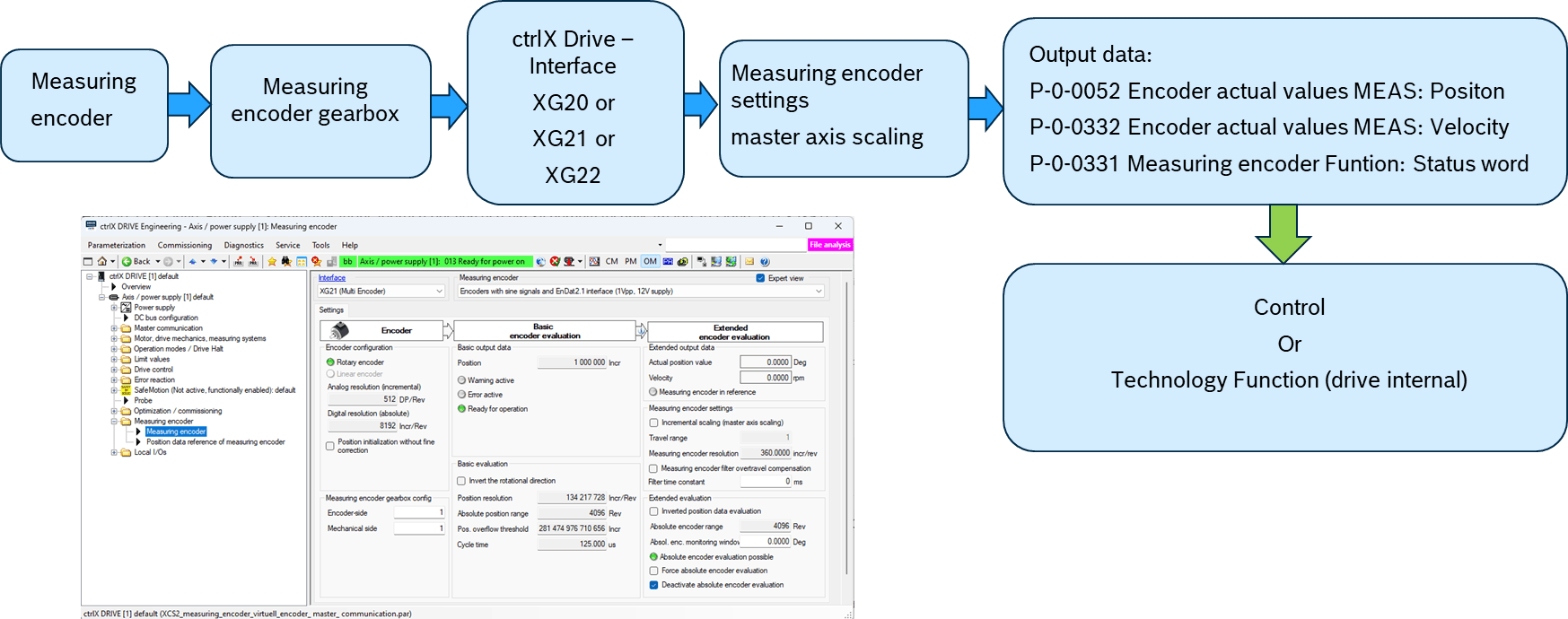
ctrlX DRIVE XCS, real encoder (EnDat2.1) on XG21 interface
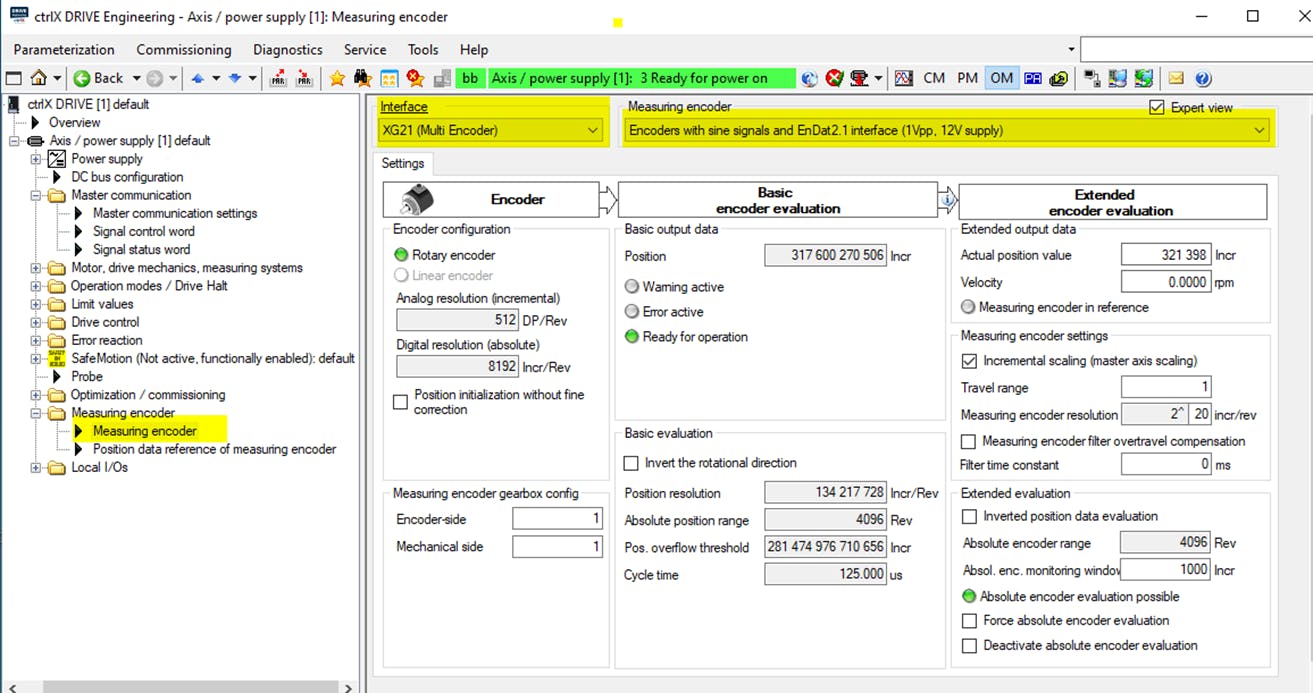
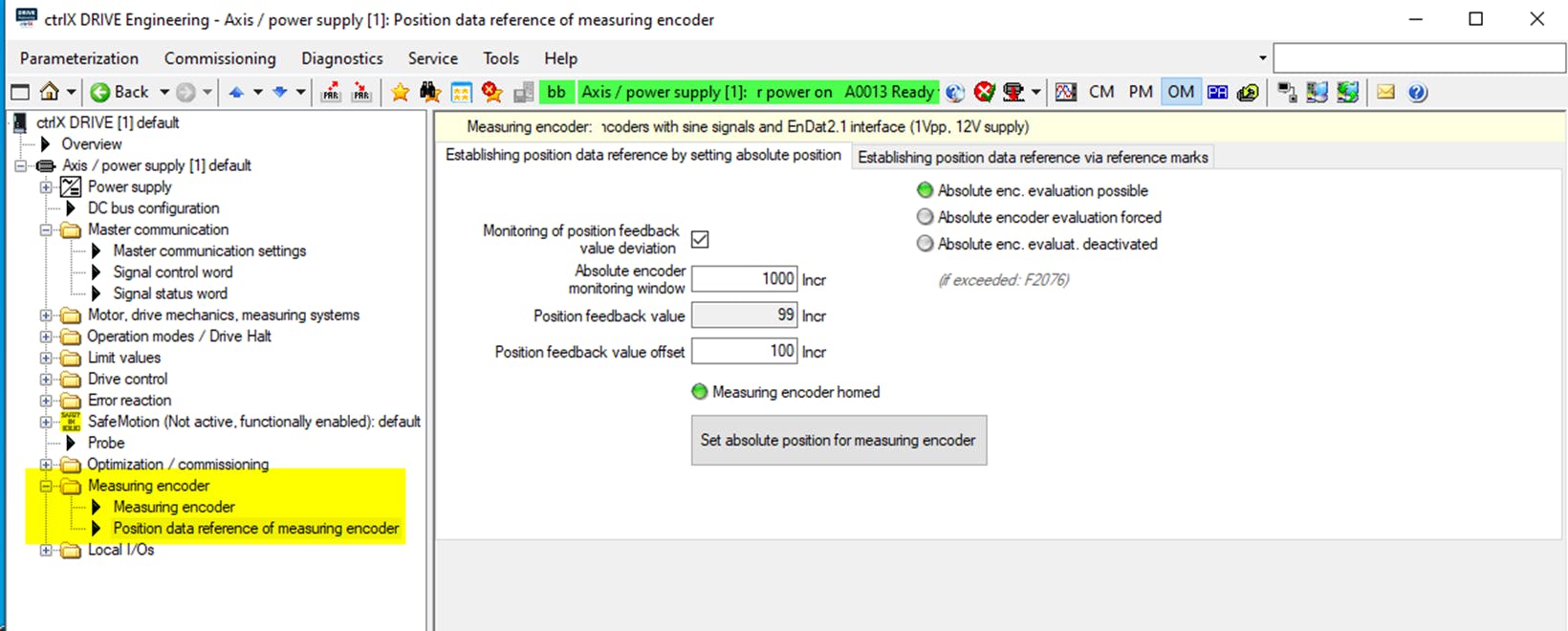
In order to be able to view the parameterization of the XCS in detail, a backup of all parameters has been created, which can be viewed offline with ctrlX DRIVE Engineering.

Measuring encoder function with „virtual“ encoder
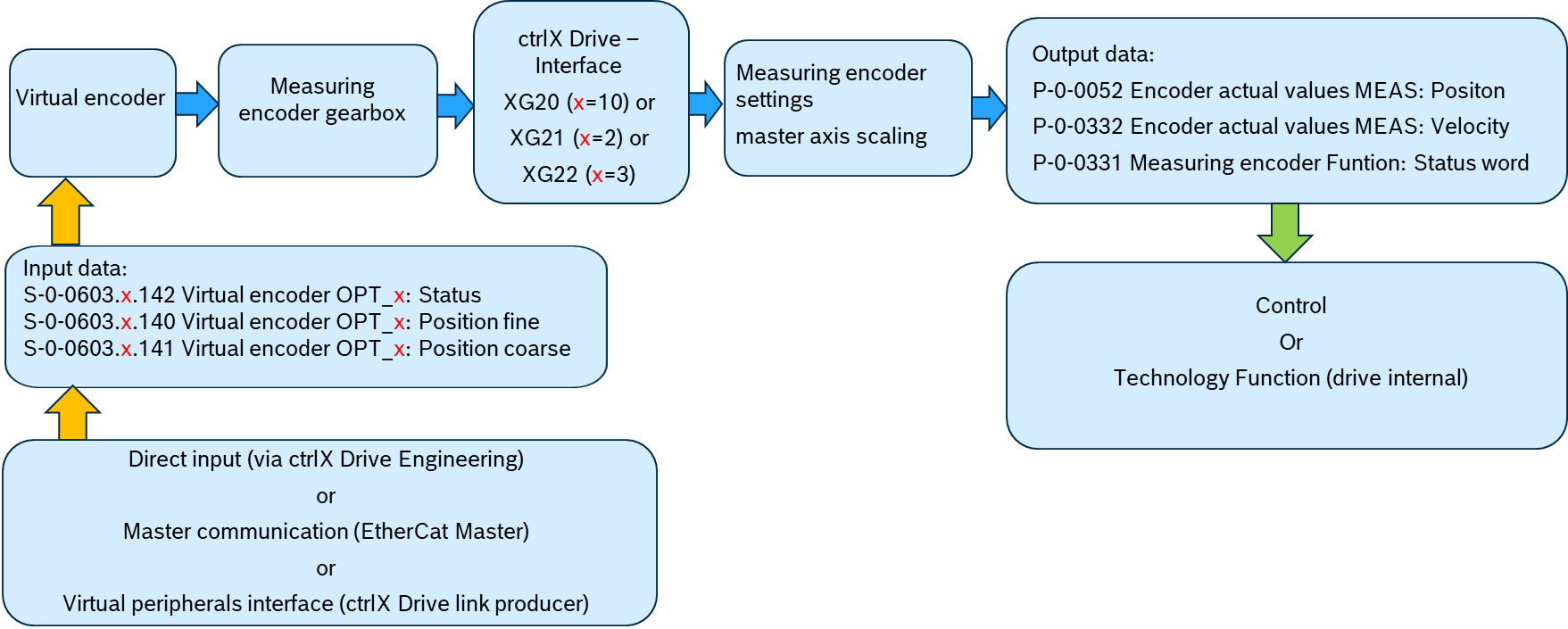
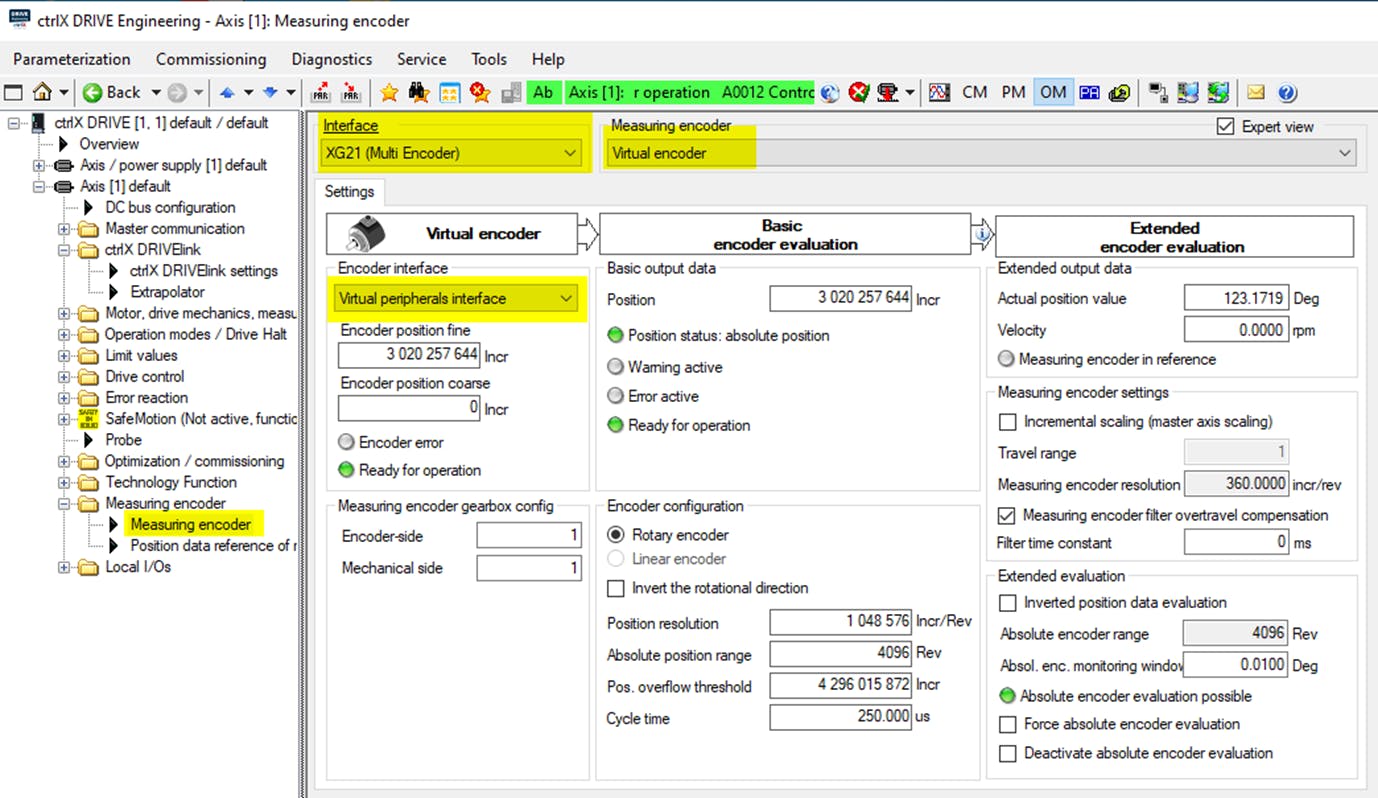
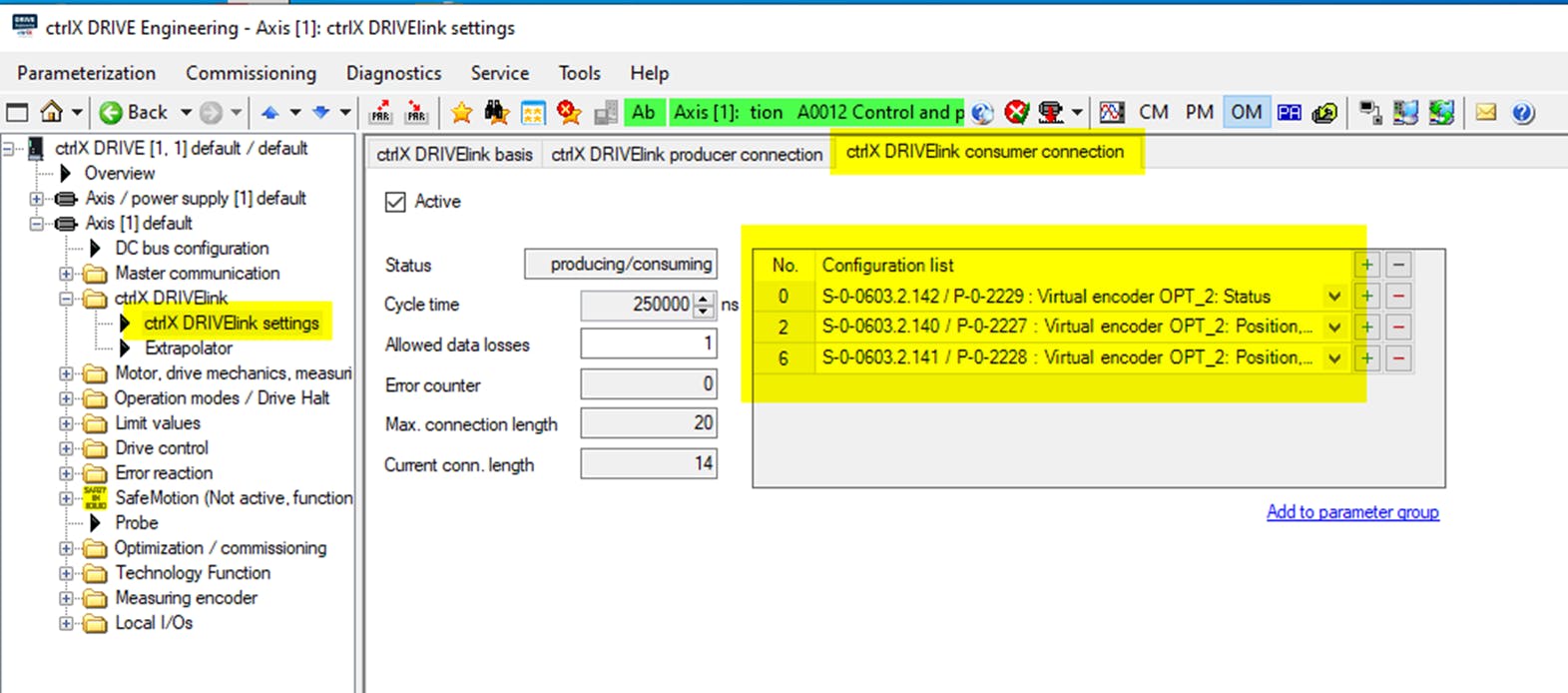
In order to be able to view the parameterization of the ctrlX DRIVE XCD in detail, I have created a backup of all parameters, which can be viewed offline with the ctrlX Drive Engineering.

ctrlX DRIVE XCS, Virtual encoder: Master communication, 3rd Party Control
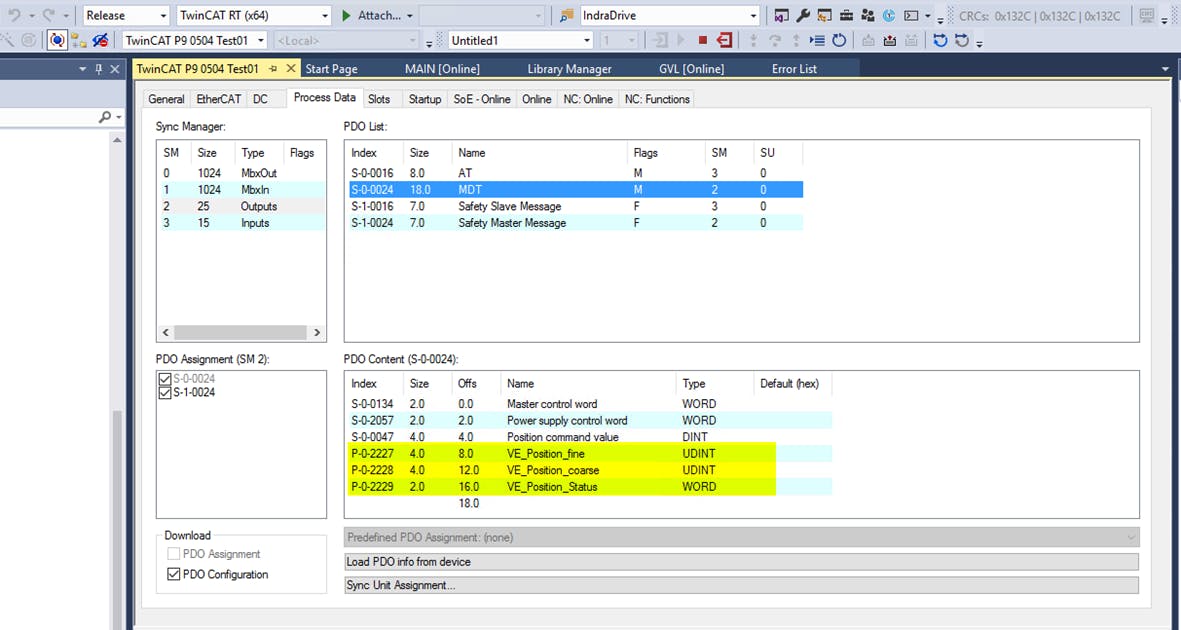
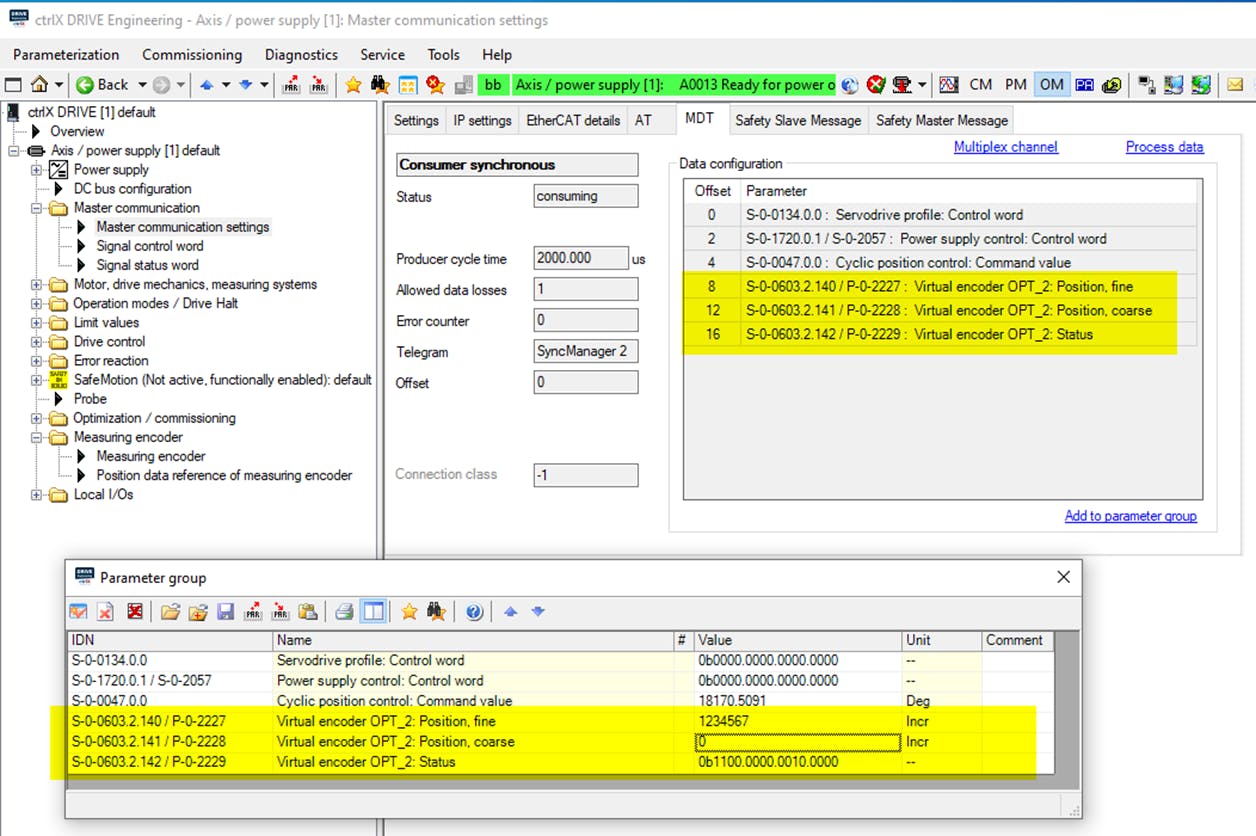
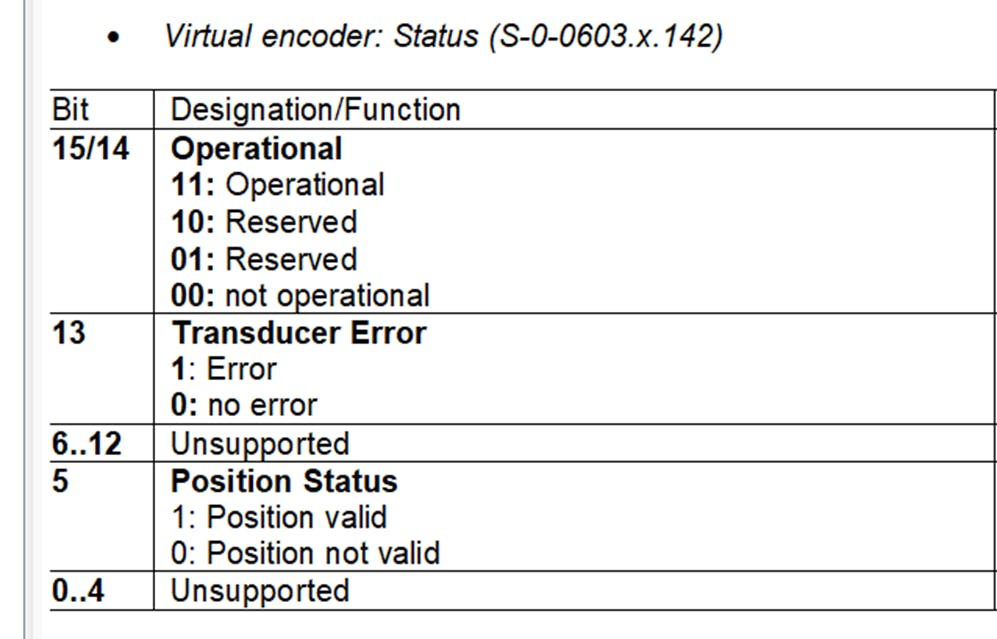
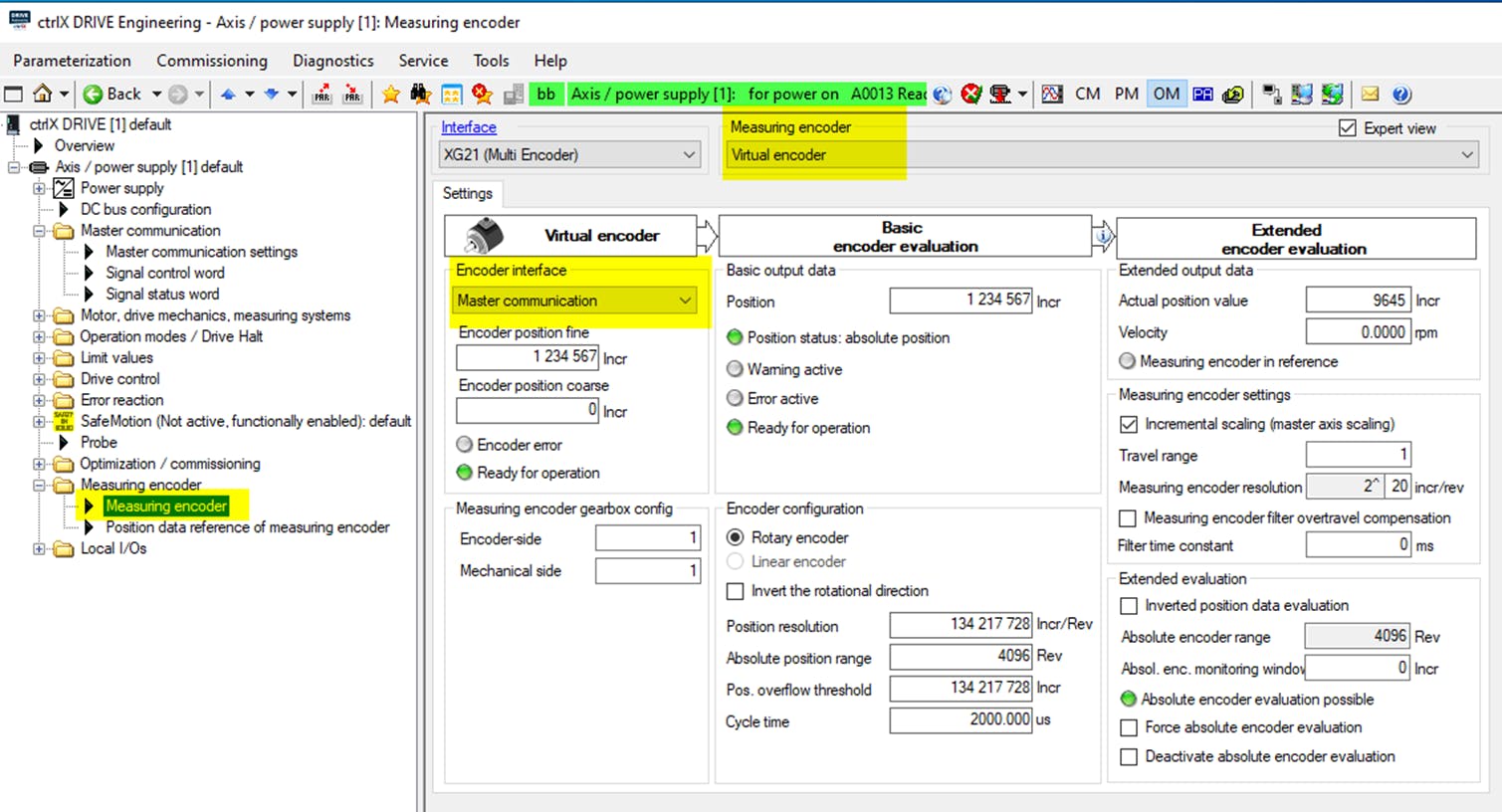
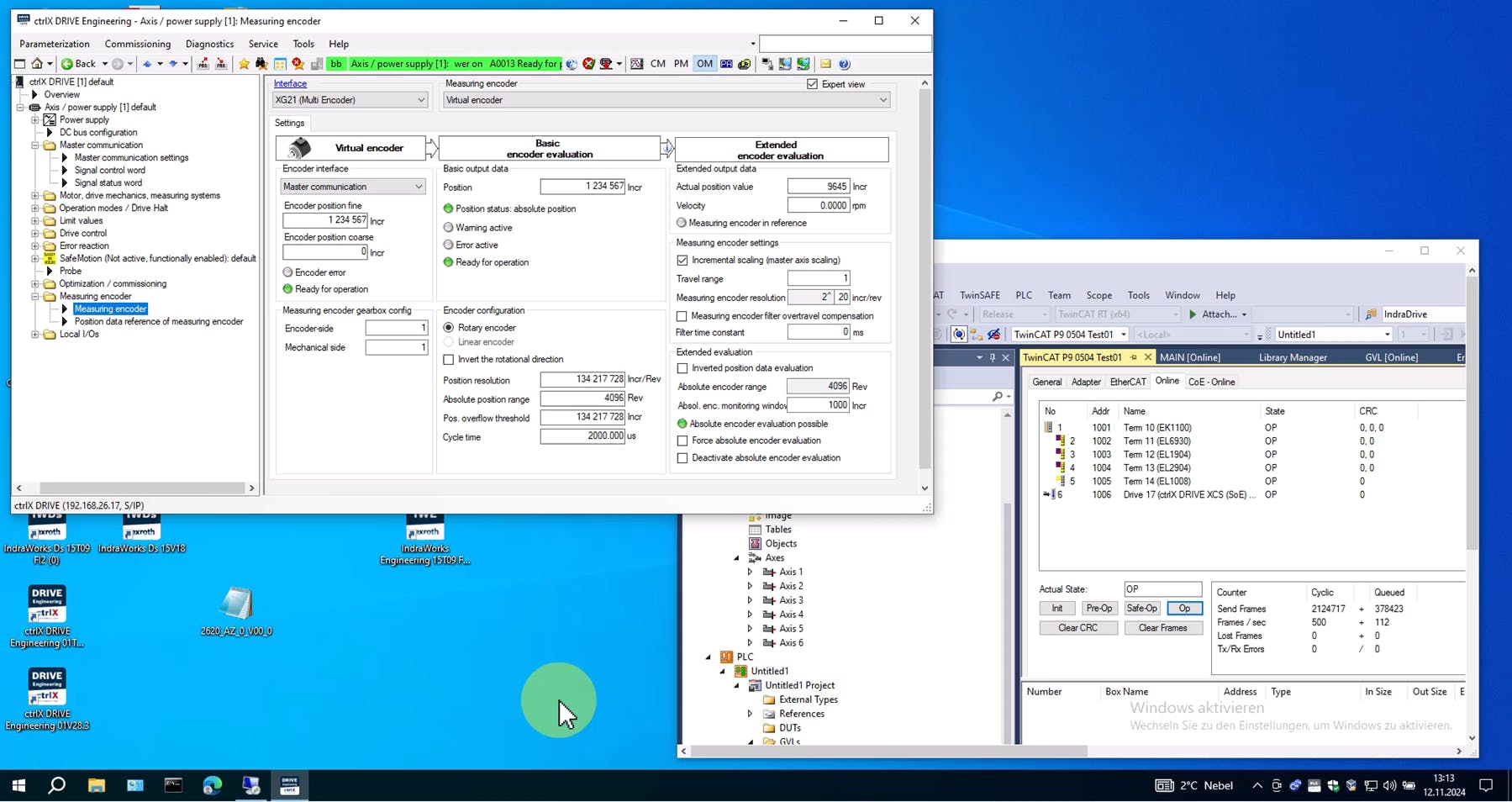
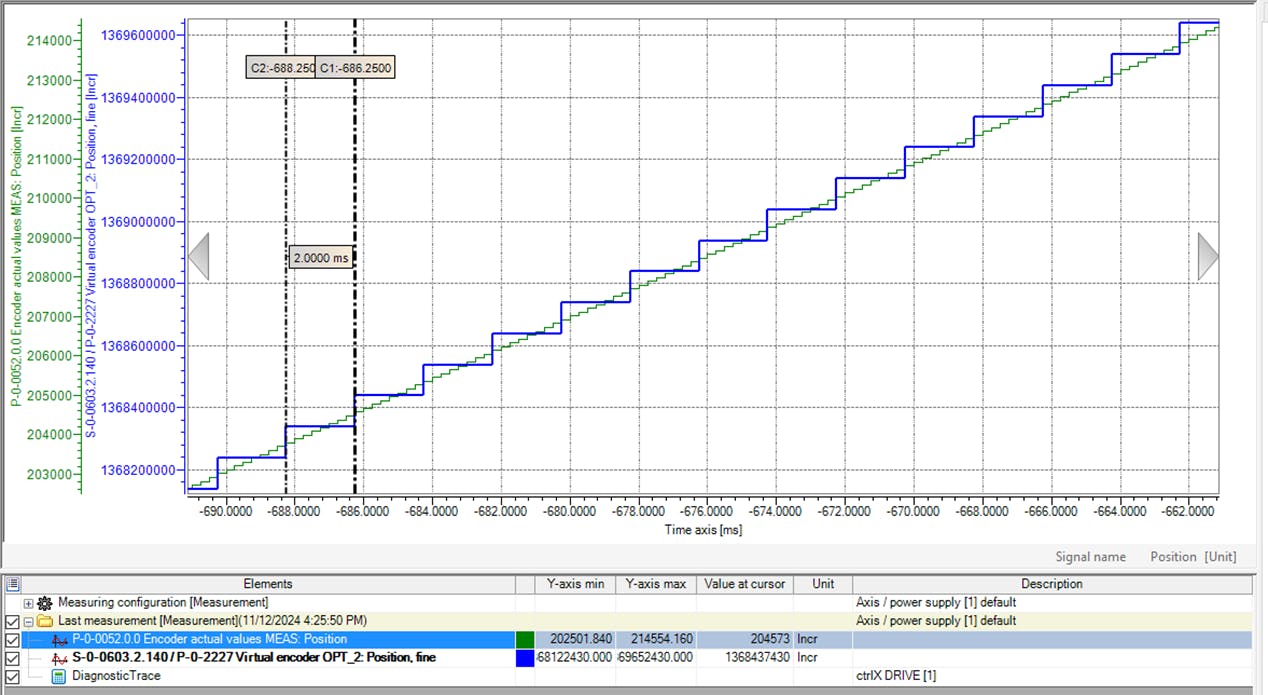
In order to be able to view the parameterization of the ctrlX DRIVE XCS in detail, a backup of all parameters has been created, which can be viewed offline with ctrlX DRIVE Engineering.

ctrlX DRIVE XCS, XG20 Motor encoder, XG21 Endat2.1, XG22 virtual encoder for measuring encoder (direct input)
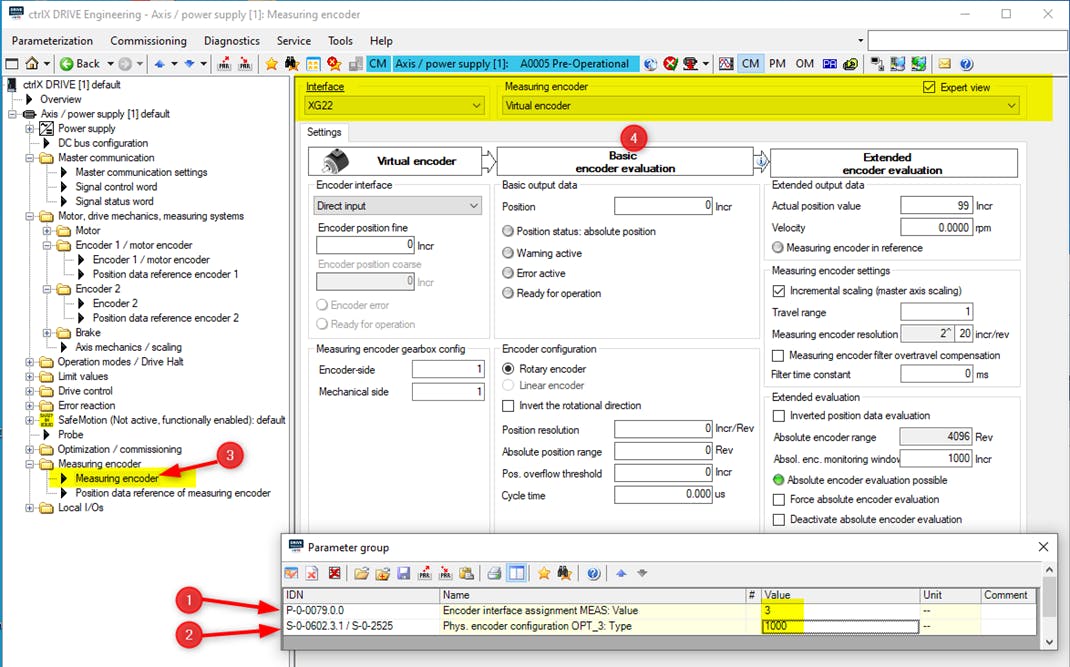
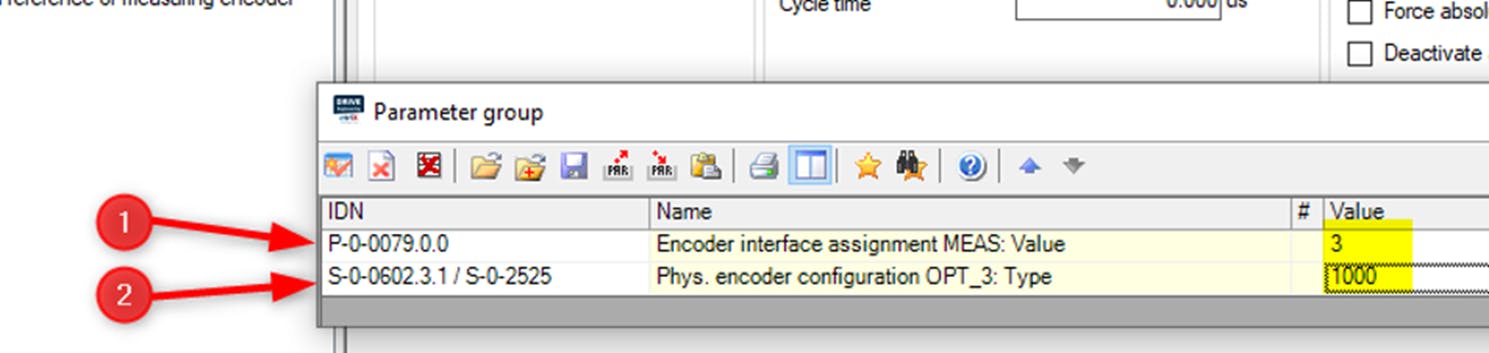
In order to be able to view the parameterization of the ctrlX DRIVE XCS in detail, a backup of all parameters has been created, which can be viewed offline with ctrlX DRIVE Engineering.
