Introduction
This example shows step by step how easy it is to integrate the positioning drive from the Lenord+Bauer GEL6009 series into the ctrlX CORE. You can download the sample project using the following links:
Hardware configuration: Hardware Config
PLC project: PLC Program
Requirements for this example
Used Hardware:
ctrlX CORE X3
Positioning Drive GEL6009EC05AAKSTMC1
Used Software:
ctrlX PLC app 3.6.2
ctrlX EtherCAT Master app 3.6.2
ctrlX I/O Engineering and ctrlX PLC Engineering 3.6.2
Step-by-step guide
New Project
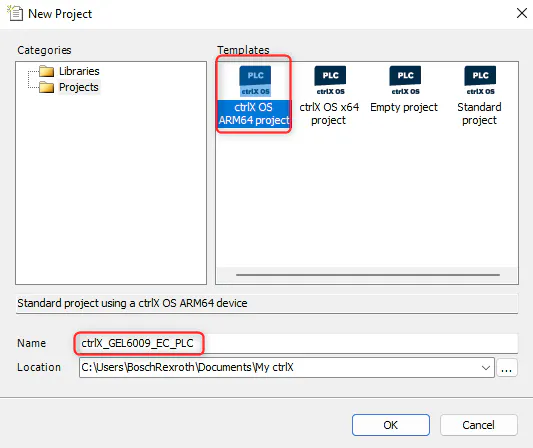
Create a new ctrlX project using the ctrlX I/O Engineering software and enter the project name and storage location.
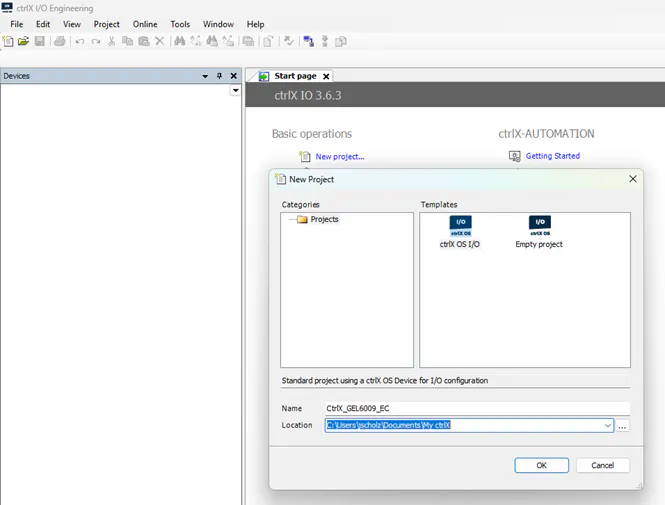
New project
Install device description
Download ESI (device description) on Lenord+Bauer website: Device Description
Add an EtherCAT master device
Select Device
Right mouse click on Device
Select ethercatmaster
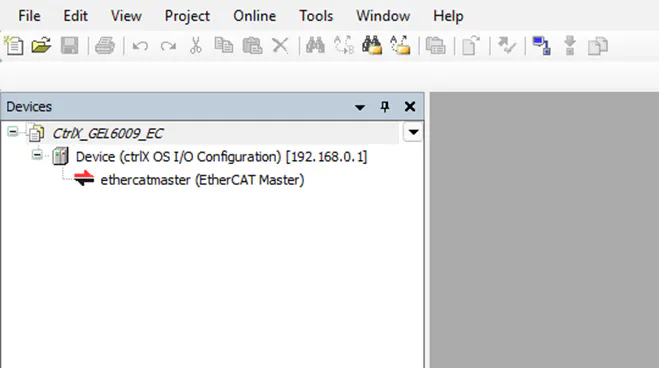
Add an EtherCAT master device
Add an EtherCAT slave device
Right mouse click on Device
Type in the device name, here “ethercatmaster”
Download the project to the ctrlX PLC
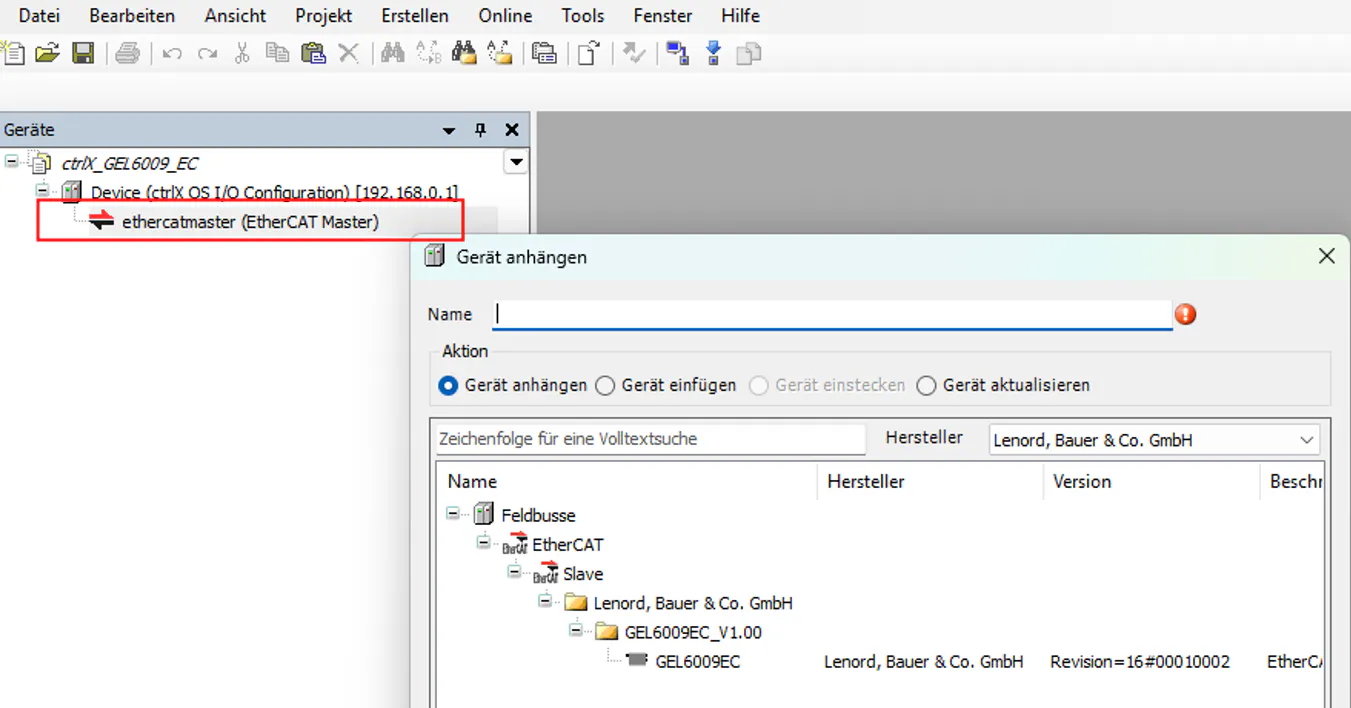
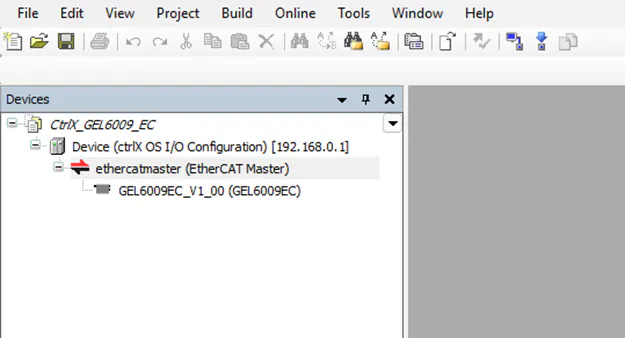
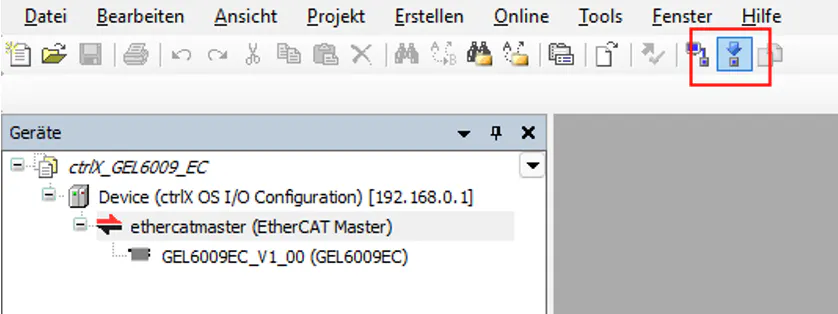
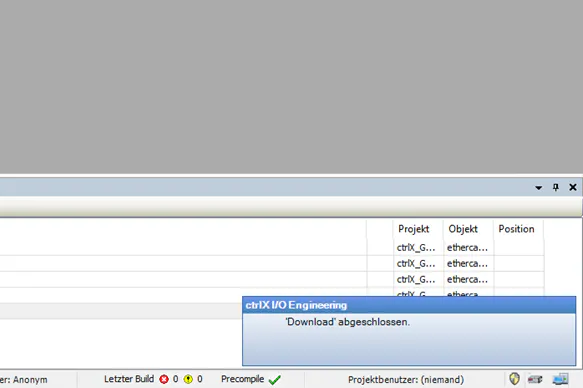
Download project (2)
Start ctrlX PLC Engineering
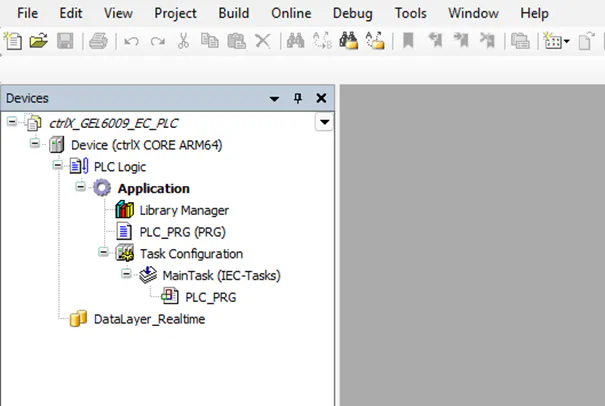
Create a PLC project.
New project
Import the process data from the hardware configuration into the PLC project.
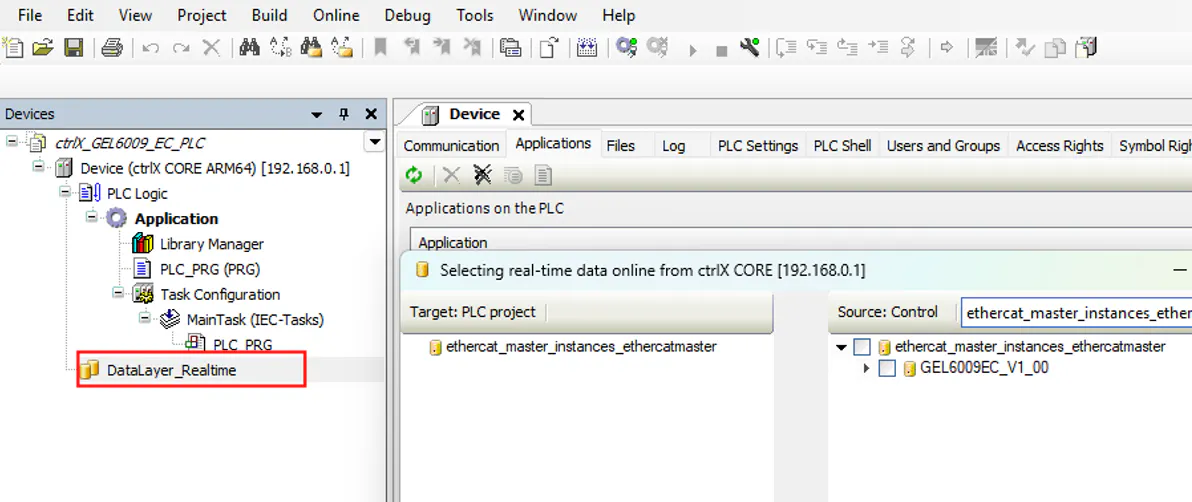
Click on “DataLayer_Realtime”
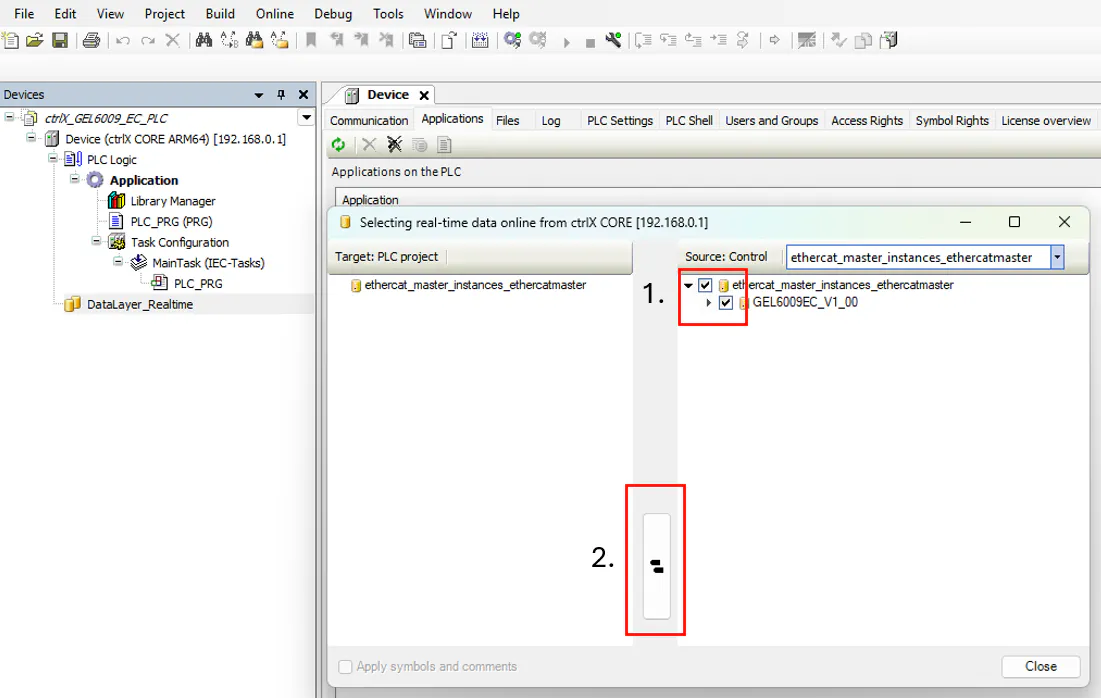
Select the device within the Source Control window
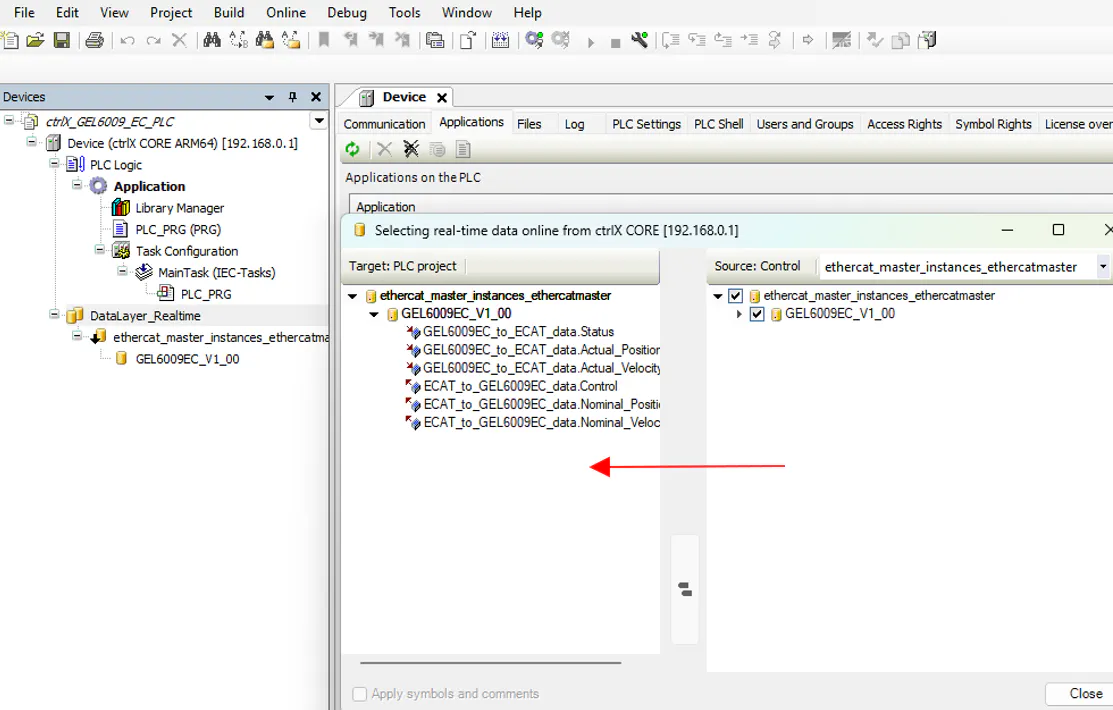
Click on the button between Target and Source to take over the data
Variables will be copied from Source to Target
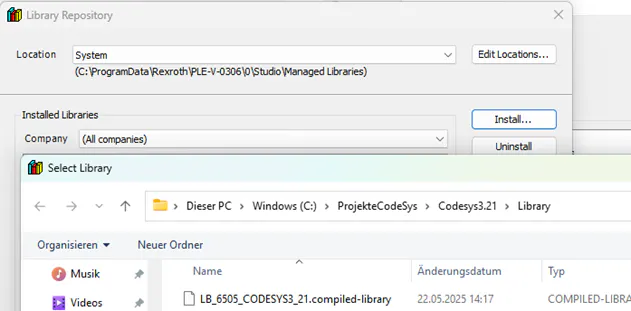
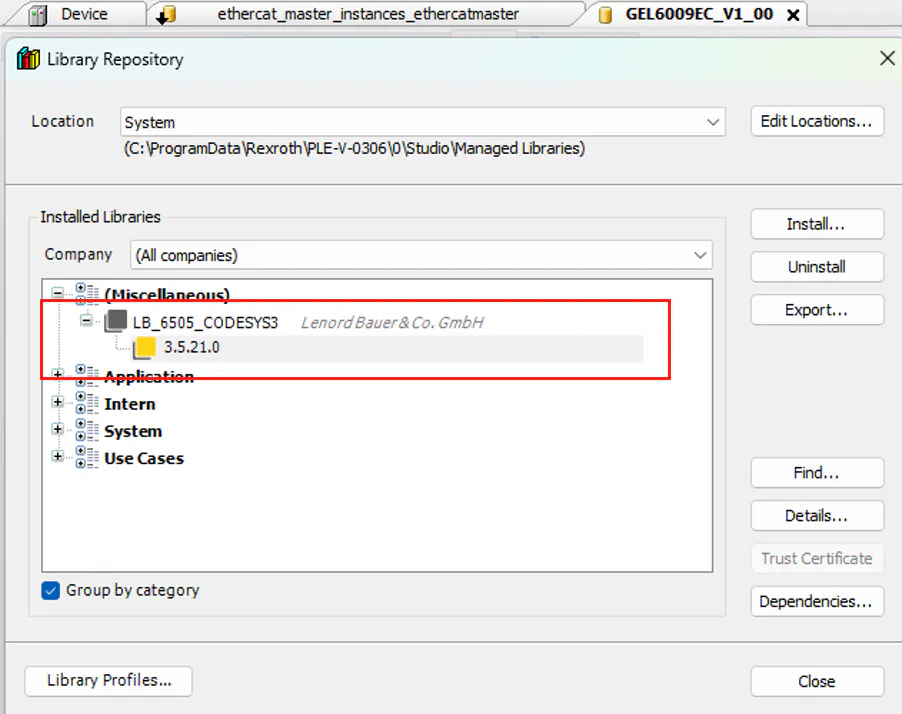
Install the LB_6505 library: LB 6505 Library
After installation you will find the installed library under the Library Repository
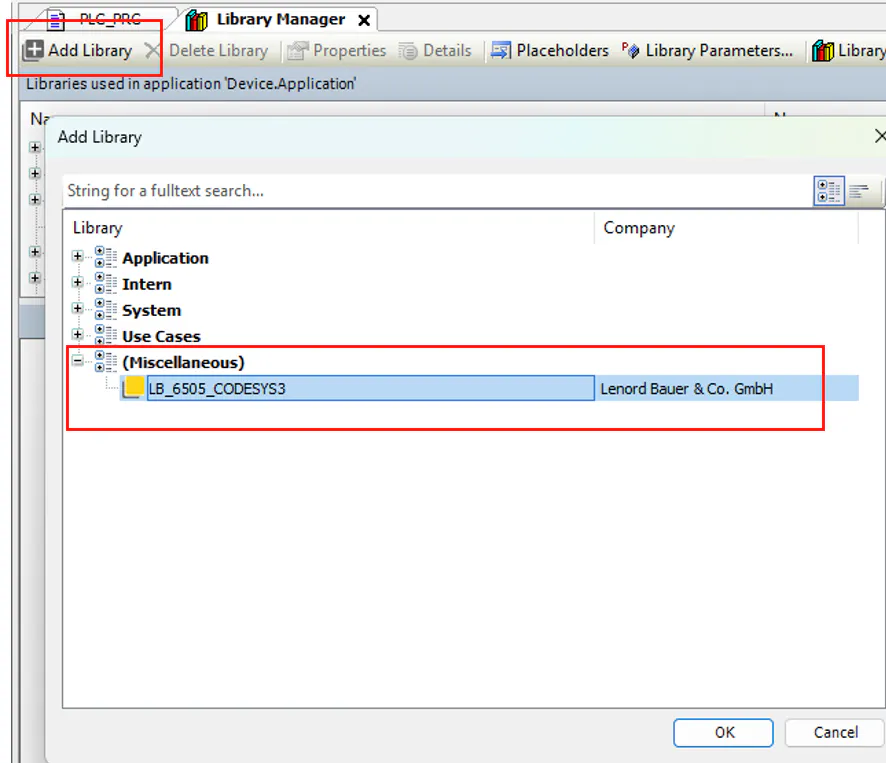
Select the Library as seen below to the PLC project.
Press OK.
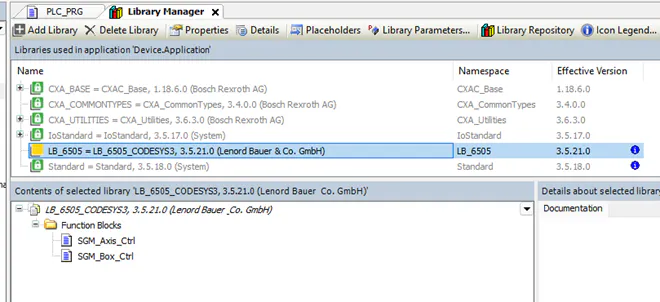
Now you find the library inside the Library Manager view
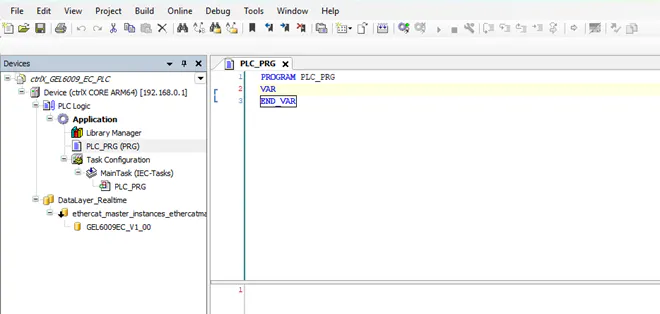
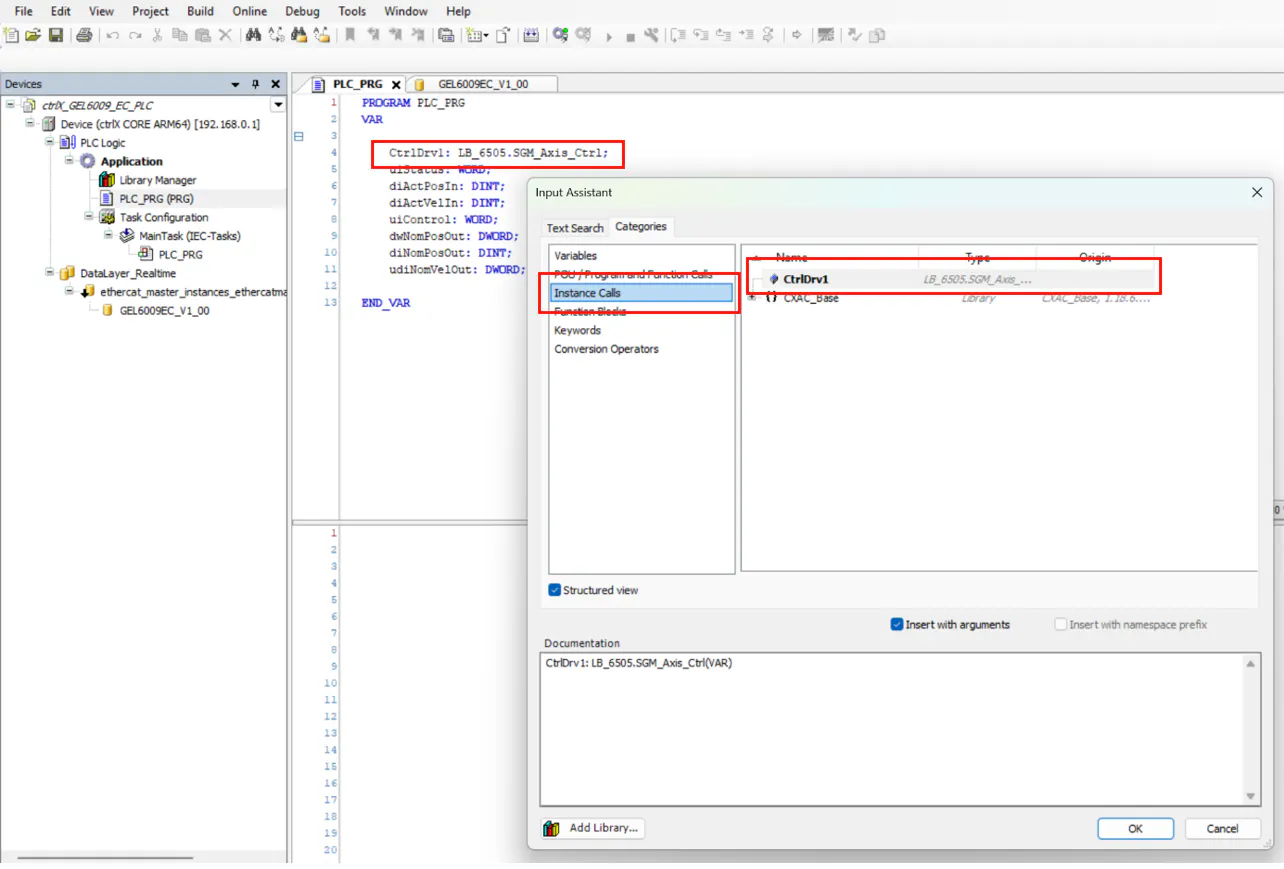
Go to PLC_PRG
Insert a building block instance of Axis_Ctrl and variables for the process data
Map the process data to the variables one by one
Final stage, all variables are mapped
Call the instance of LB_6505.SGM_Axis_Ctrl and add the process variables to the block.
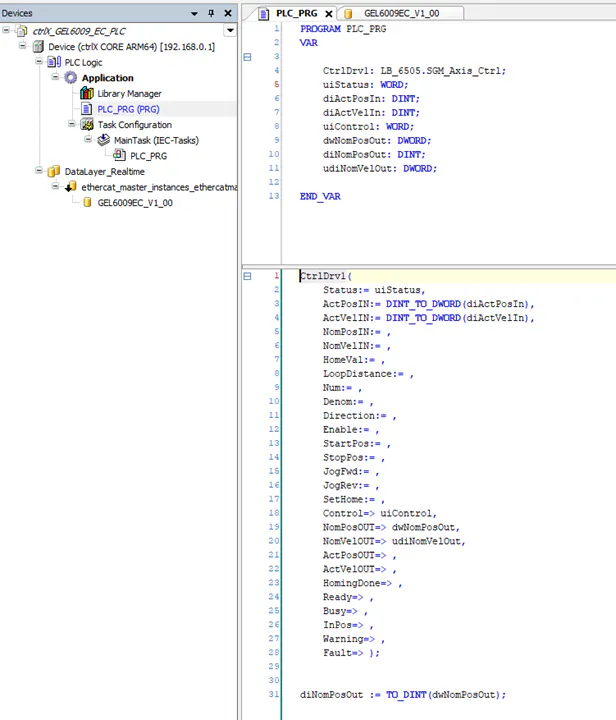
Press F2
After that the Instance is filled with the associated data
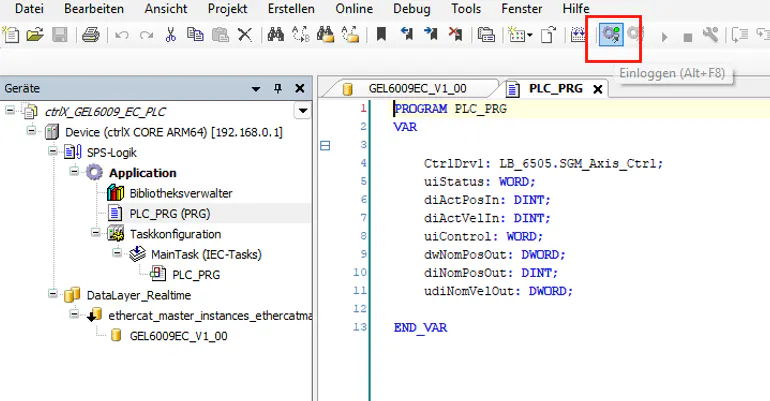
Log in to the PLC to go online
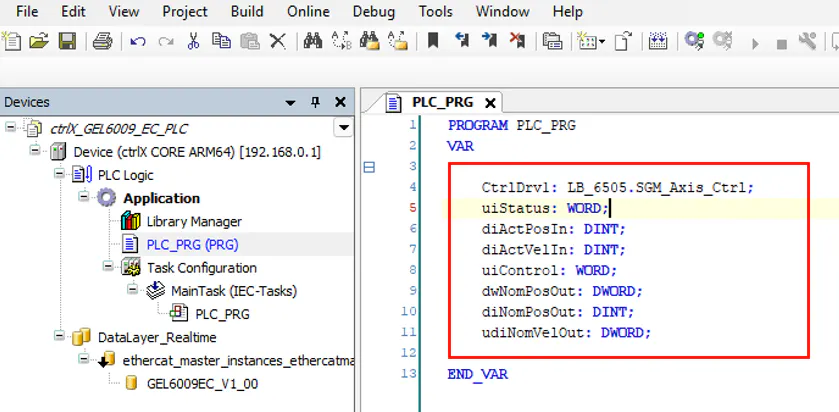
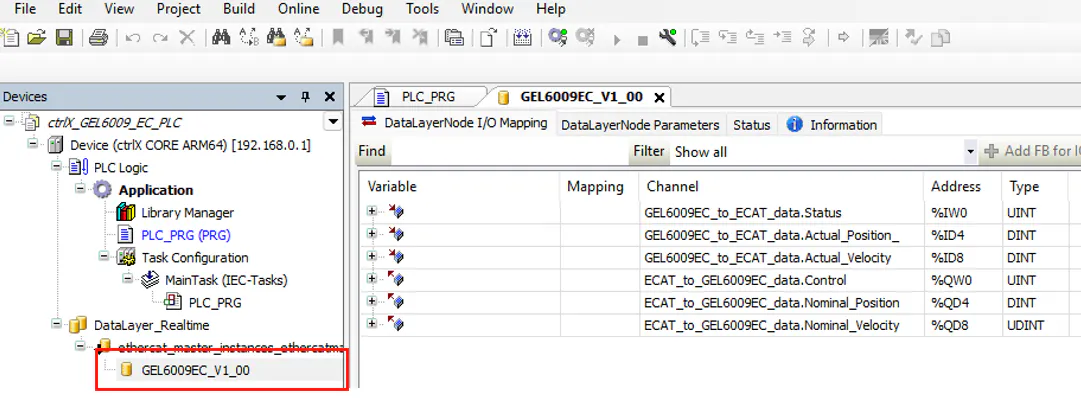
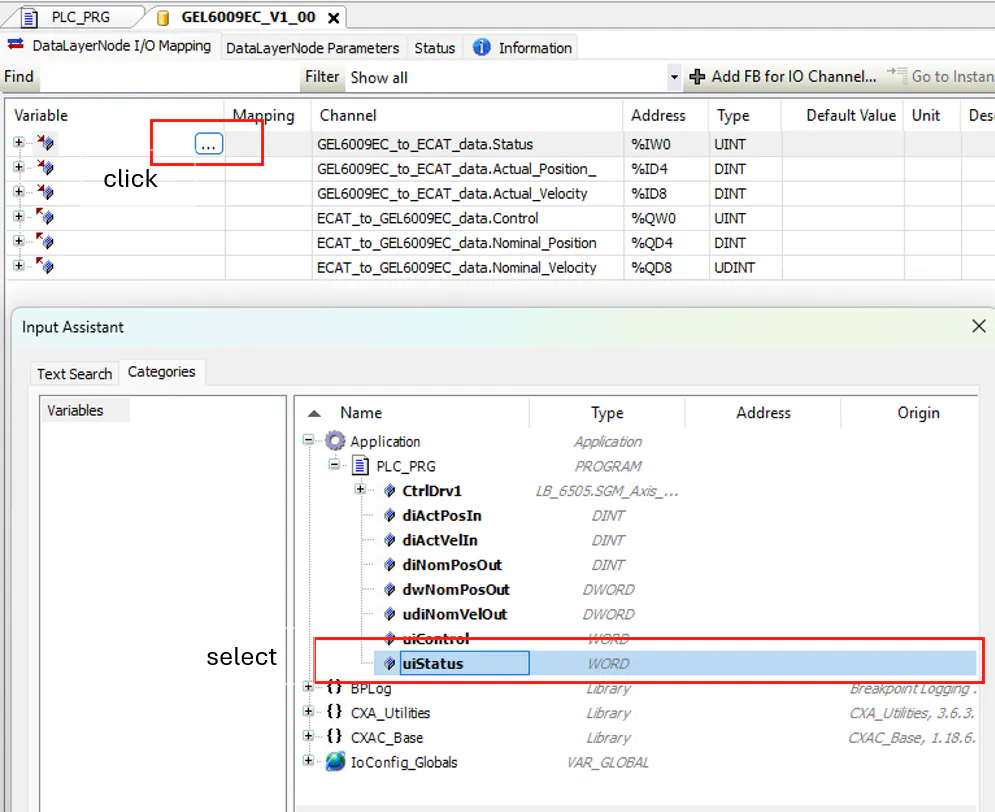
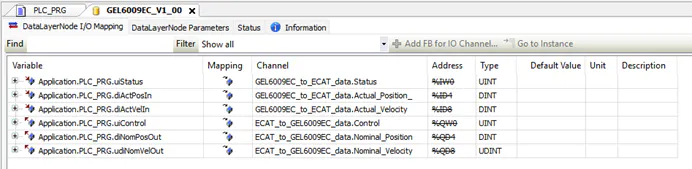
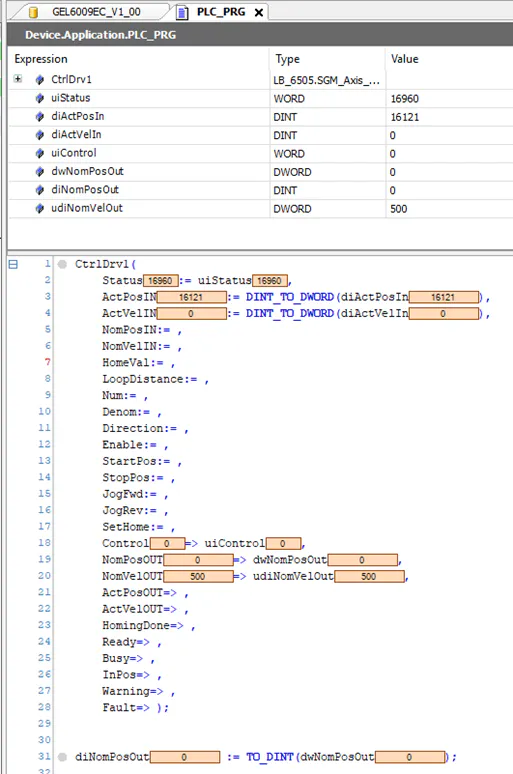
Select PLC_PRG (PRG)
How to move the drive?
When you are online you can force values
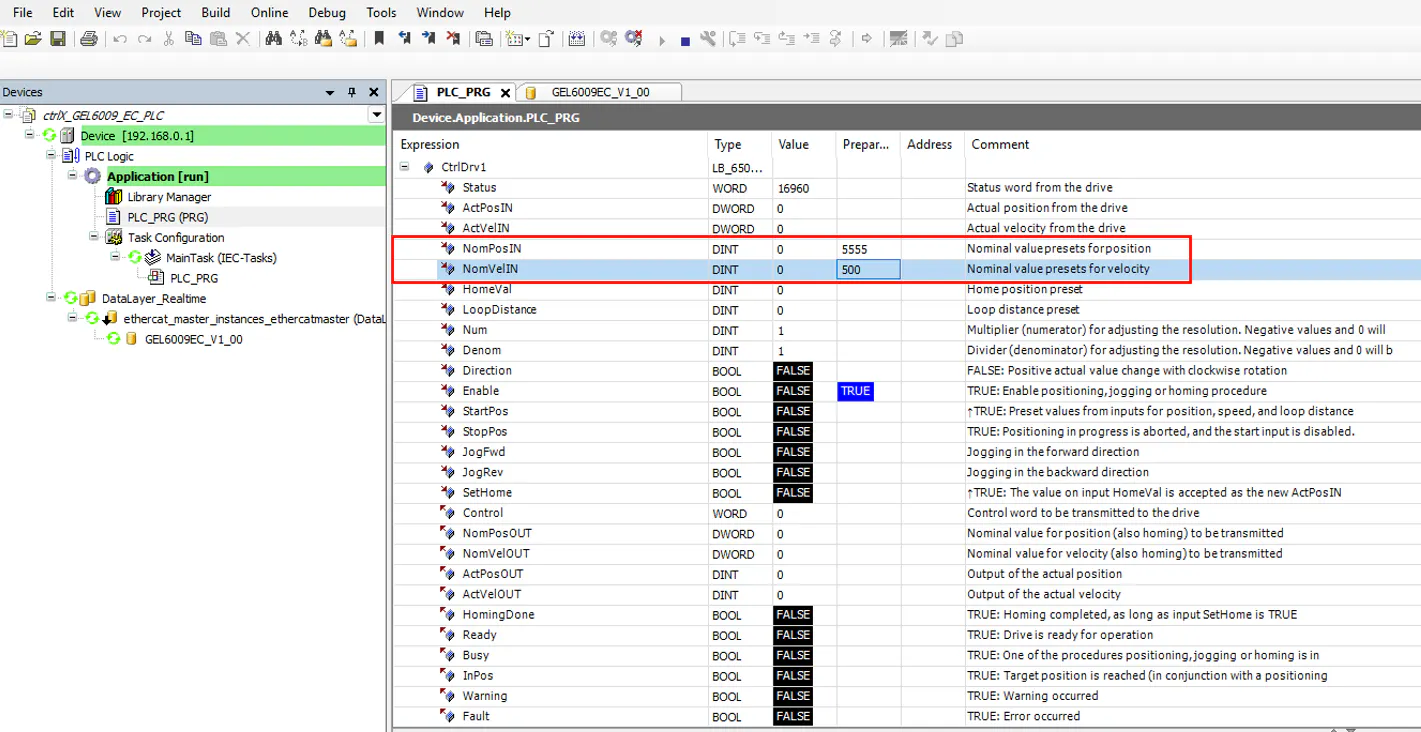
Set the following values: NomPosIN (Nominal position) and NomVelIN (Nominal speed)
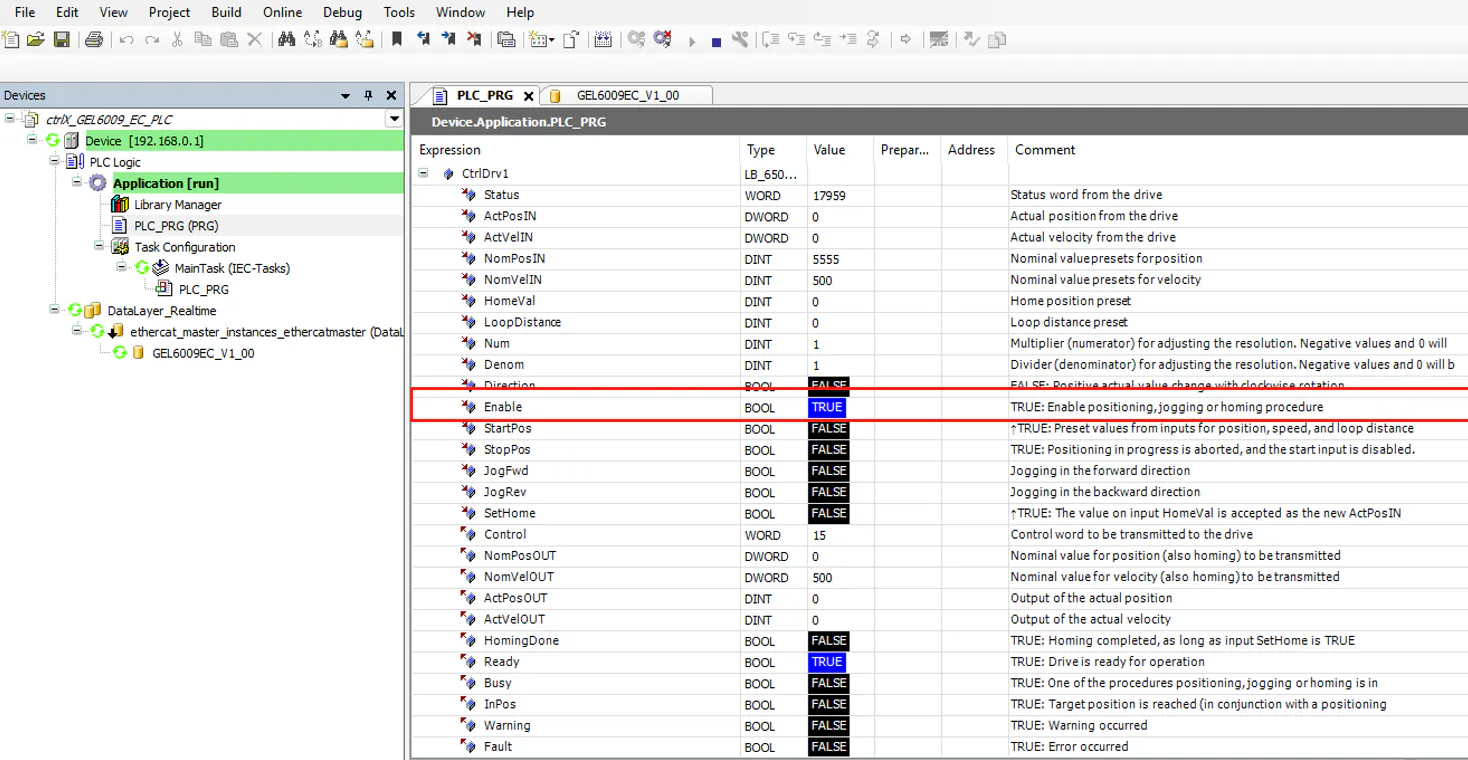
Enable the drive
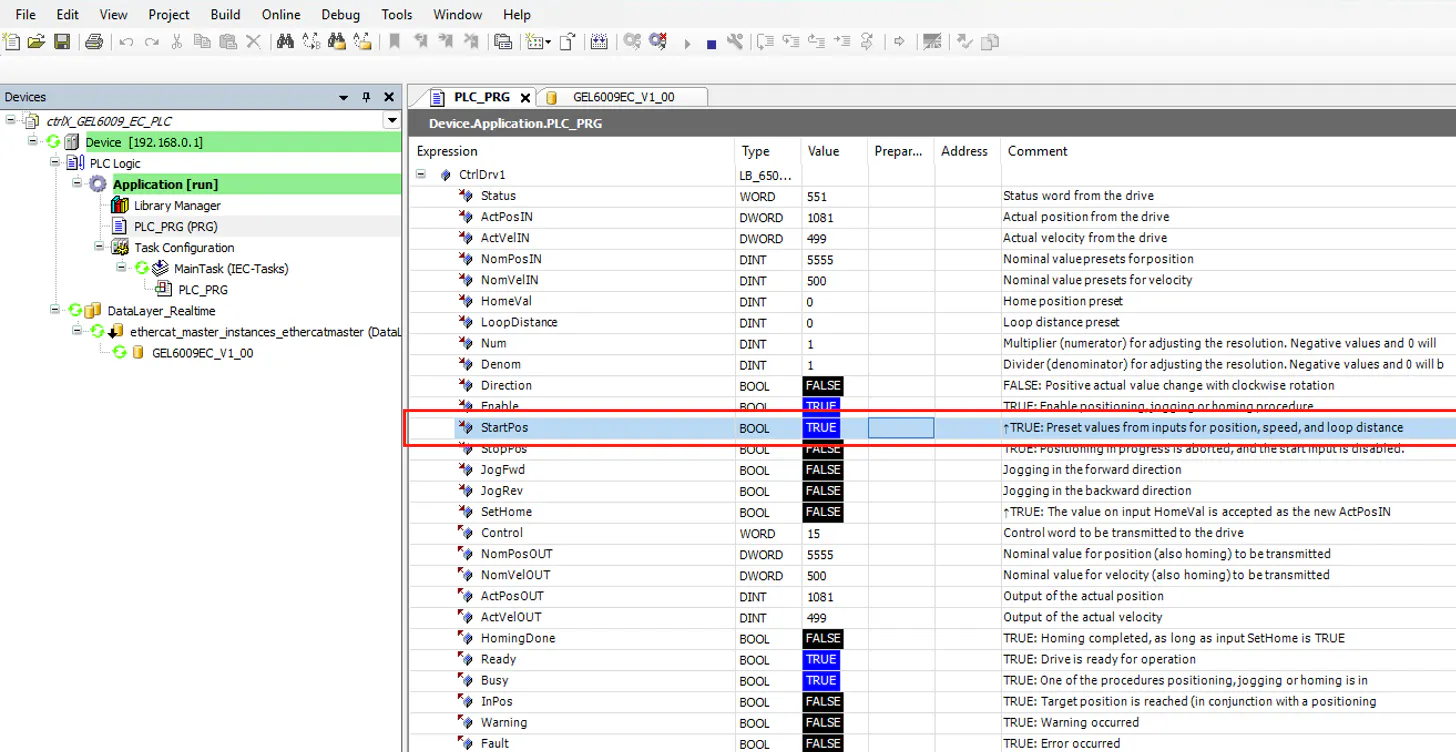
Start positioning by force the value StartPos
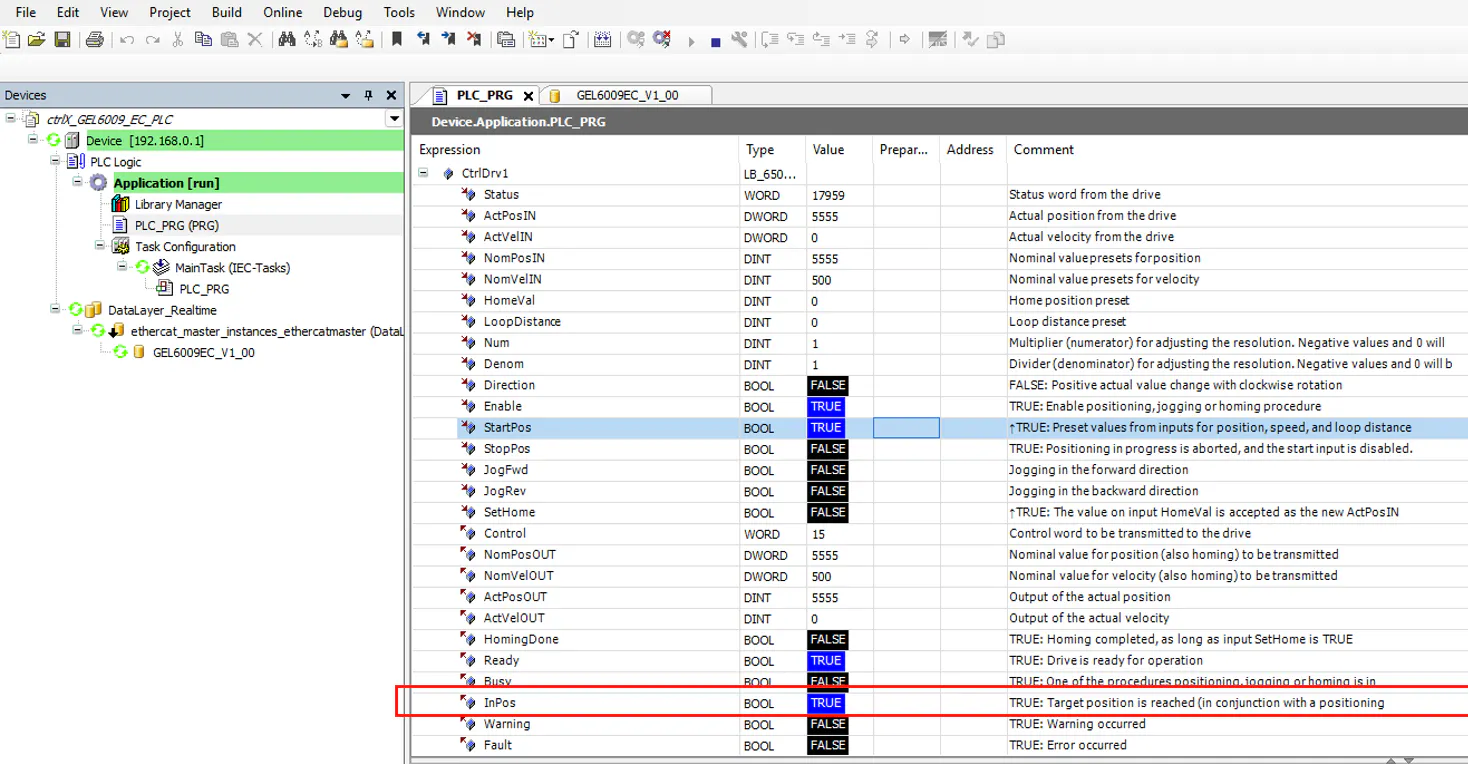
After the nominal position has been reached the InPos value is true
The Company
Lenord+Bauer is an internationally active specialist in the field of motion sensors and integrated drive technology. In the Machinery and Mobility sectors, the company from Oberhausen develops, produces, and markets technologically leading solutions. For 60 years, the customers have benefited from high technical consulting expertise and extensive application knowledge. Lenord+Bauer is certified according to DIN EN ISO 9001, ISO 14001 and DIN ISO 22163 (IRIS).
In the packaging technology sector, the products of the company stand for high-quality solutions for partially and fully automated format adjustment. With the SeGMo positioning system, format changeover takes only a few minutes and is easily reproducible. The solution ensures shorter setup times, exact repeatability, and high flexibility in the production line.