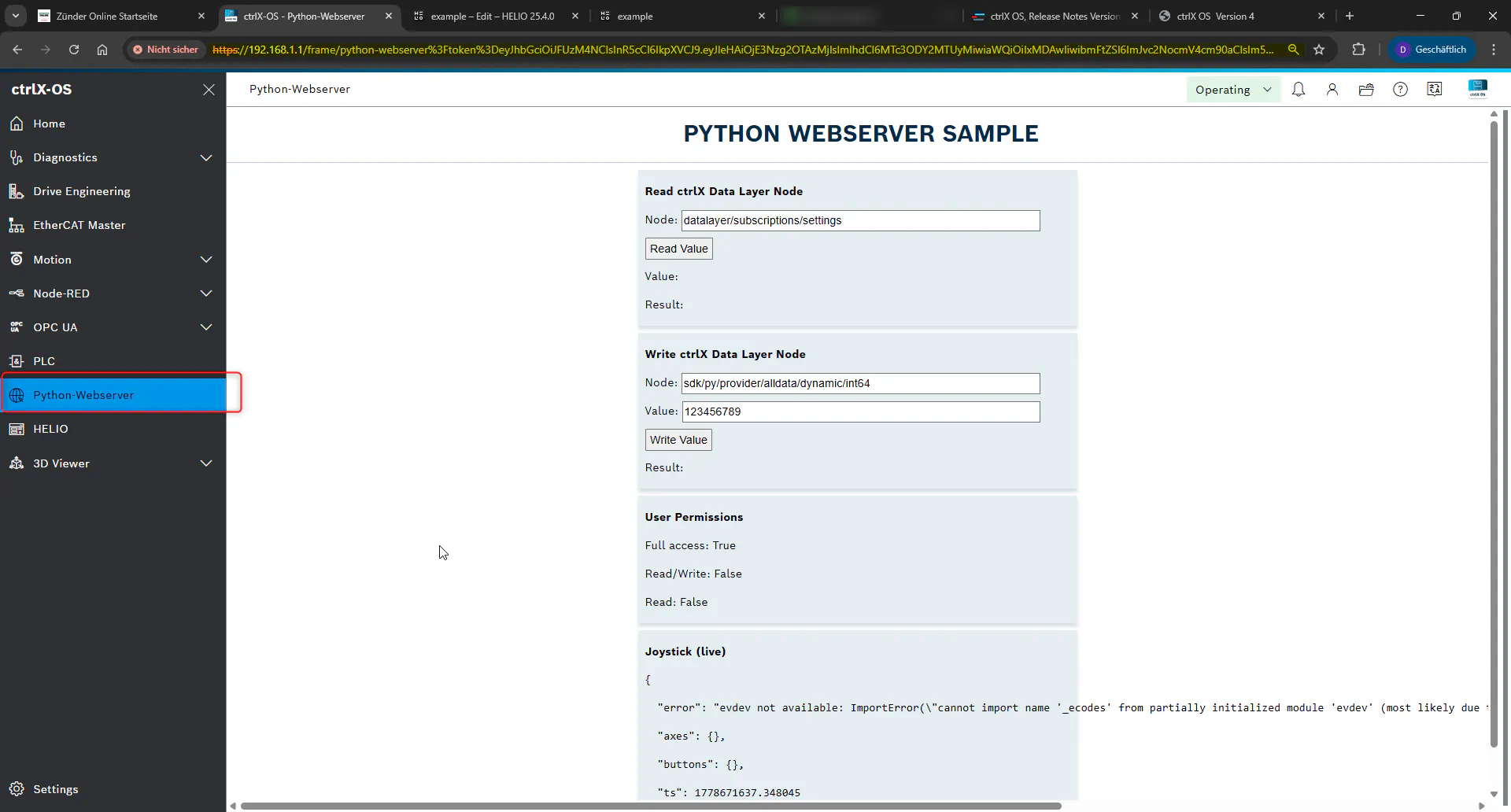
Starting with ctrlX OS 4.6 and Device Admin 4.6.0, you can embed an application’s web UI directly into the ctrlX OS main window as an iFrame instead of opening it in a new browser tab (Feature 1051992). This guide uses the SDK Python web server sample to demonstrate the required package manifest change.
Prerequisites
ctrlX OS 4.6 (Device Admin 4.6.0) or newer installed on the target device
ctrlX Automation SDK installed and configured in your development environment
Default Behavior
Before applying the new feature, note that the existing snap opens the web UI in a new browser tab, outside the ctrlX OS interface.
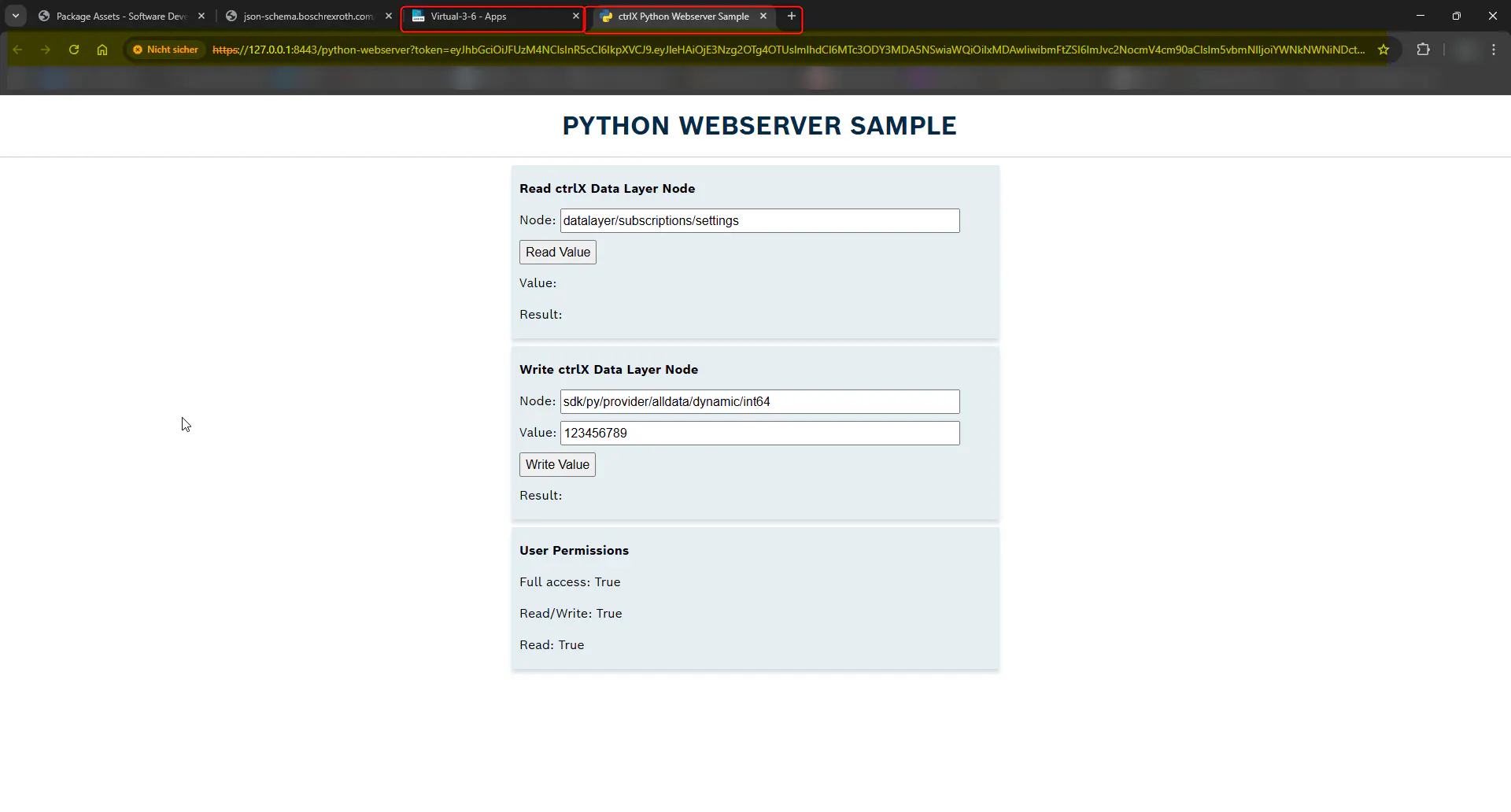
Example Implementation of the New Feature
Using the ctrlX Automation SDK example Python web server sample, navigate to the package manifest file in the snap.
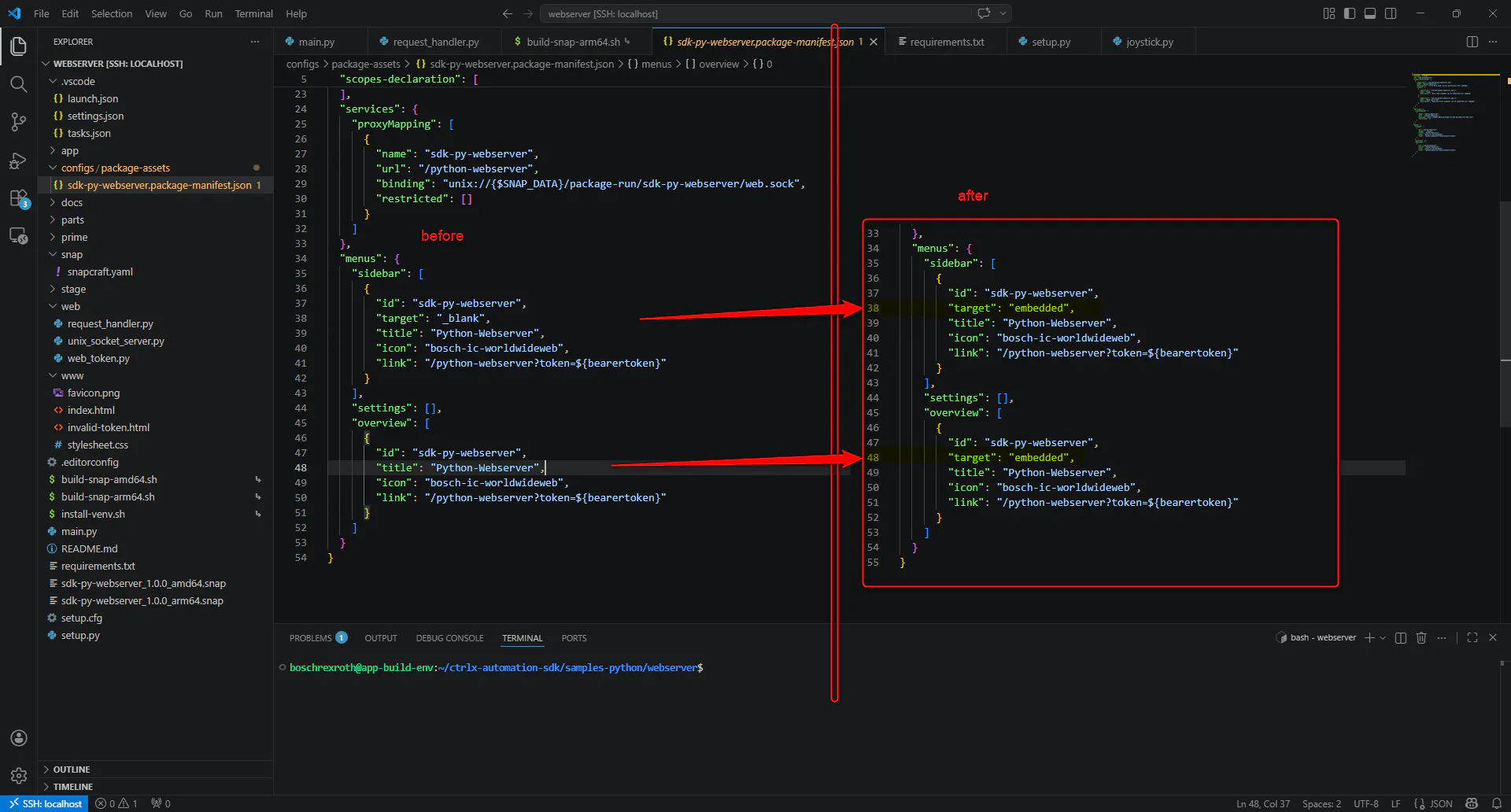
Implementing the changes to the package-manifest.json as shown it the Figure 2.
For a in-depth explanation and additional options, refer to the SDK.
After saving the manifest change, rebuild the snap to include the updated configuration.
Deploy the newly built snap to a ctrlX OS 4.6 device via the device management interface.
Now by opening the snap from the sidebar it will open in the ctrlX OS dashboard and not as a new tab.