Requirements
Hardware
ctrlX OS device, like ctrlX CORE with EtherCAT Master
Software
EtherCAT ESI Files for Bonfiglioli AxiaVert
ctrlX I/O Engineering
ctrlX OS V2.6.4 (or higher)
Get and install ESI Files
Download ESI Files for AxiaVert from the Bonfiglioli website.
After downloading the file. install ESI Files in ctrlX I/O Engineering software.
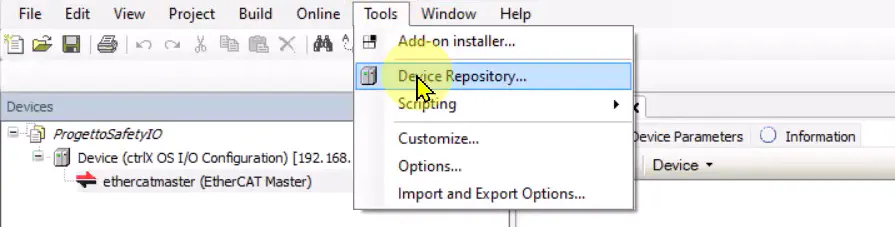
Open menu Tools -> Device Repository.
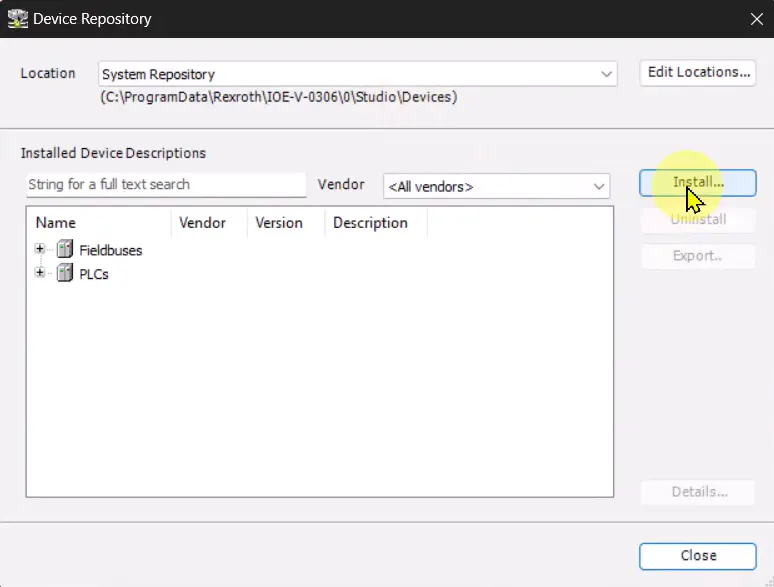
Click Install
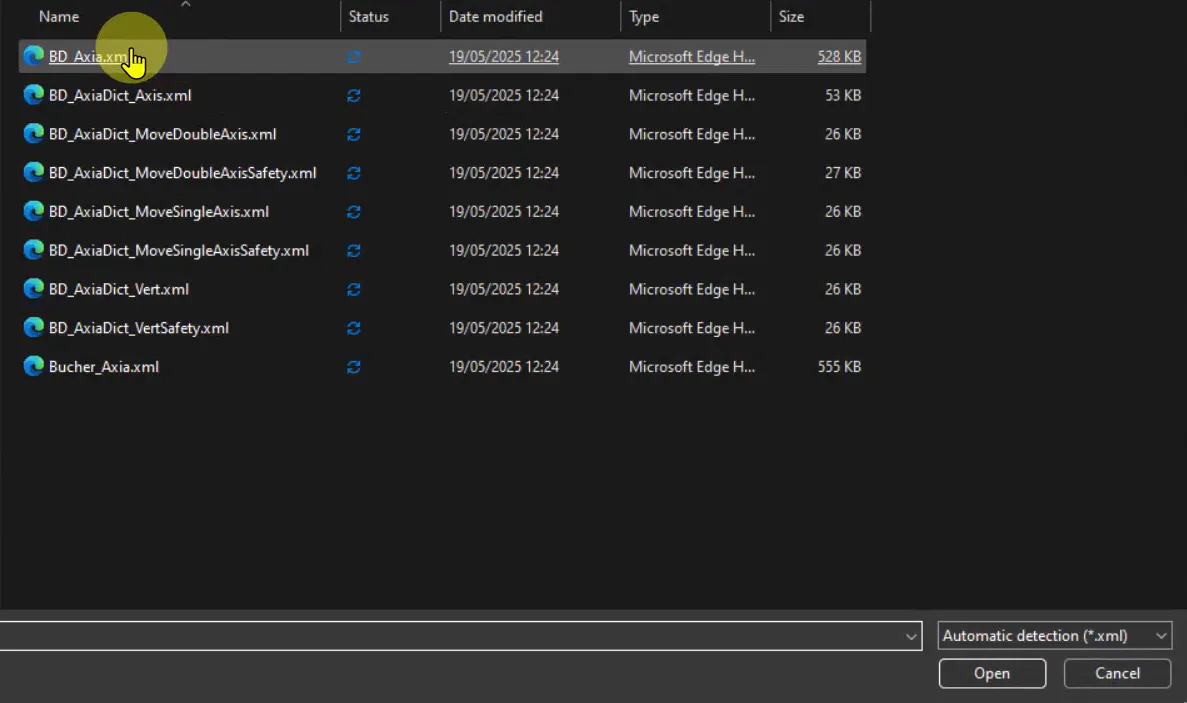
Select BD_Axia.xml file and then press Open.
Device Repository window can be closed.
Online configuration
If the AxiaVert is connected to ctrlX OS, online configuration can be used.
Online configuration automatically scans the topology of the system. Devices are automatically detected and set in the hardware configuration.
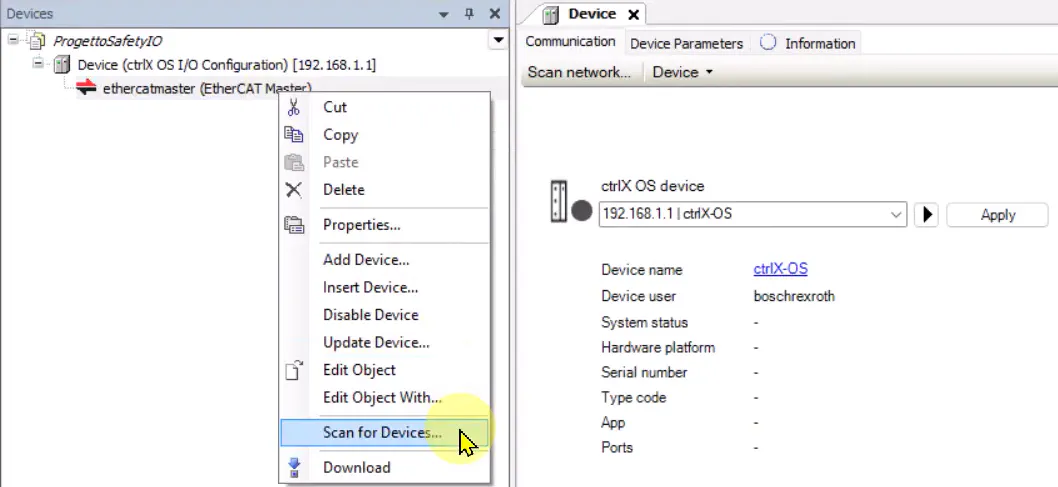
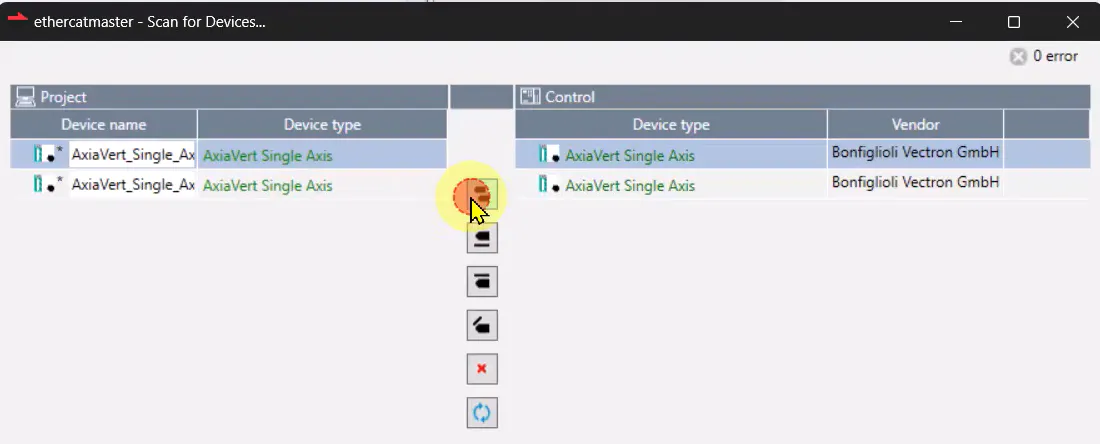
Right-click on ethercatmaster -> Scan for Devices.
Import found devices into the project and click OK.
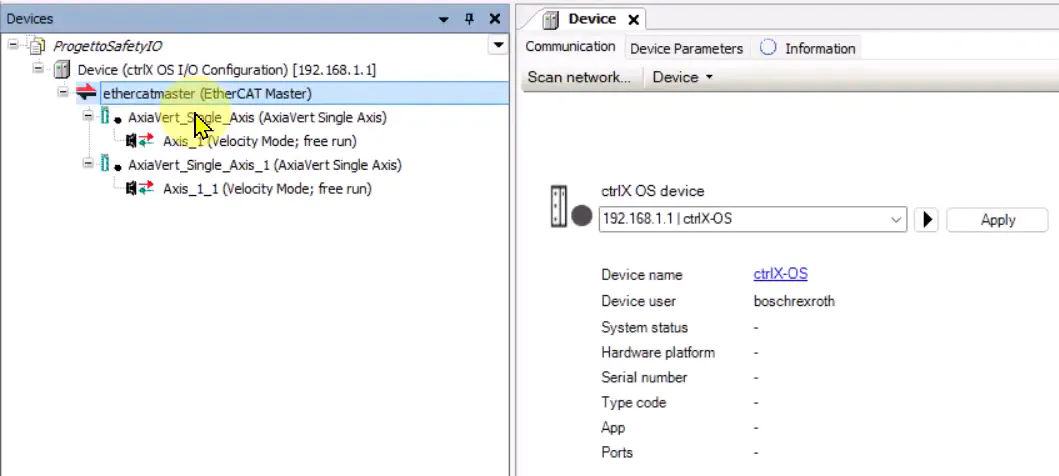
ethercatmaster is now populated with founded devices
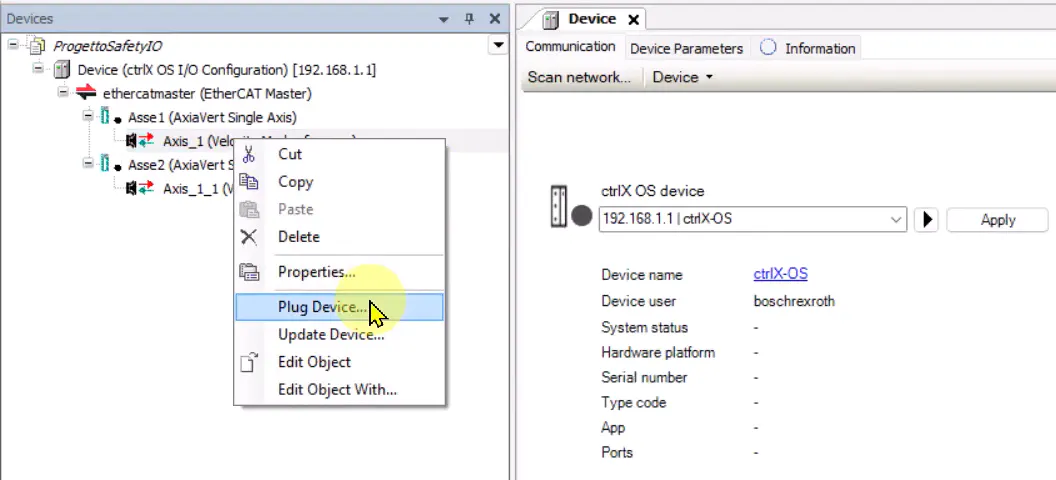
Plug device
Default PDO configuration is Velocity mode, the user can change default mapping changing the plug device.
To do that right click on the Axis -> Plug Device
Select the desired PDO map and then click “Plug Device”.
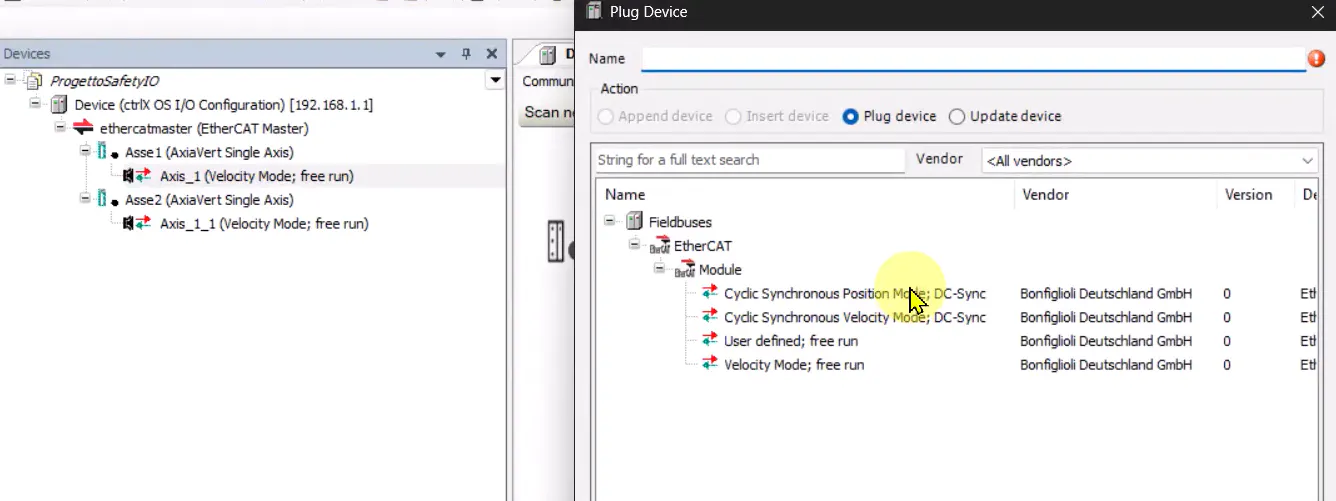
The hardware configuration is automatically updated.
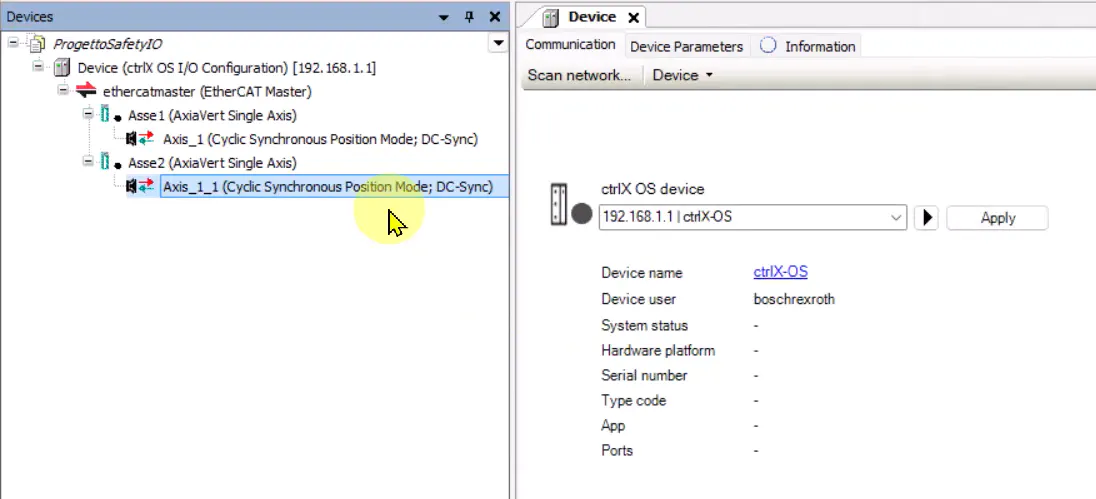
Change PDO map
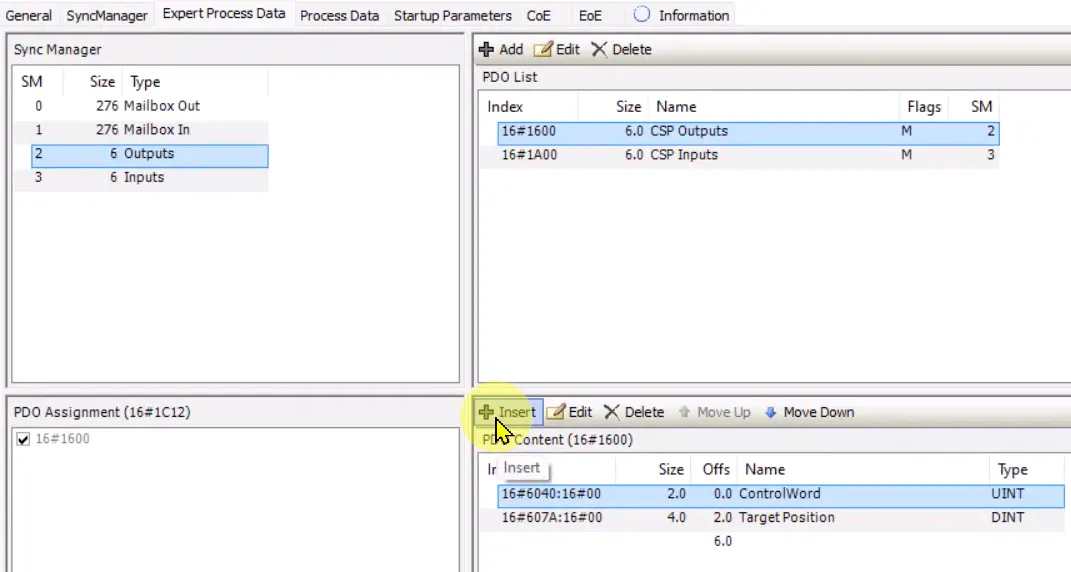
The user can manually change the PDO map. To do that double click on the AxiaVert Single Axis and enable the Expert settings.

In the Expert Process Data tab select the desired PDO List (e.g. 16#1600 – CSP Outputs) and then click Insert
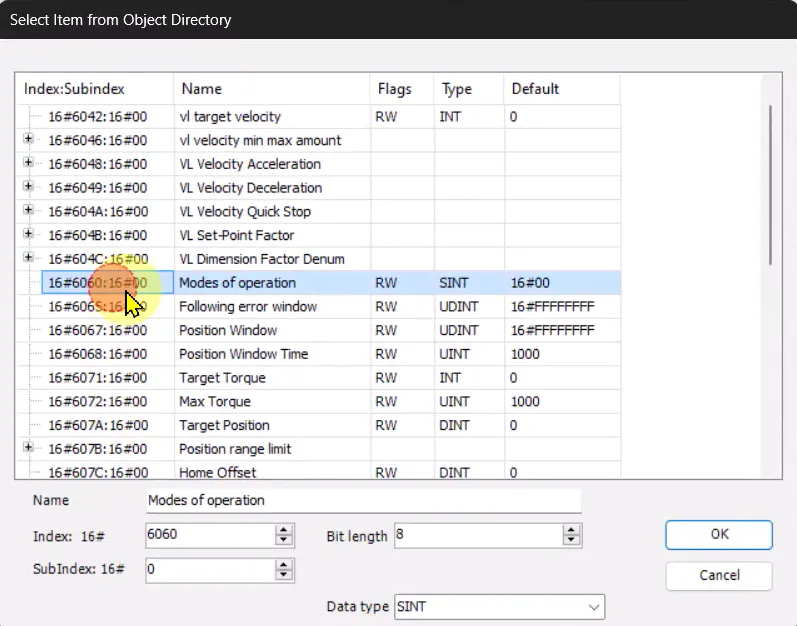
Select the desired object (e.g. 16#6060:16#00 – Mode of Operation) and click OK.
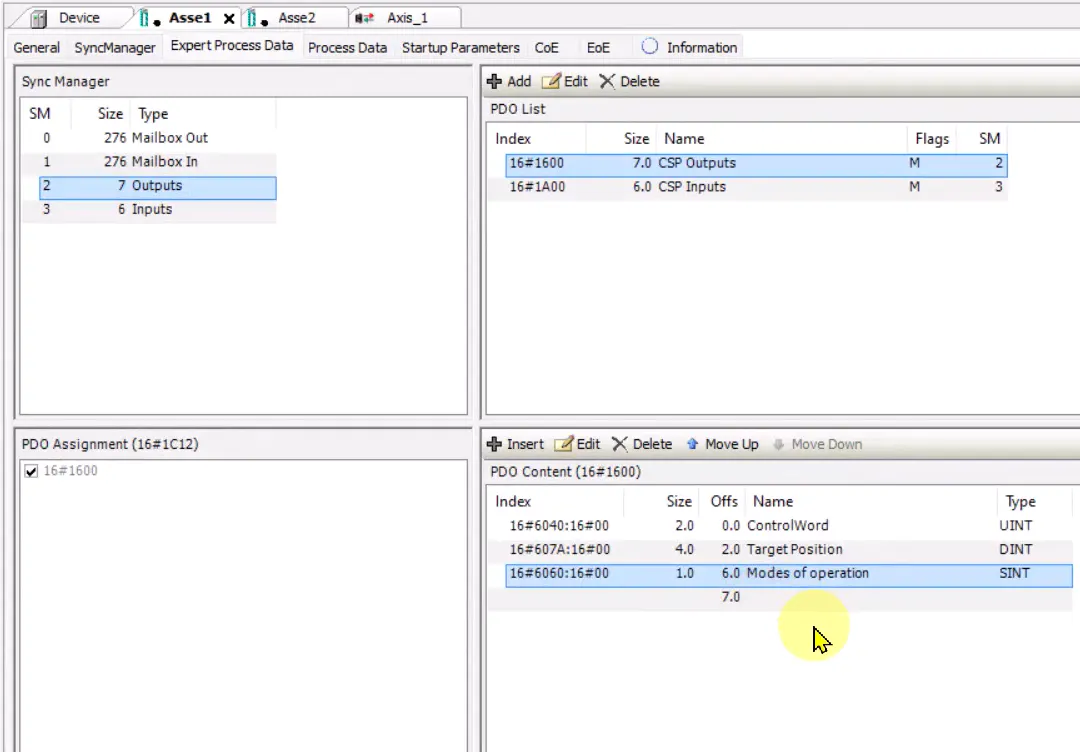
PDO content list is now updated.
Download the project to the controller
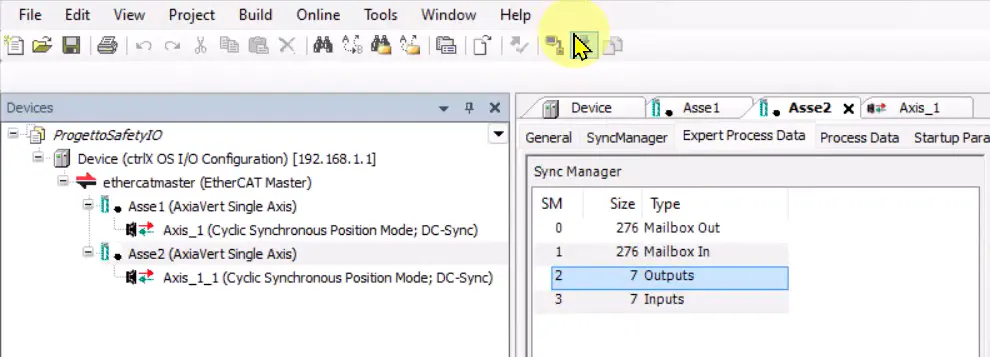
ctrlX OS configuration
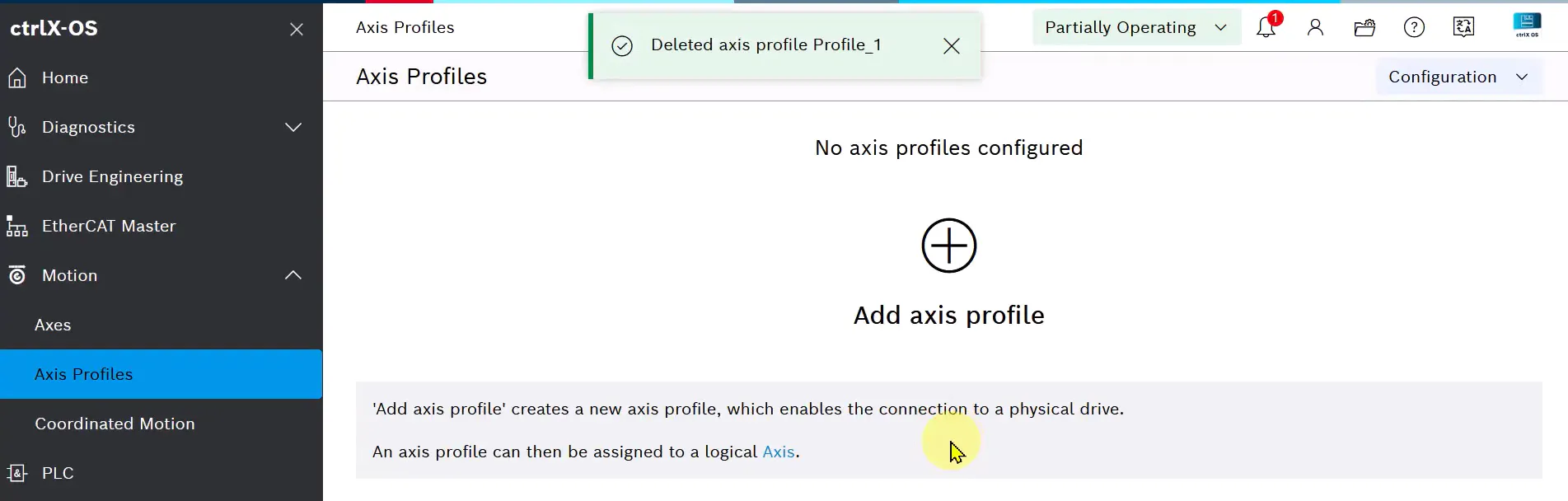
Axis Profiles
Log in in ctrlX-OS and add Axis Profiles.
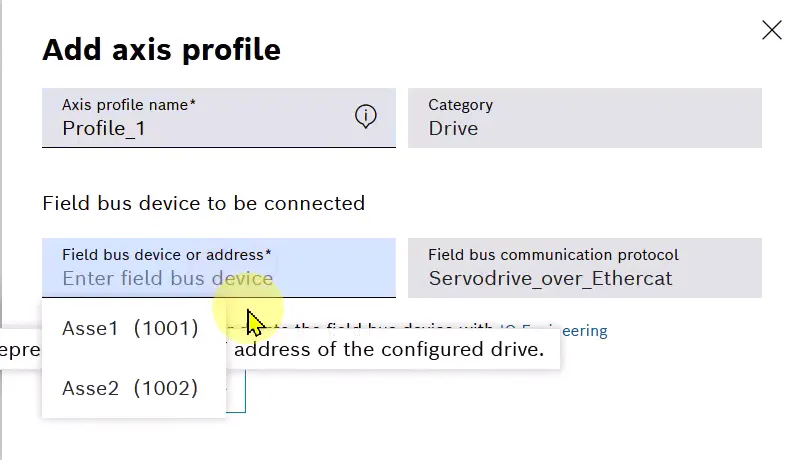
Select the fieldbus device to associate to the axis profile
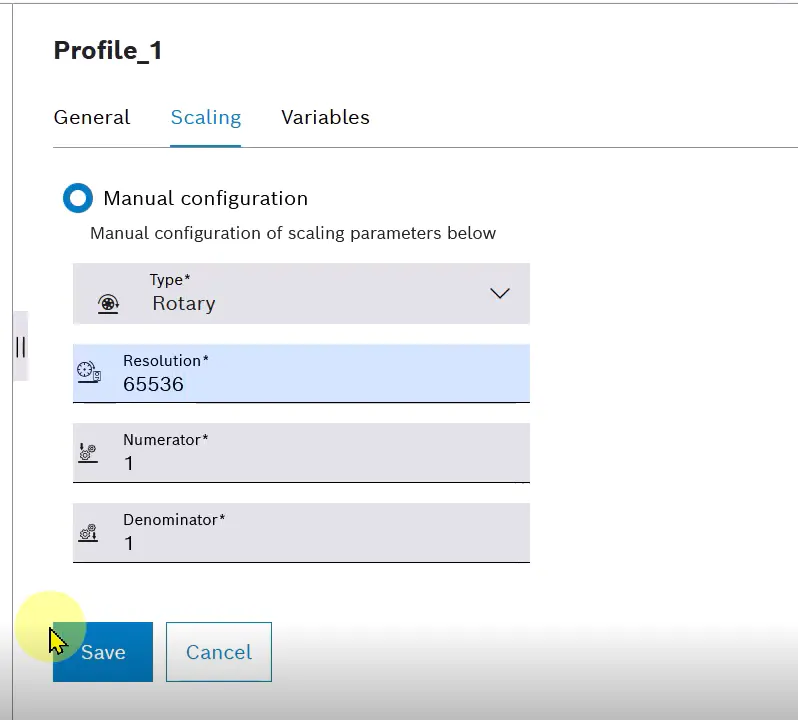
Edit the axis profile to set the correct scaling.

In the Scaling section select Manual configuration
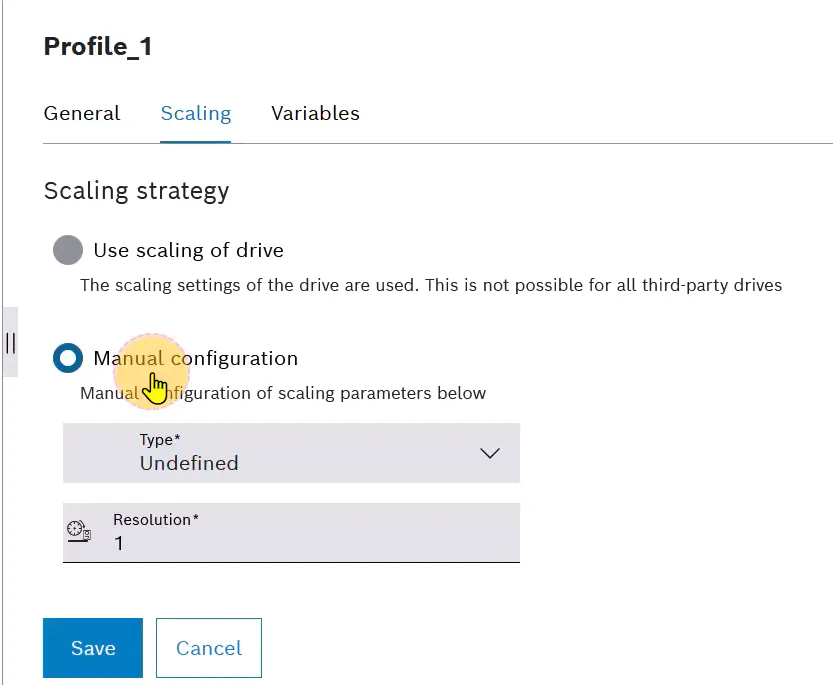
Set the parameters:
Type: Rotary
Resolution: 65536
Numerator: 1
Denominator: 1
And click Save
Associate the axis profile to the real axis by editing it
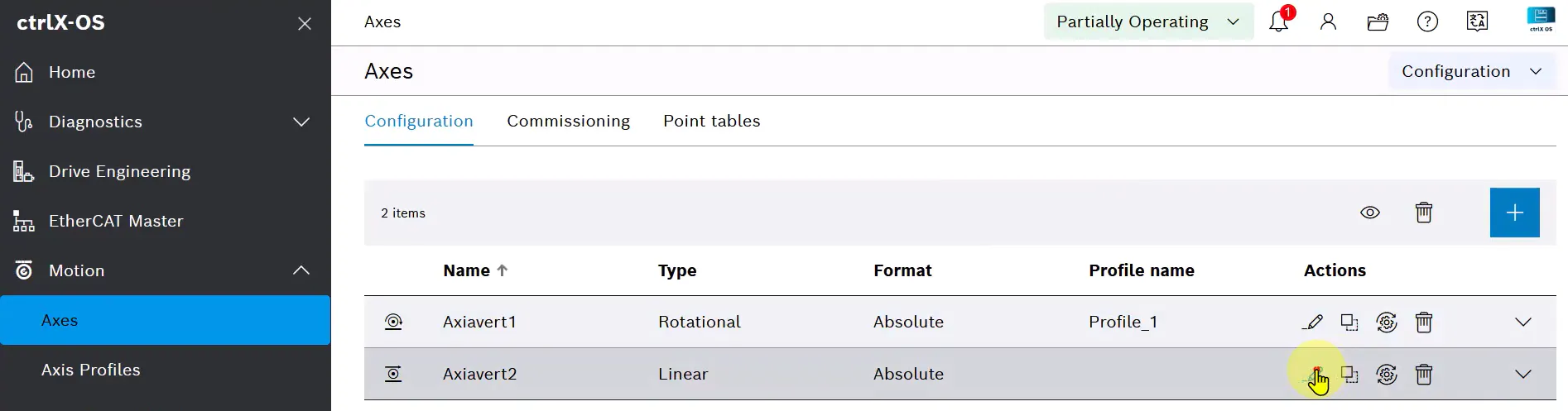
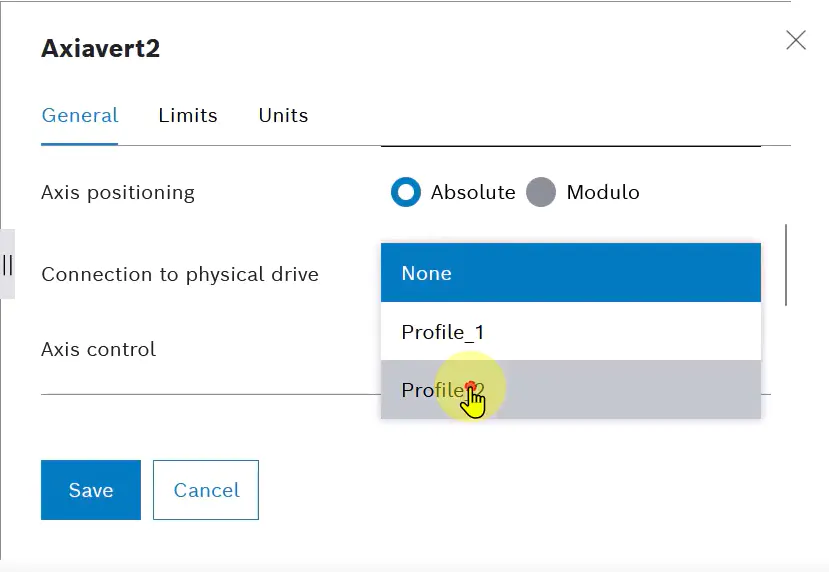
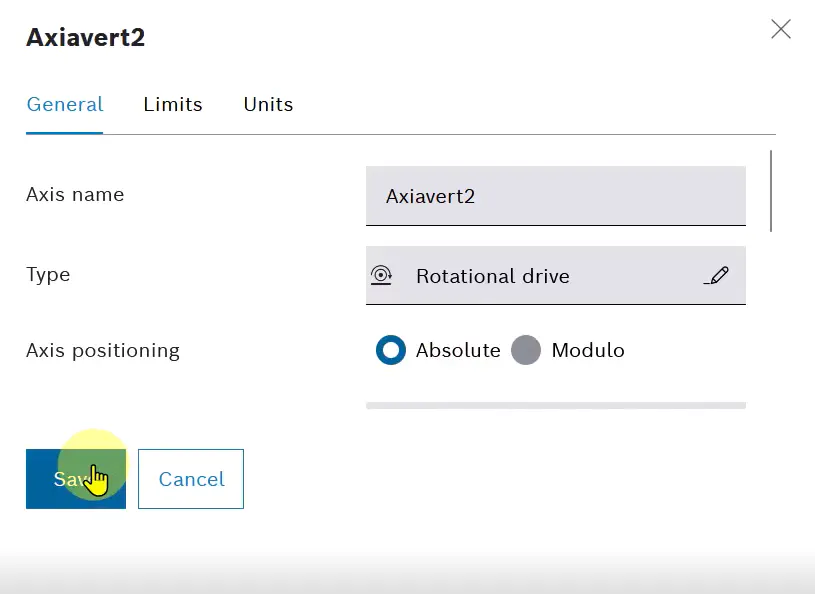
In General section:
Select the correct profile in the Connection to physical drive field
Set Type as Rotational Drive
Set Axis Positioning as Absolute
And click Save.
Run the system
Set the system in Running.
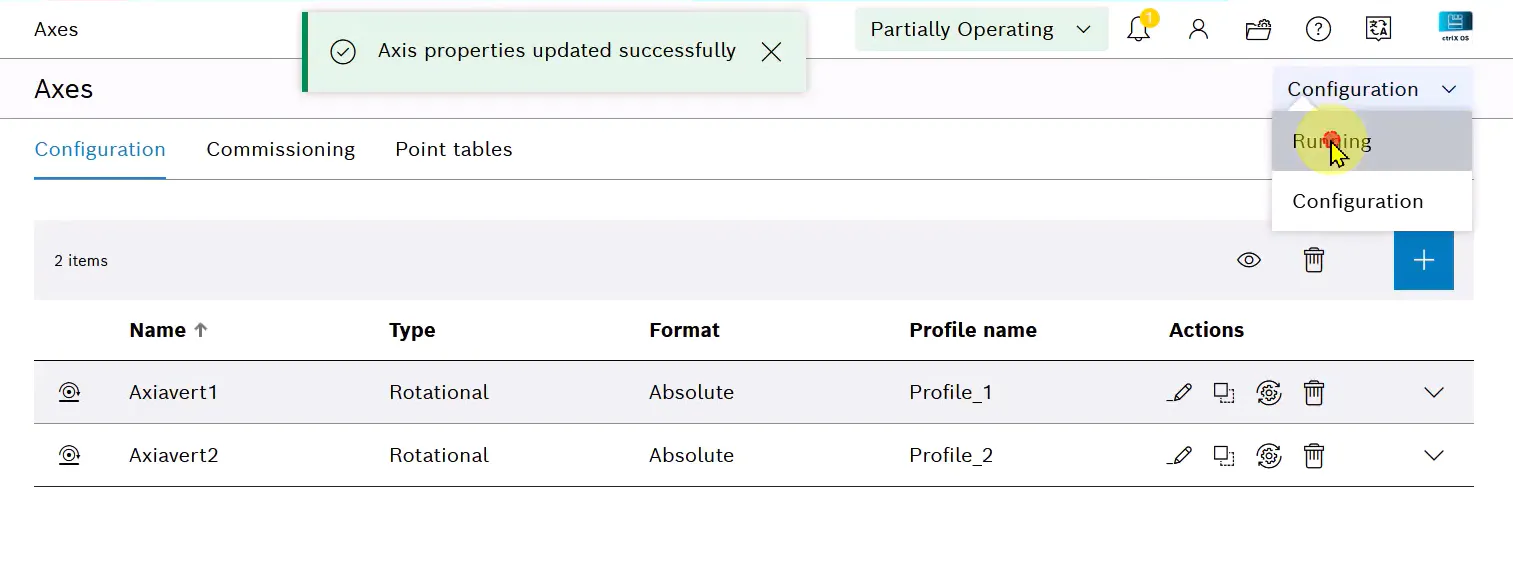
If the configuration is correct, Motion switched to running message should appear.

Test the system
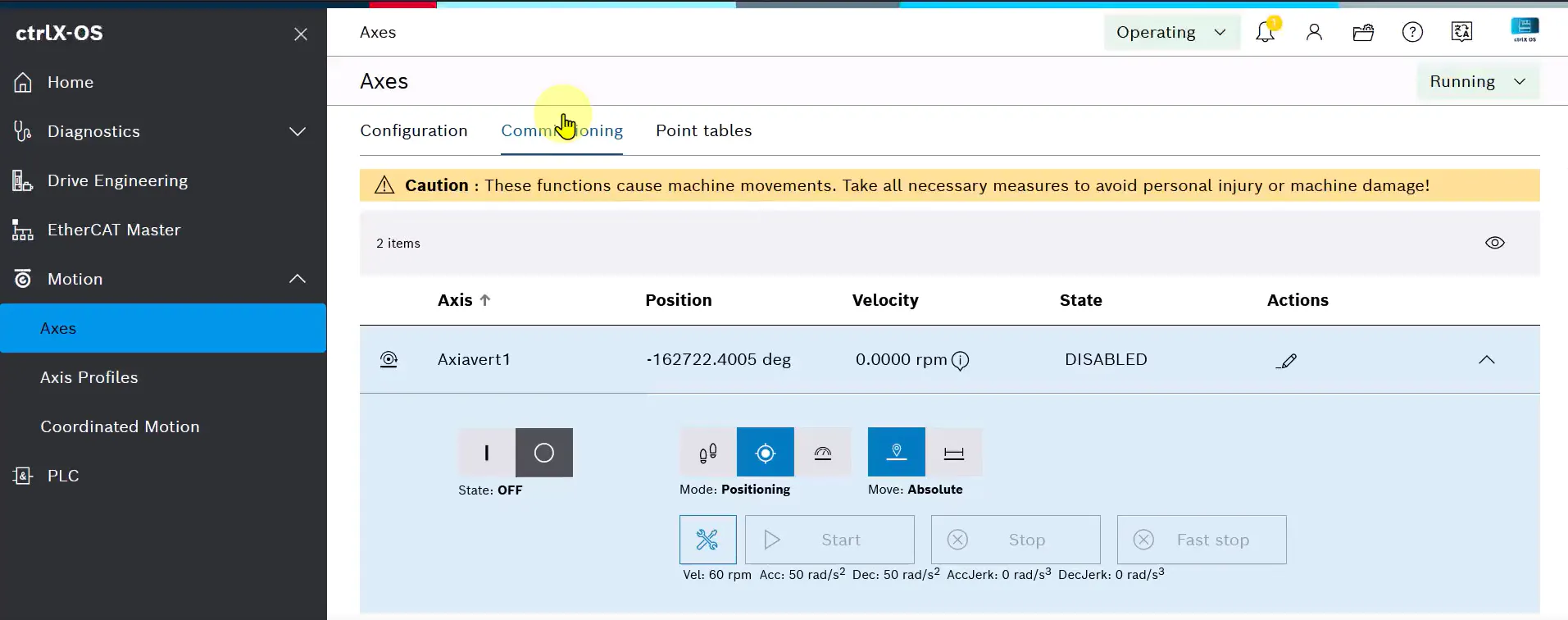
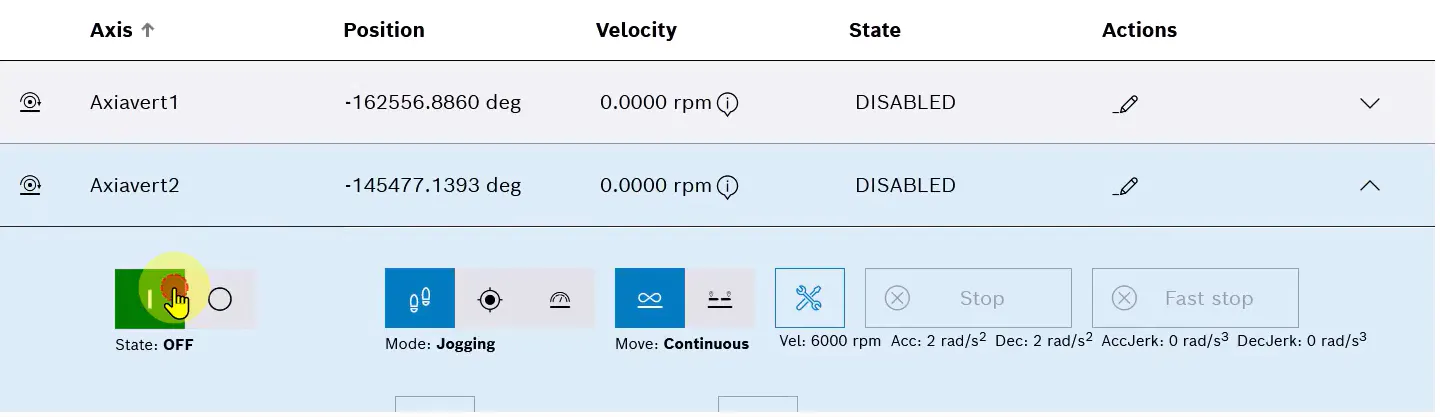
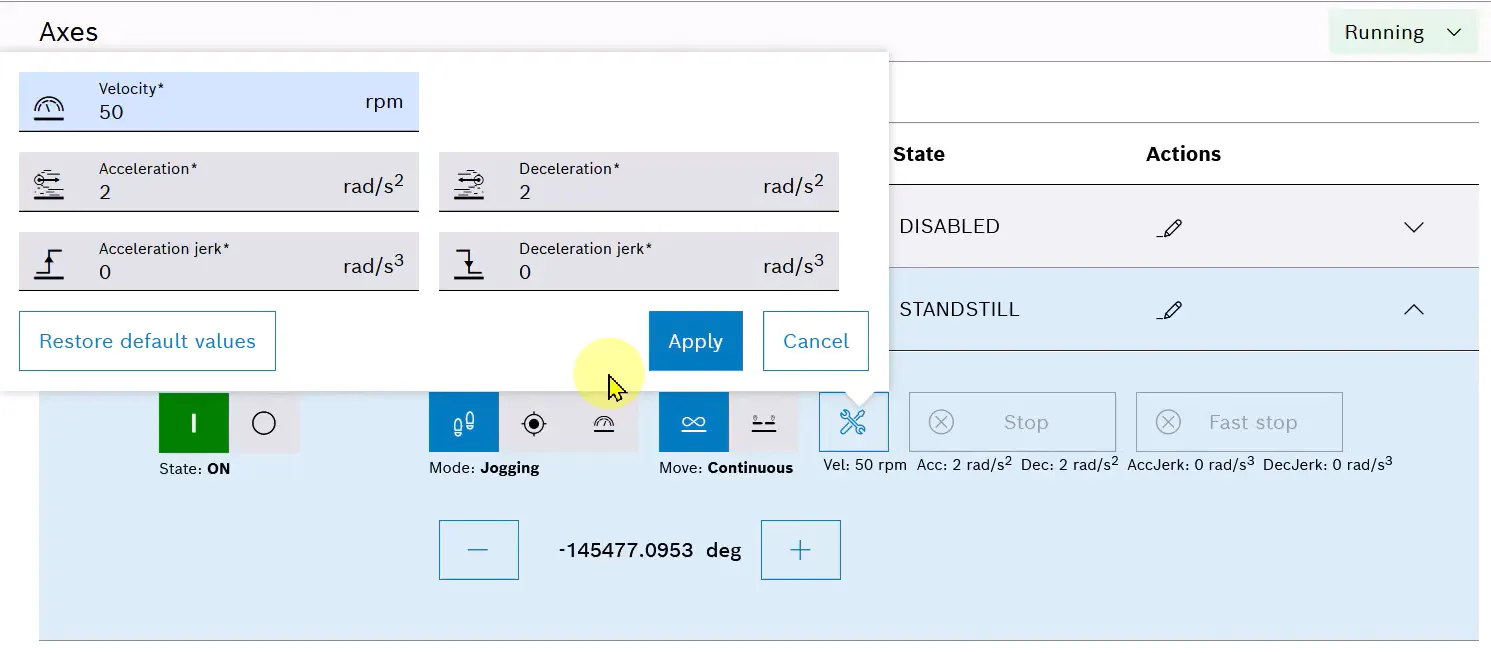
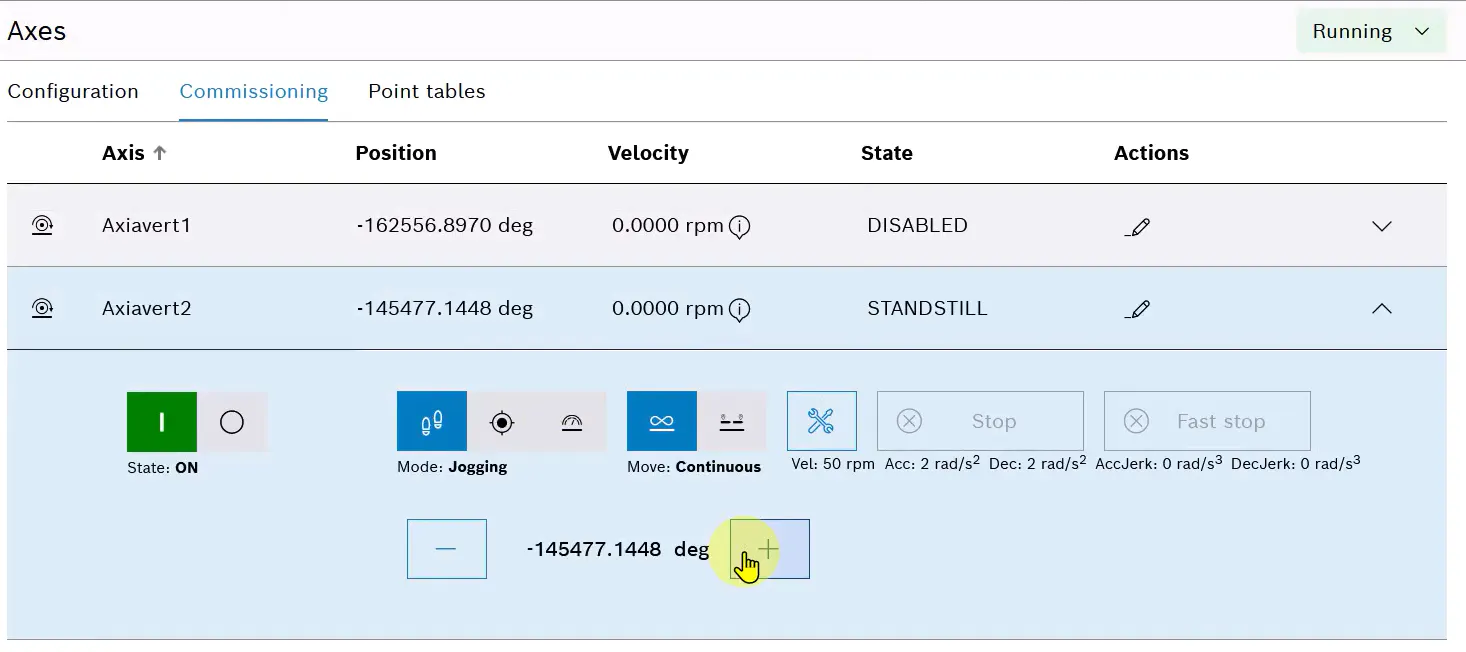
Once the system is up and running, AxiaVert can be tested via ctrlX-OS, without the need to write code.
In the Commissiong section of the Axes, the drive can be powered on and put, for example, in jog mode.
The Company
Bonfiglioli is a worldwide designer, manufacturer and distributor of a complete range of gearmotors, drive systems, planetary gearboxes and inverters, which satisfy the most challenging and demanding needs in industrial automation, mobile machinery and renewable energy. The Group serves more industries and applications than any other drives manufacturer and is a market leader in many sectors; its three business areas - Industry & Automation Solutions, Mobility & Wind Industries, Selcom Group - embody all the expertise and experience acquired over the years in the respective industries. Established in 1956, Bonfiglioli operates worldwide in 80 countries with 23 commercial sites, 17 production sites, a wide distribution network comprising more than 550 partners, and can count on 5.000 professionals. Excellence, innovation, and sustainability are the drivers behind the growth of Bonfiglioli as a company and team and represent the guarantee of the products and services quality offered its clients.