Introduction
This document provides a step-by-step guide to connect a joystick to a ctrlX CORE device, enabling you to integrate physical input from a gamepad into your ctrlX OS applications. It leverages a pre-configured snap that handles the joystick communication and exposes its state through the Data Layer. This guide has been tested with the Logitech F310 Gamepad on ctrlX Core X3 and X7 running ctrlX OS 3.6.
Requirements
ctrlX CORE with ctrlX OS version 3.6 or newer
Joystick
USB-A Female to USB-C Male adapter
Provided .zip in attachments bellow
Tested Hardware
ctrlX CORE: X3 and X7 (both running ctrlX OS 3.6)
Gamepad: Logitech F310 Gamepad (with Xinput and Dinput switch)
Step-by-Step Guide
Step 0: SDK + build the snap
Unzip the attachment and using our SDK build the snap.
Step 1: Allow Installation from Unknown Sources
Before installing the snap, you need to enable installations from unknown sources on your ctrlX CORE.
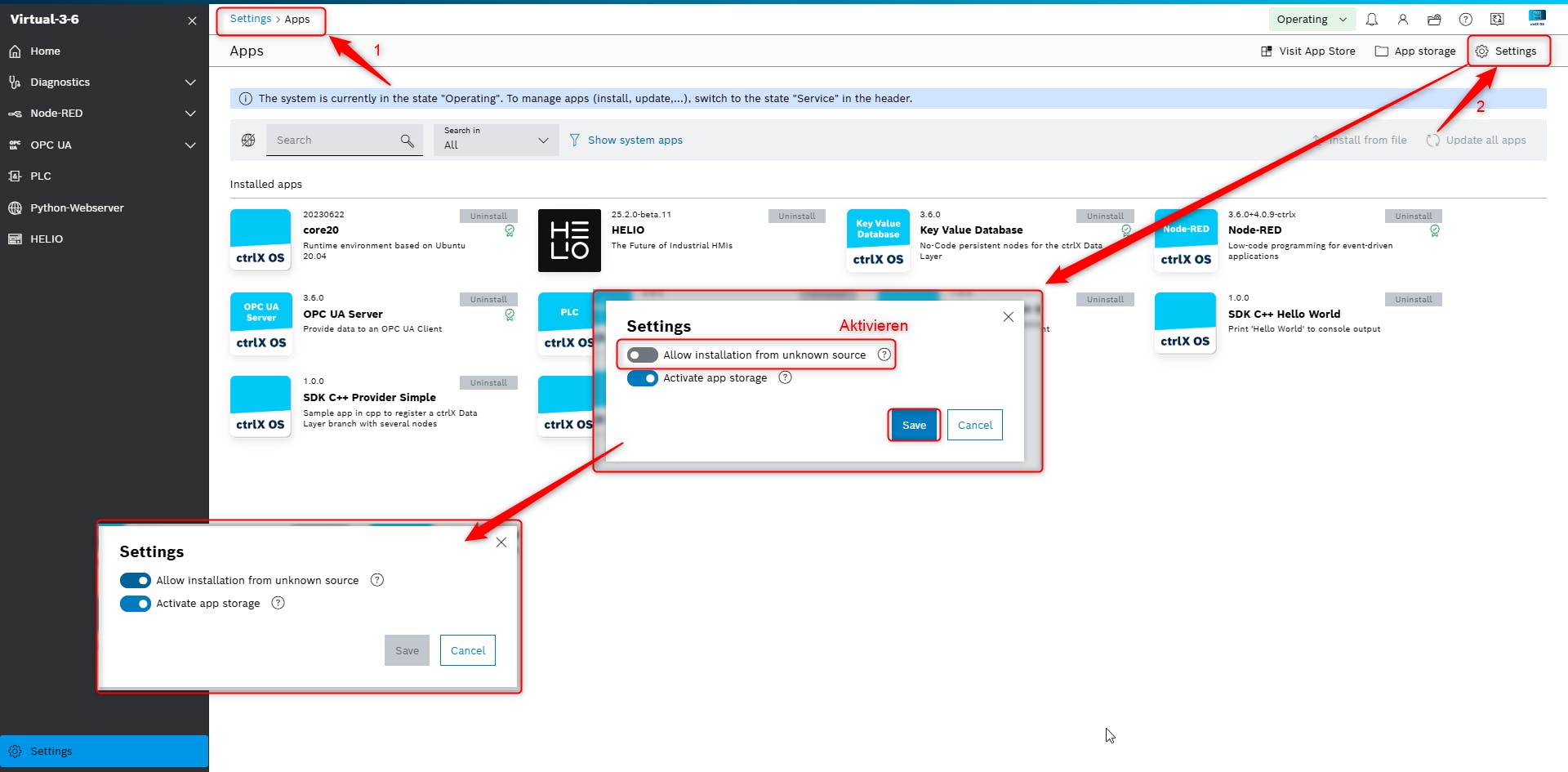
Step 2: Connect the Controller
Physically connect your joystick to USB C port on your ctrlX CORE. You will need a USB-A female to USB-C male adapter.
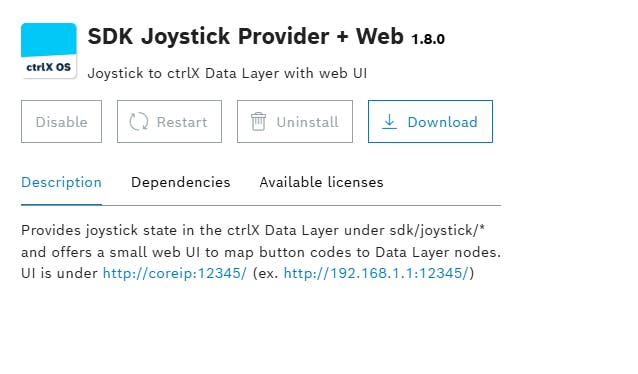
Step 3: Install the Joystick Snap
Install the snap file onto your ctrlX CORE. You can do this through the ctrlX OS web interface like any other app.
Step 4: Explore Data Layer Paths
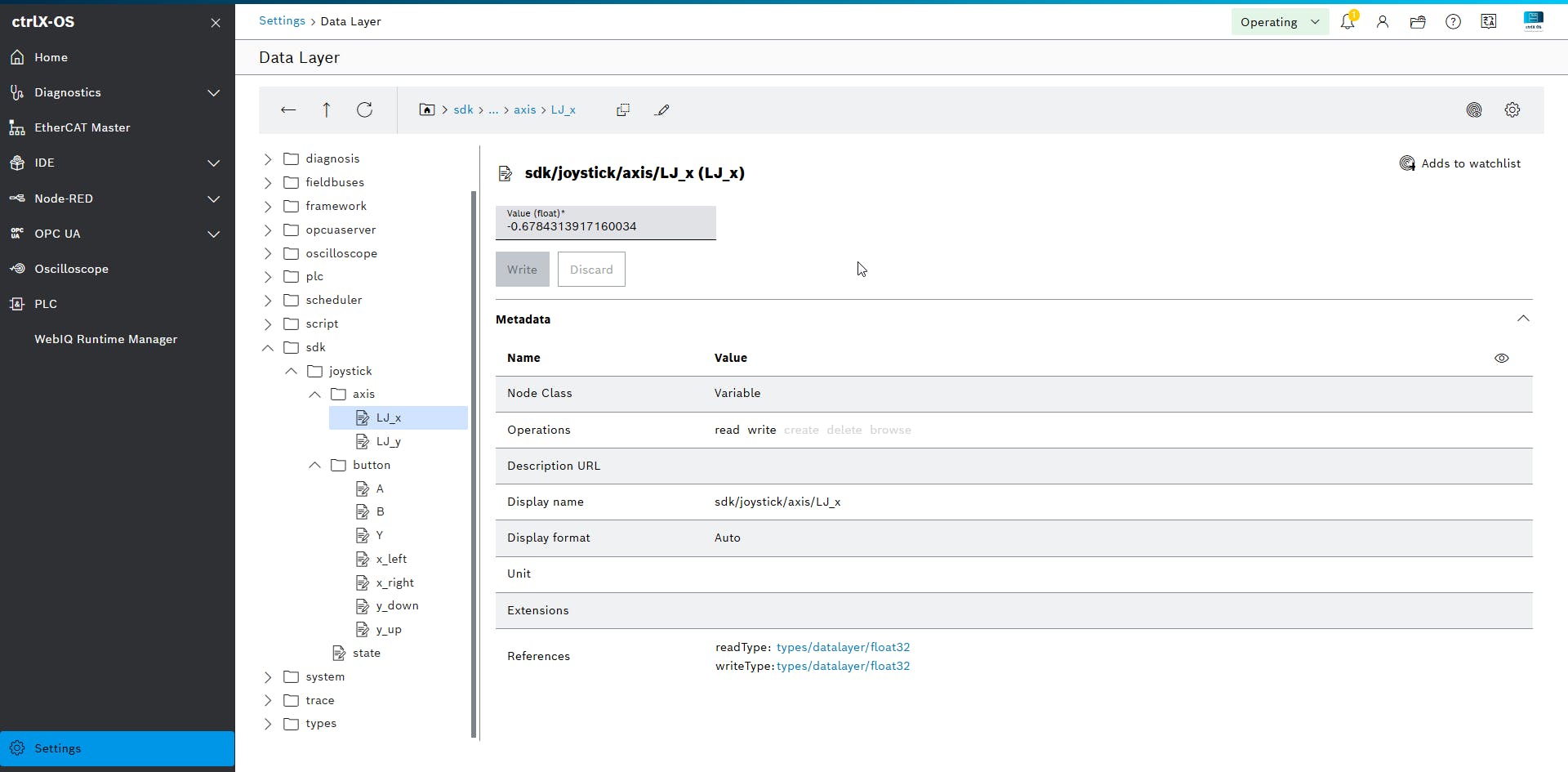
The joystick snap automatically creates Data Layer paths under sdk/joystick/state. This path will expose the current state of your joystick's buttons and analog sticks.
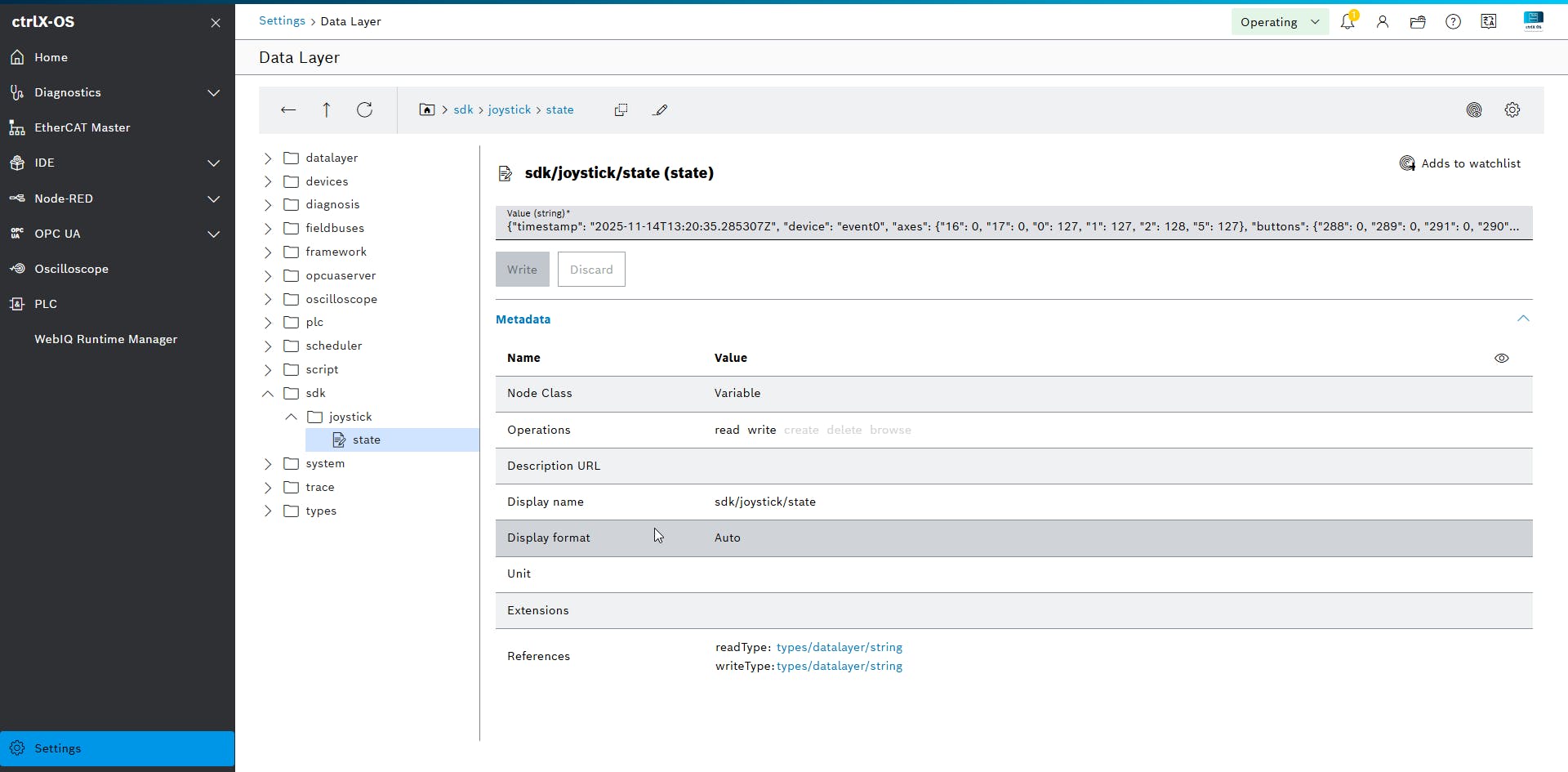
Step 5: Access the Joystick Interface
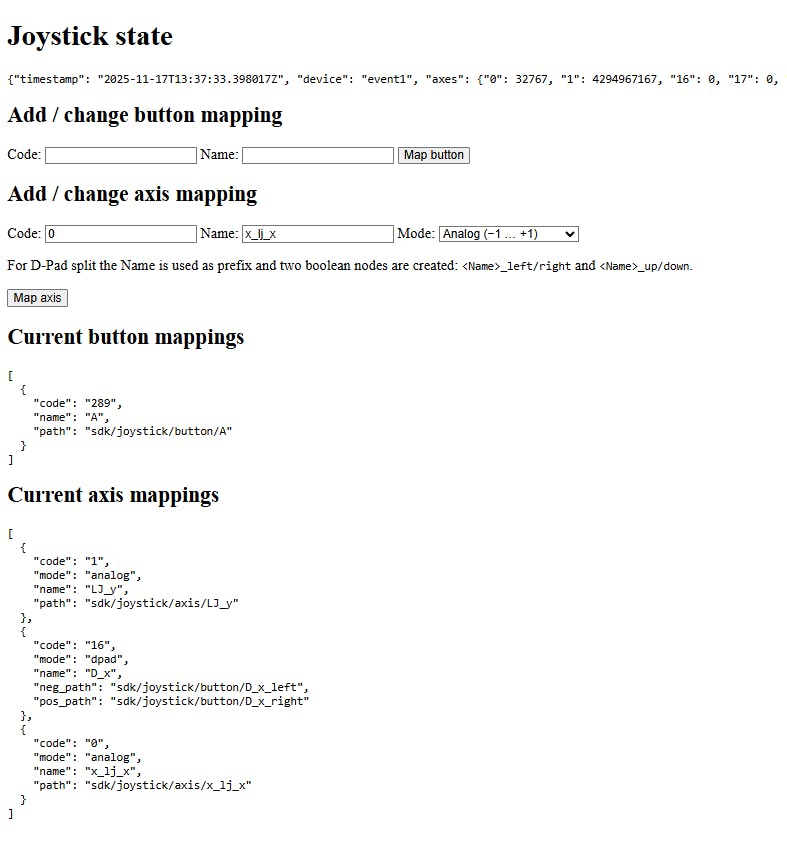
Once the snap is installed, you can access its web interface by navigating to http://coreip:12345/ in your web browser (replace "coreip" with the actual IP address of your ctrlX CORE). This interface will allow you to see the current state of your joystick and map its buttons.
The DInput standard is not unified, meaning button codes can vary between different controllers. So you have to do it manually by testing what button does what. While on this page, press each button on your joystick.
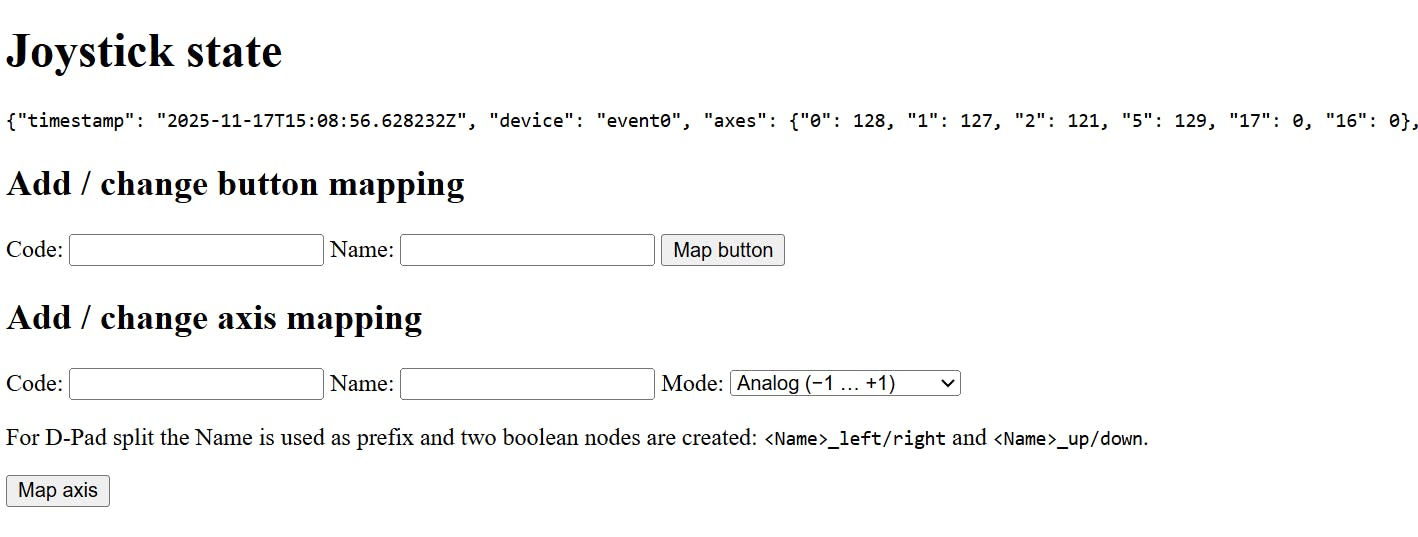
Map the buttons as in the example:
Code: 289 → Name: A → Map button
Map the axes:
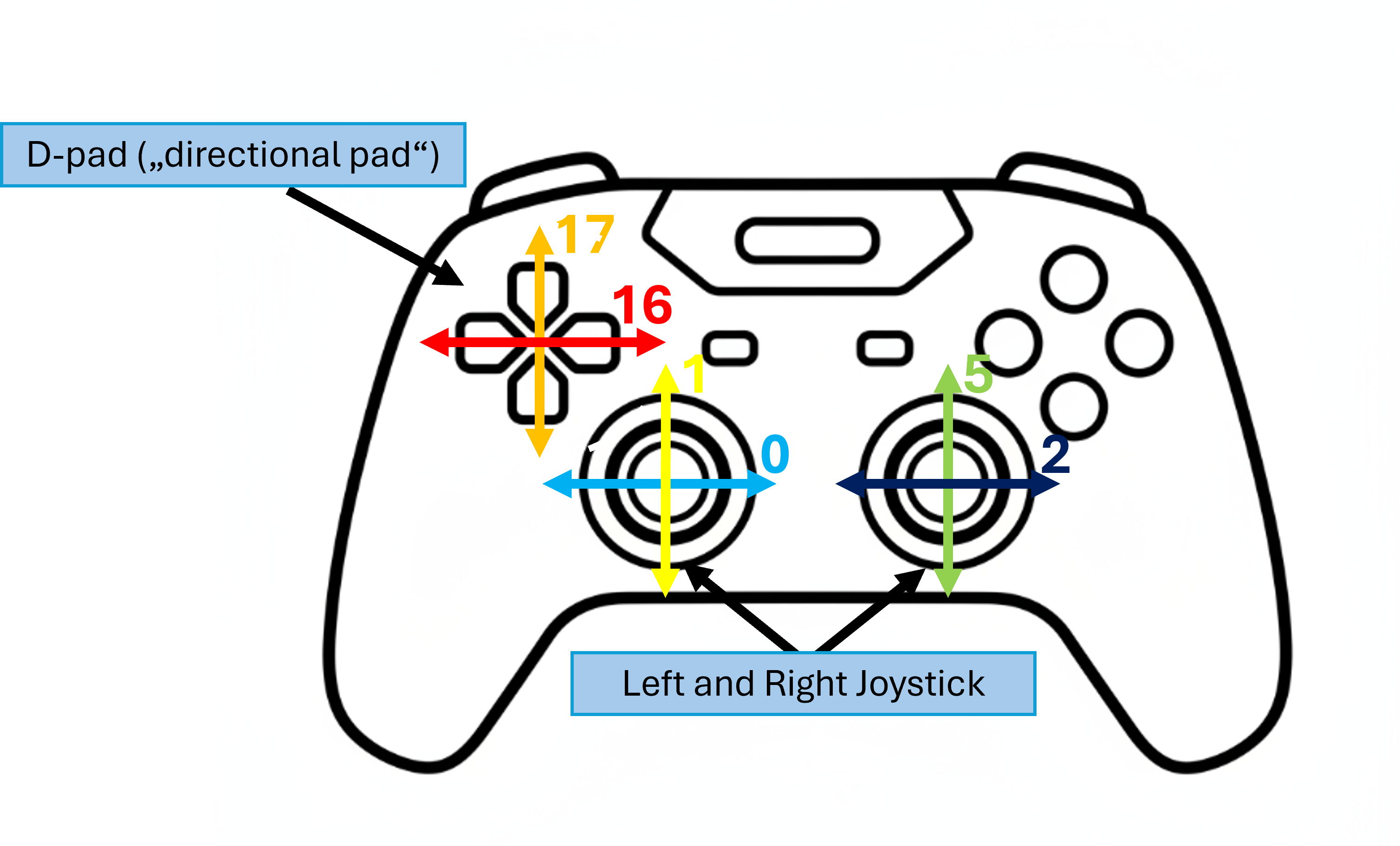
choose Analog from the menu and figure out which joystick produces which movement.
In my example, 1 was the left joystick’s y (vertical) movement, so:
Code: 1 → Name: LJ_Y → Map axis
For the D-pad, you have to determine which code corresponds to the vertical and horizontal axes. The code will then split the D-pad input into the correct directions. In my example, code 16 was the D-pad x (horizontal) movement, so:
choose D-pad from the dropdown menu, Code: 16 → Name: D_x → Map axis.
It will then split the horizontal movement into D_x_left and D_x_right.
All mappings will be shown below with the corresponding Data Layer path.
The following image shows an example of discovered button codes for the Logitech F310 Gamepad. This can serve as a reference, but remember to verify for your specific controller.
Step 6: Review Button Mappings
Observe the corresponding changes in the Data Layer paths. In the Data Layer, you can see the buttons and D-pad mappings, which have values of 0 or 1, and all analog variables are normalized between −1 and 1.
Notes
ctrlX Core X3 vs X7 compatibility: On the ctrlX Core X3, only Dinput mode worked with the Logitech F310. On the ctrlX Core X7, both Xinput and Dinput modes were functional.
Controller Compatibility: While this snap should work for most controllers, universal compatibility is not guaranteed.
PlayStation 4 Controller Example: The PlayStation 4 DualShock controller requires up to 800mA at 5V when operating and charging over USB. The X3 provides only 500mA and the X7 provides 700mA, which is insufficient. As a result the controller was either not detected (X3) or only partially functional (X7).
Change log
v1.8.0 : Initial release of the snap.
v1.8.2 : Calibration is saved after its initial initialization.