Step-by-step procedureStep 1: Install the ZR-configurator appStep 2: Launch the applicationStep 3: Select a kinematicStep 4: Insert the configuration stringStep 5: Apply the configurationFinal Step: Repeat for all configured kinematicsRelated LinksThe CompanyKey characteristics of Zodiac Robotics Delta robots:
Zodiac Robotics designs and manufactures highly customized Delta robots, developed in close collaboration with each customer — typically machine builders and OEMs. As a result, every robot features specific configurations and characteristics tailored to the target machine.
To operate correctly, each robot must be configured within the ctrlX CORE control system by entering a set of detailed parameters. Performing this task manually can be time-consuming and prone to error.
To streamline and secure this process, Zodiac Robotics has developed the ZR-configurator app for the ctrlX World platform. Each robot is delivered with a unique configuration string — a long alphanumeric sequence that encodes all relevant information about the specific robot.
By simply pasting this string into the ZR-configurator interface, the user can:
Visually confirm the robot’s characteristics in a structured, graphical format
Automatically write all required data into the appropriate data layer nodes of the ctrlX CORE system with a single click
This enables fast, consistent, and error-proof configuration, ready for immediate use within the user’s application program.
Step-by-step procedure
Step 1: Install the ZR-configurator app
Install the ZR-configurator app on your ctrlX CORE system from the ctrlX Store or the local development environment, depending on your setup.
Step 2: Launch the application
Once installed, open the ZR-configurator app via your browser.
The application will automatically read the ctrlX Data Layer and detect all configured Delta kinematics, retrieving the associated parameters.
Step 3: Select a kinematic
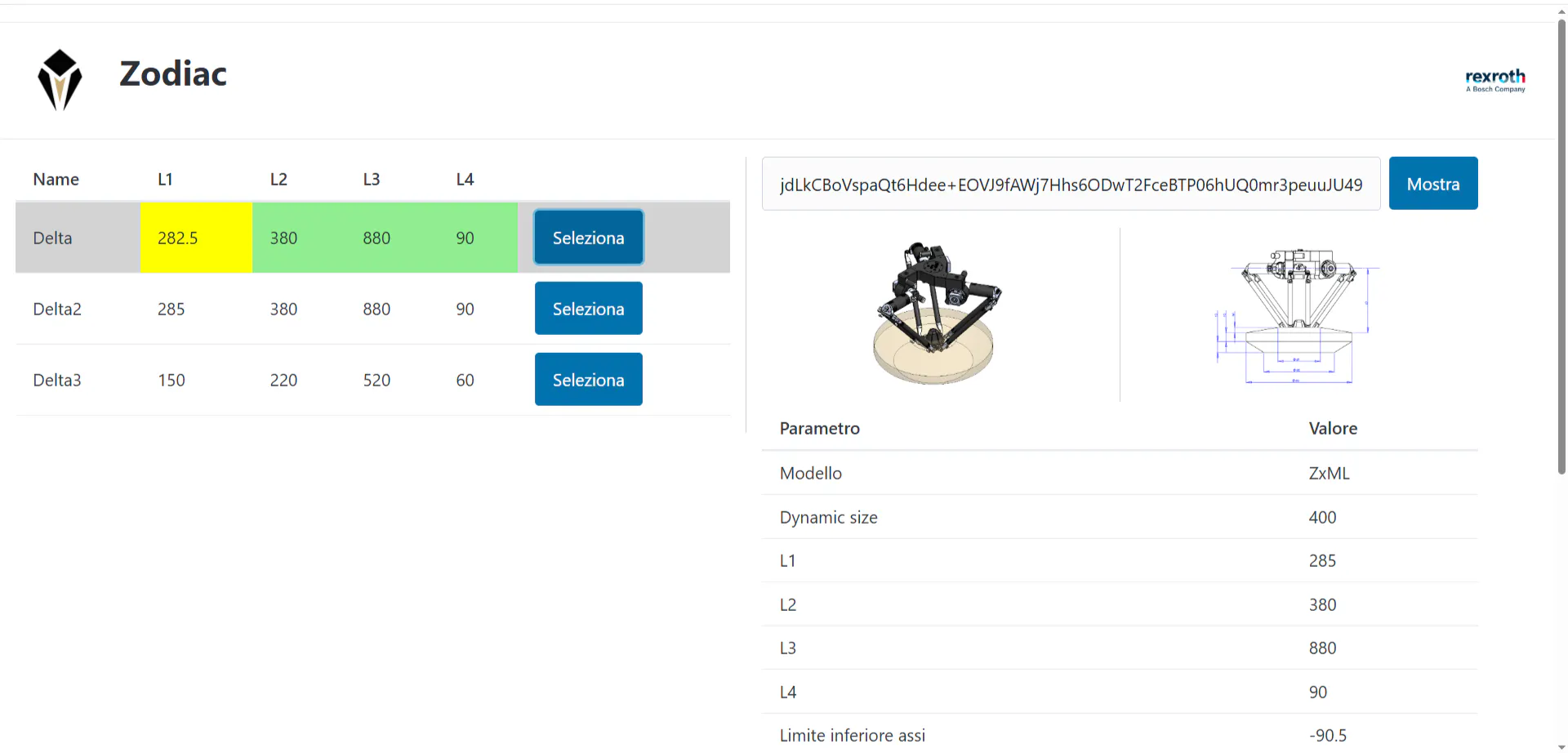
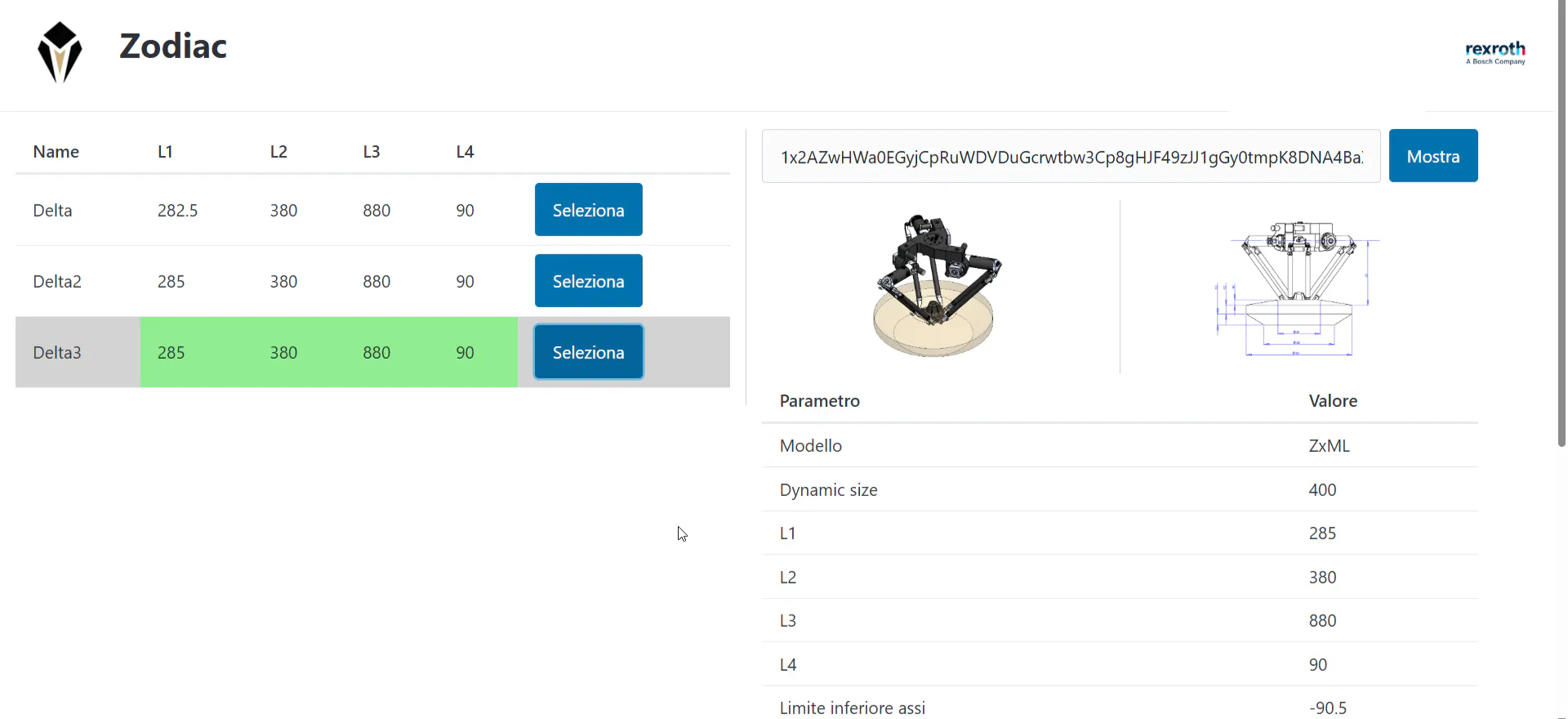
Click the "Seleziona" button next to the Delta robot you want to review.
This will display the currently configured parameters for that kinematic in the right-hand panel.
Step 4: Insert the configuration string
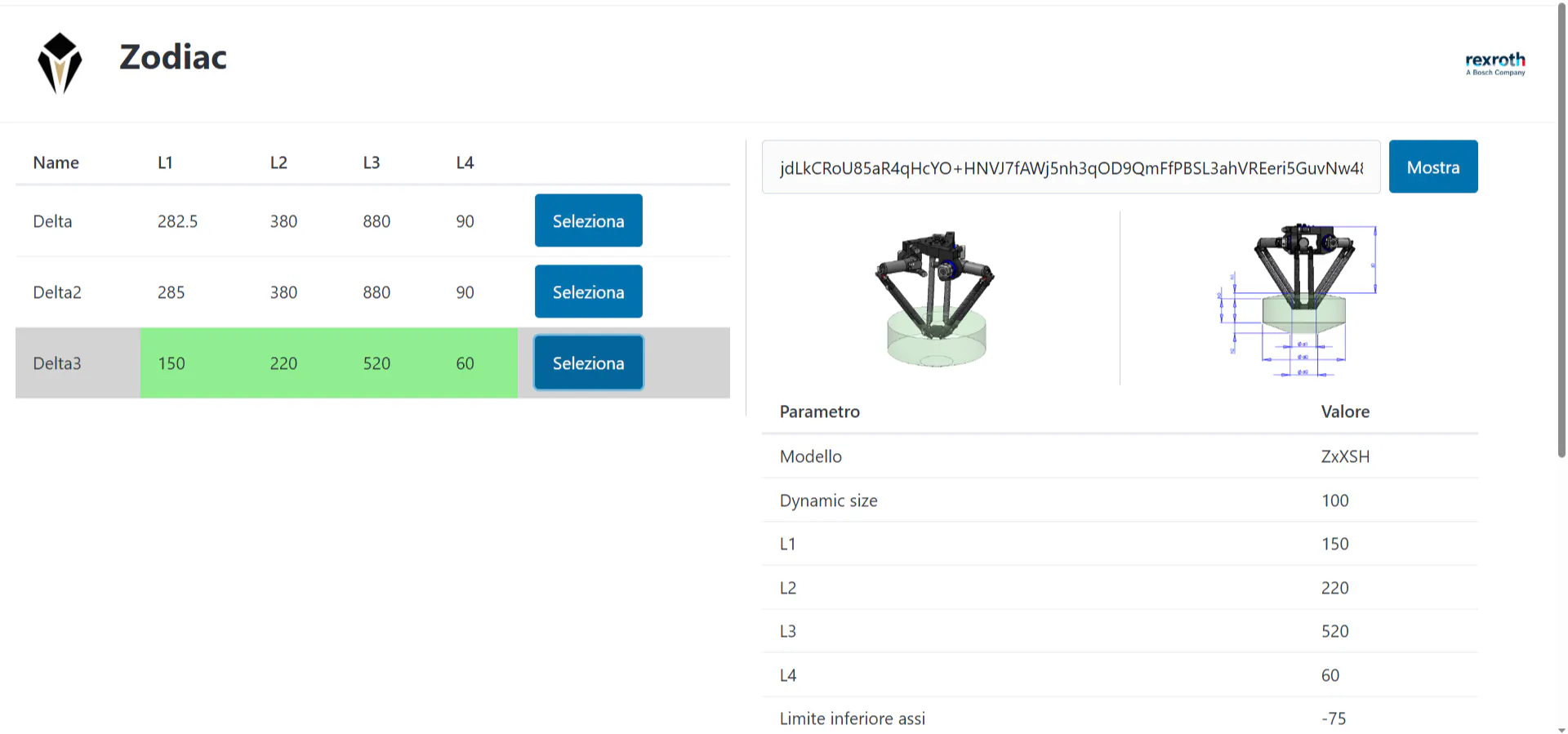
Paste the configuration string provided with the robot into the text field next to the "Mostra" button, then click "Mostra".
The application will decode the string and compare it with the current parameters.
If any values differ, they will be highlighted in yellow.
Step 5: Apply the configuration
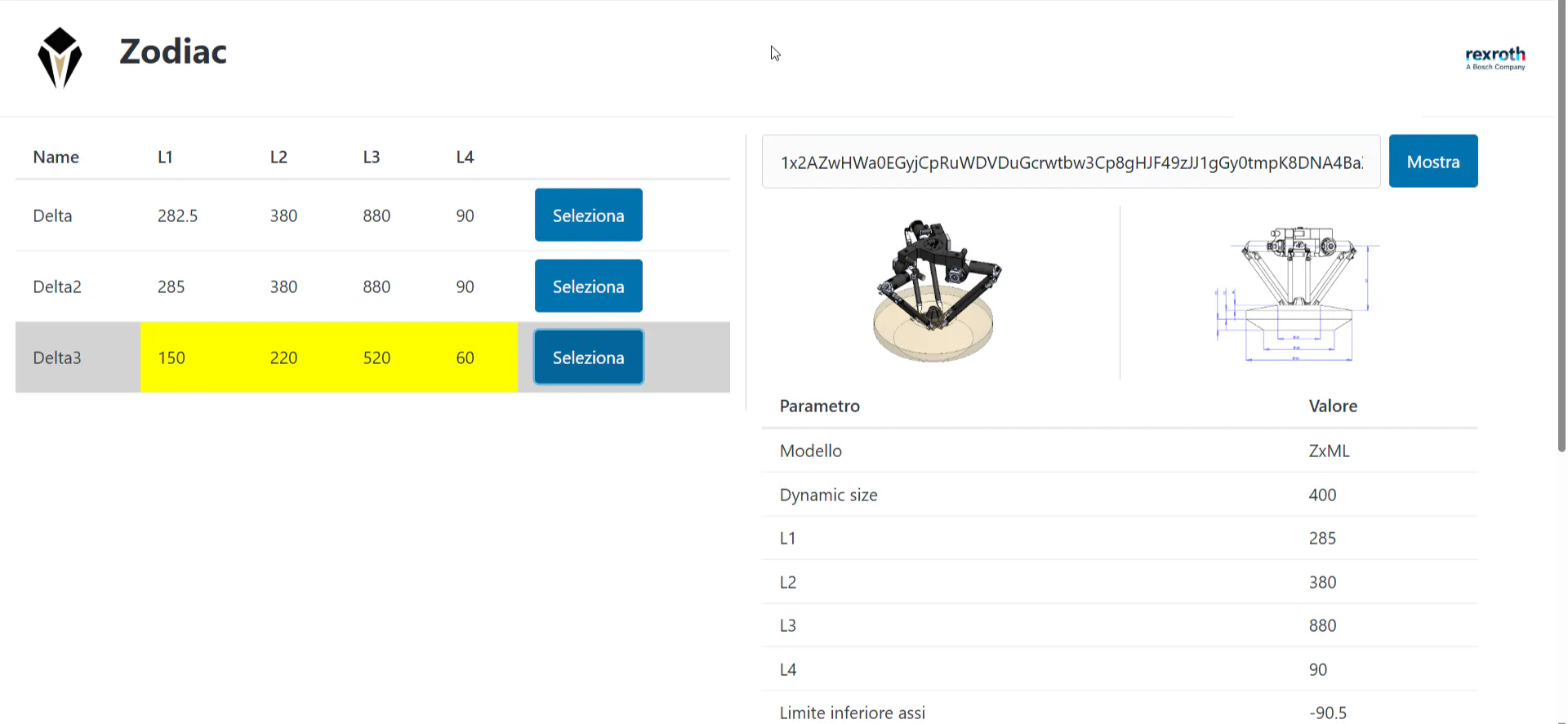
Scroll to the bottom of the page and click the "Applica" button.
This action writes all robot-specific parameters from the configuration string directly into the corresponding nodes of the ctrlX Data Layer.
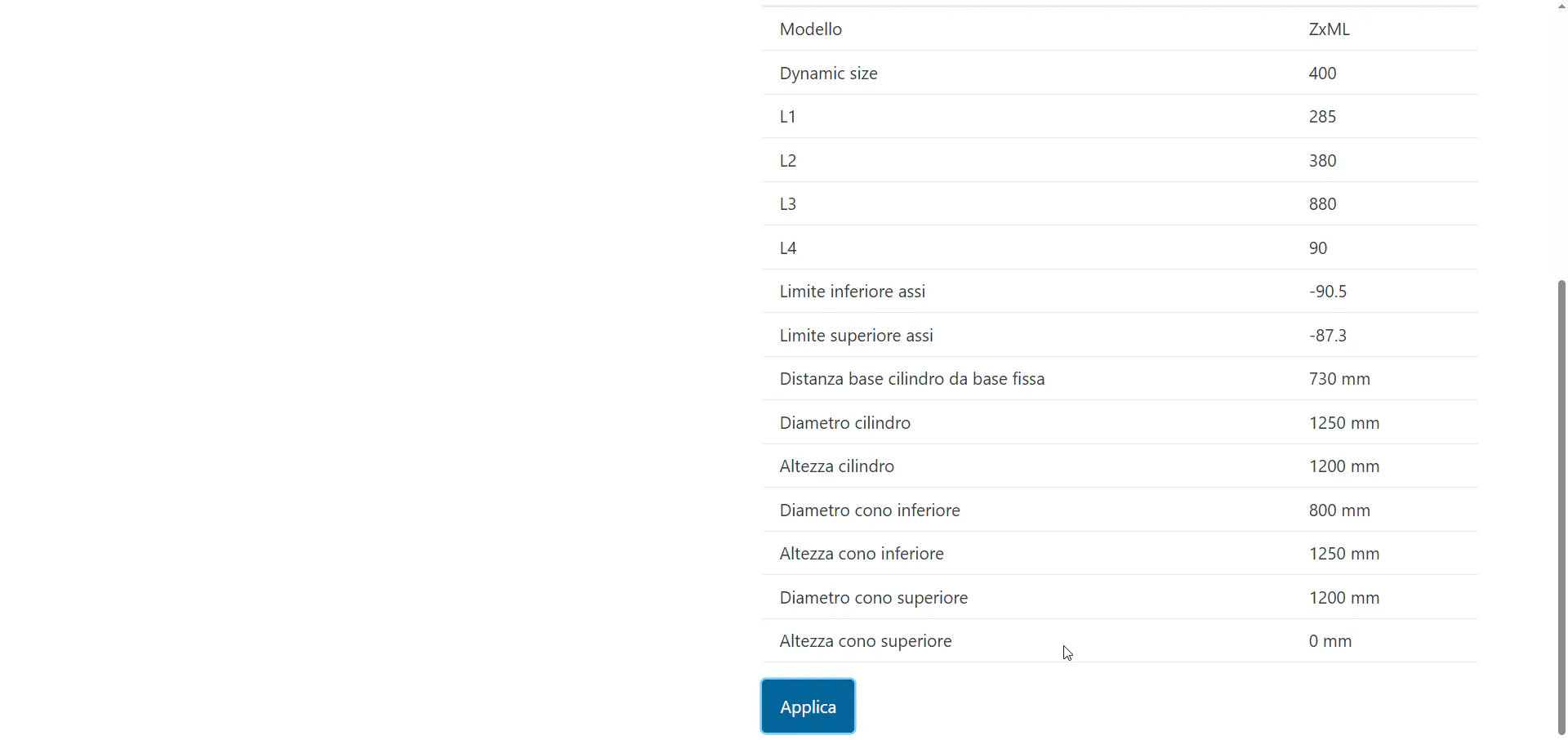
Once the data is successfully written, the updated values will be highlighted in green, indicating that they now match the configuration string.
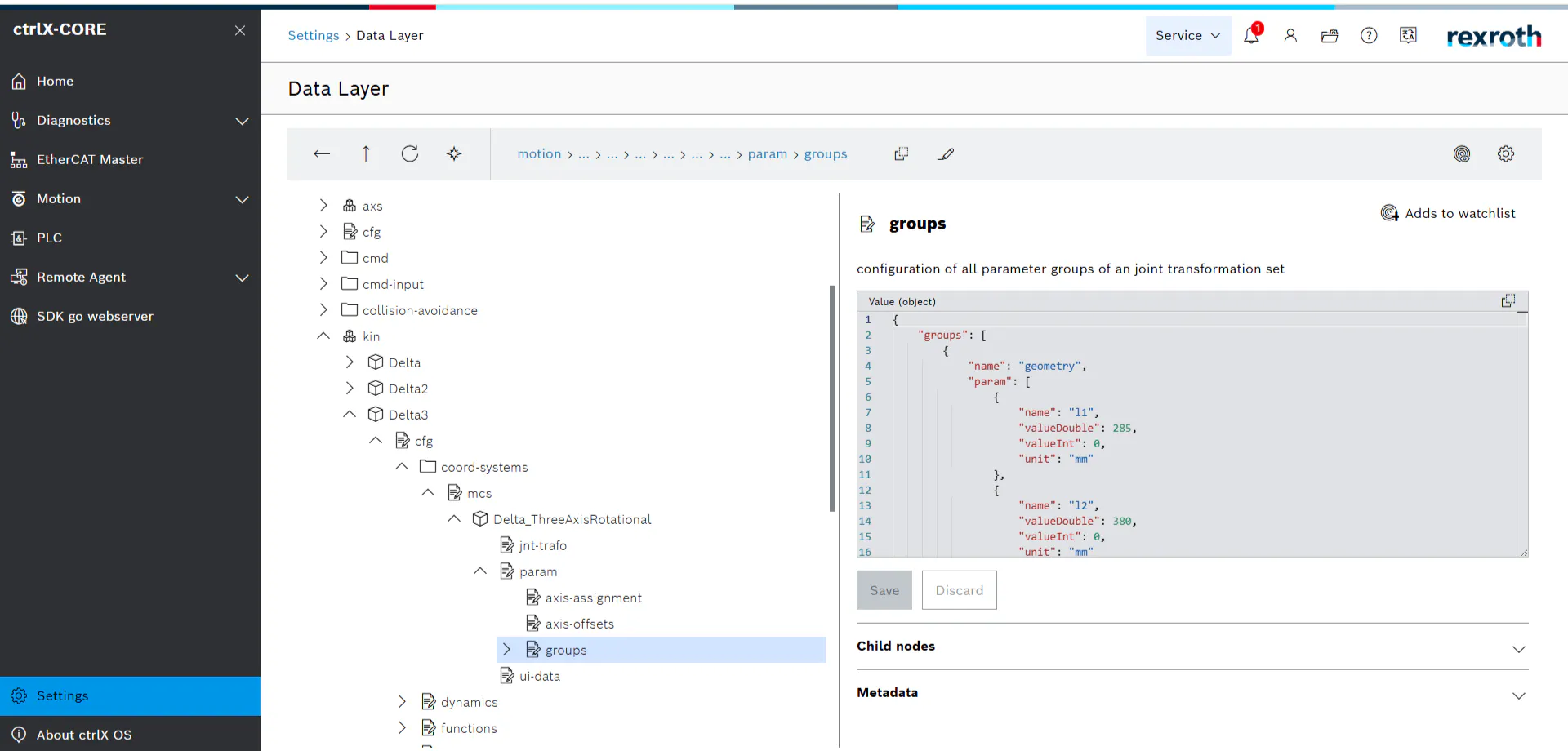
You can verify that the changes have been applied correctly by inspecting the Data Layer structure. The updated parameters are visible in the appropriate param > groups > geometry section.
Final Step: Repeat for all configured kinematics
Repeat steps 3 to 5 for each Delta kinematic listed in the application that requires an update.
Related Links
The Company
Zodiac Robotics is an Italian company specialized in the design and manufacturing of Delta robots that are fully controller-independent and built for seamless OEM integration. Unlike standard solutions, each Zodiac robot is engineered in close collaboration with the customer to deliver a system that fits perfectly within the target machine — both technically and aesthetically.
Key characteristics of Zodiac Robotics Delta robots:
Integrated electrical and pneumatic connections
All cables and tubing run inside the mechanical structure, reducing wear, improving reliability, and ensuring a clean, uncluttered design.
No routine maintenance and easy servicing
The design eliminates the need for periodic maintenance, while all components are easily accessible in case of intervention.
Tailored mechanical configuration
Thanks to a modular architecture, each robot is built to meet the specific requirements of the application — including workspace, payload (up to 100 kg at 4g), kinematics, and interfaces.
Zodiac Robotics develops dedicated tools and apps — such as ZR-configurator for ctrlX CORE — to simplify integration and accelerate deployment. The company’s mission is to deliver not just another robot, but your robot: a high-performance, fully customized solution aligned with the identity and needs of each machine builder.