ContentRequirementsTwinCATSetup projectExport SCI-filectrlX IO EngineeringInstall SCI-file to device repositorySetup projectRelated Links
Content
This article shows how to commission Beckhoff EL6631-0010 PN_Device and EL6731-0010 PB_Slave (EtherCAT to Profibus/Profinet gateway) in TwinCat to get it working in with the ctrlX OS - EtherCAT master.
Requirements
IOs
EK110x bus coupler
EL6631-0010 PN_Device
EL6731-0010 PB_Slave
TwinCAT version at least 3.1.4026.1
TwinCAT
Setup project
Free Beckhoff account is needed for downloading installation files
Create new project
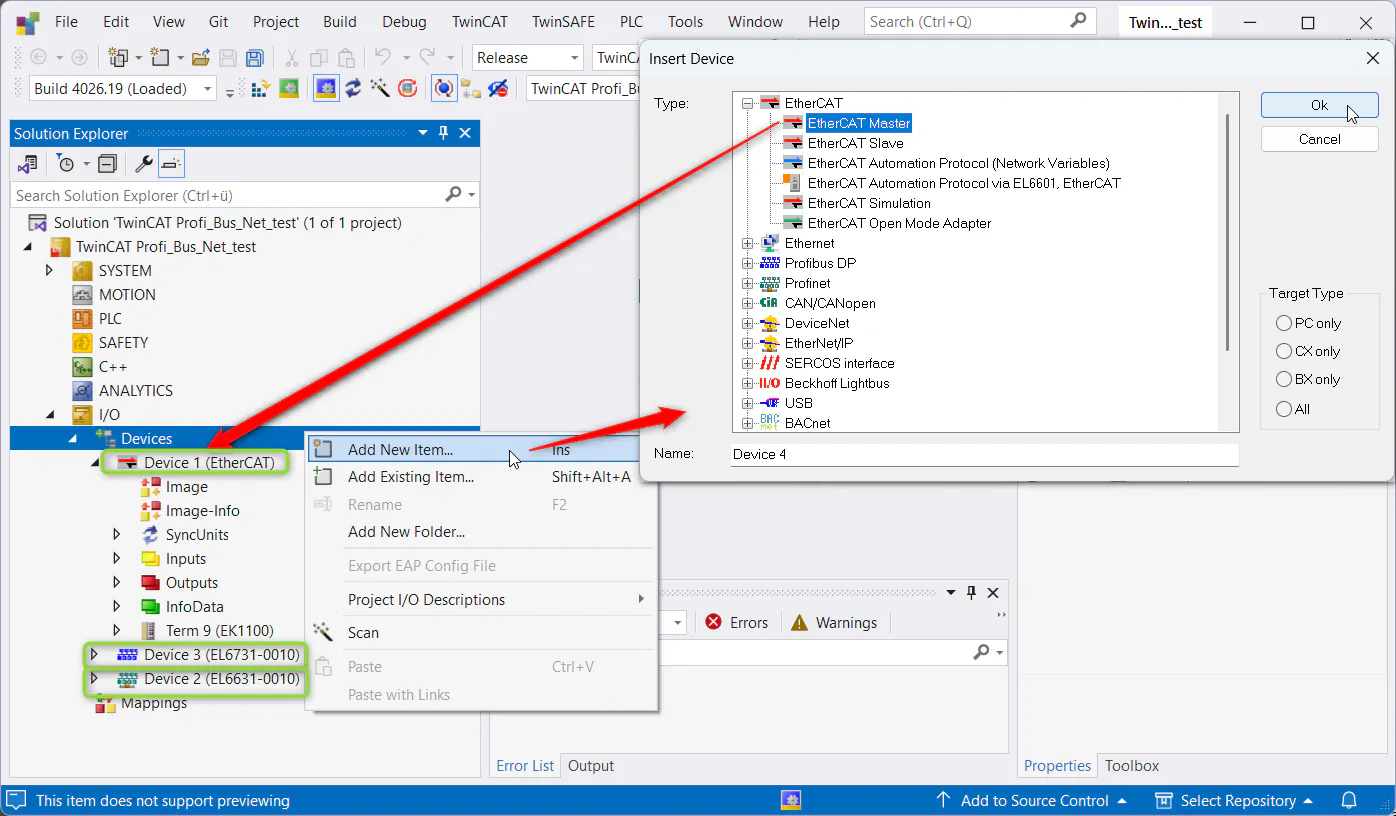
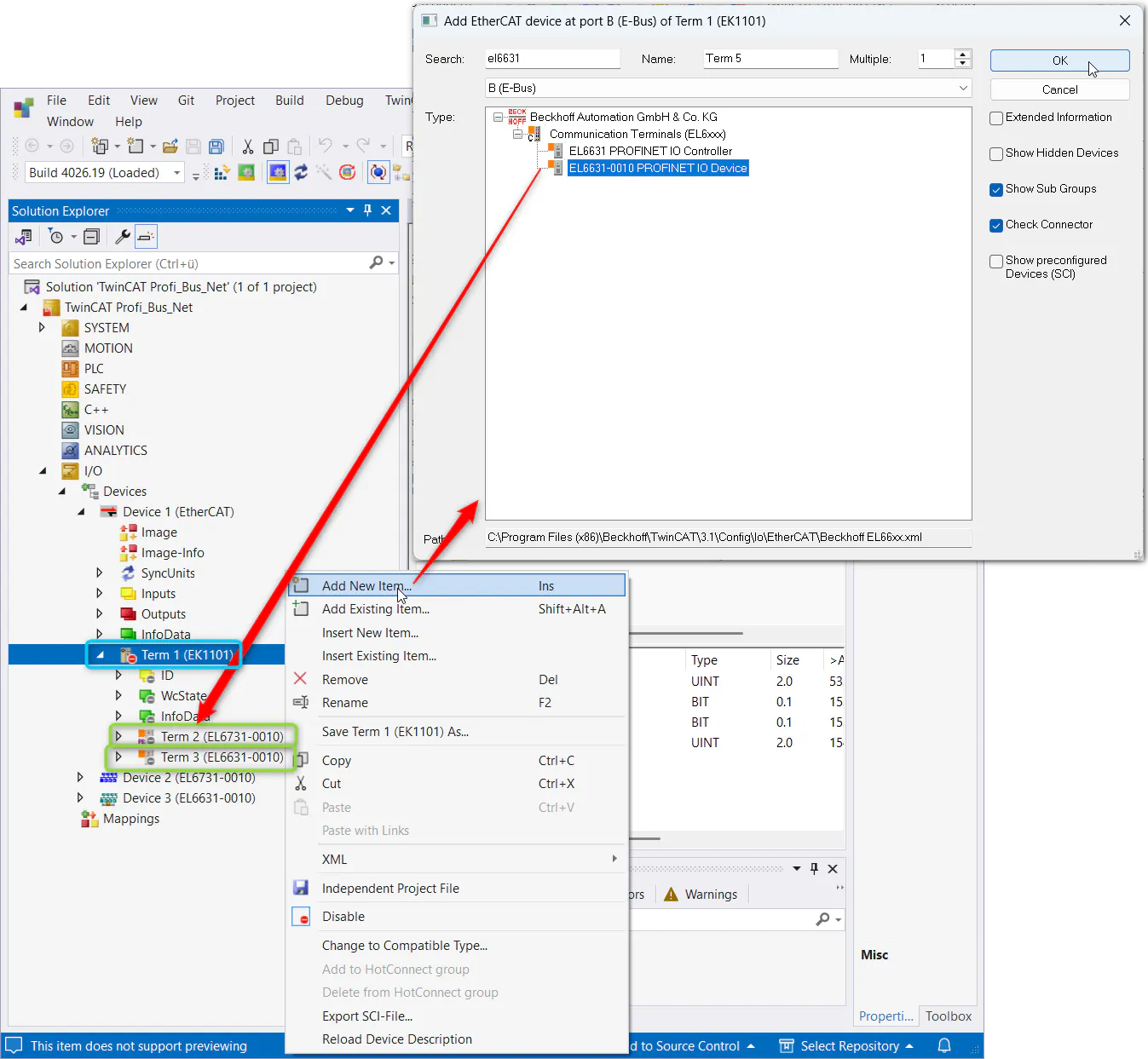
Add devices EtherCAT master, Profibus Slave (EL6731-0010), Profinet I/O Device (EL6631-0010) to Devices node via its context menu
TwinCAT - add master Add bus coupler (e.g. EK1101) to EtherCAT master device and gateways (EL6631-0010, EL6731-0010) to bus coupler via their context menus
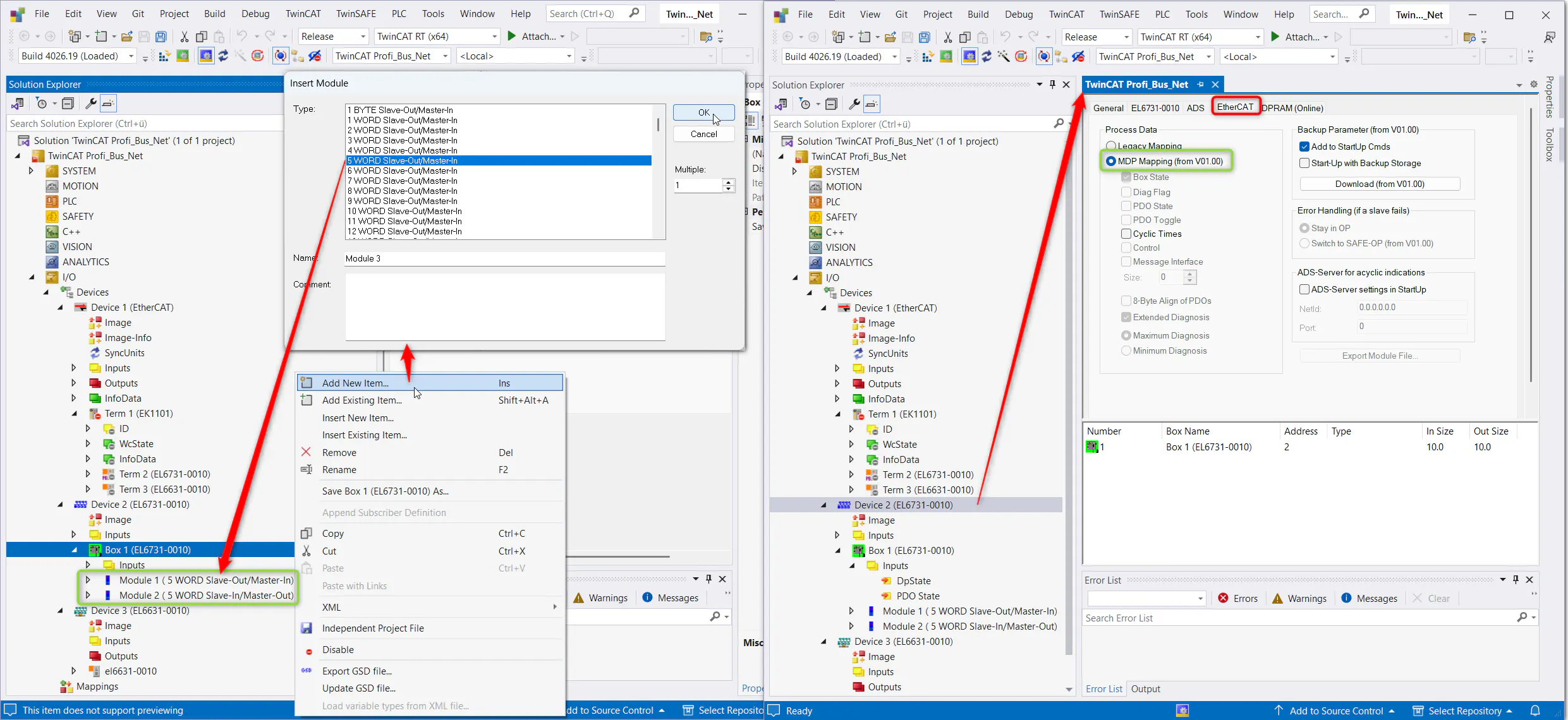
TwinCAT - add devices to bus coupler Add IO data to the EL6731-0010 via its context menu and configure it
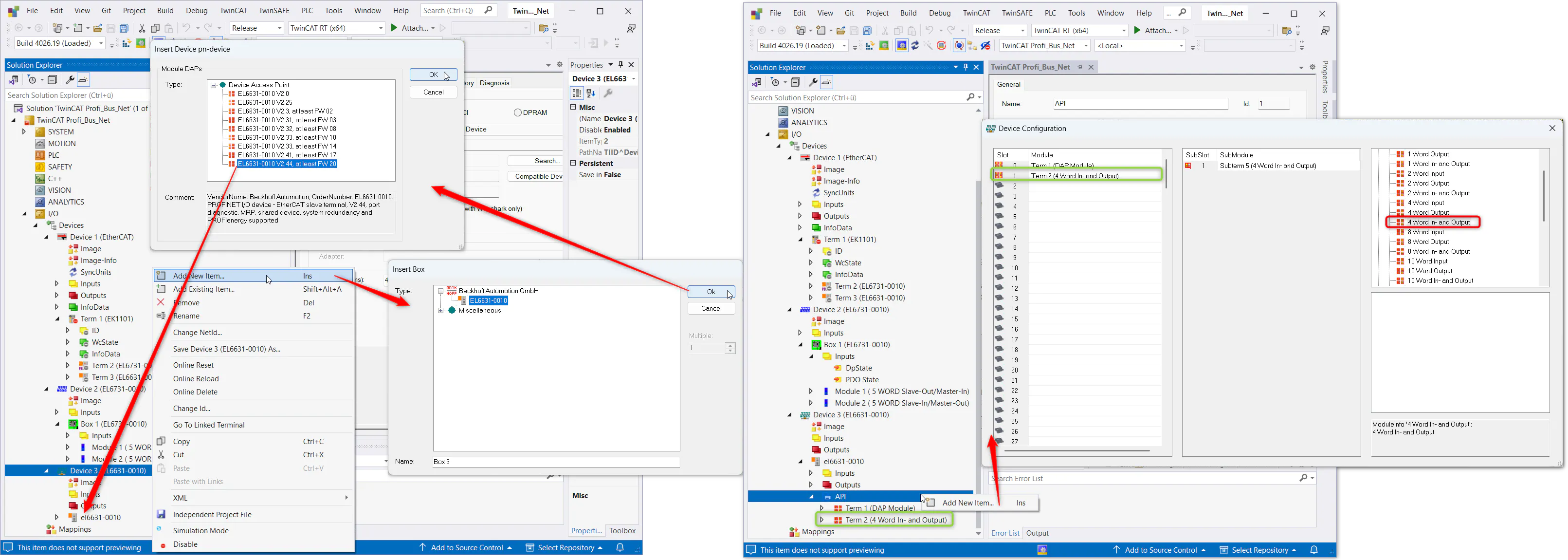
TwinCAT - add IOs and configrue EL6731-0010 Add IO data to EL6631-0010 via its context menu
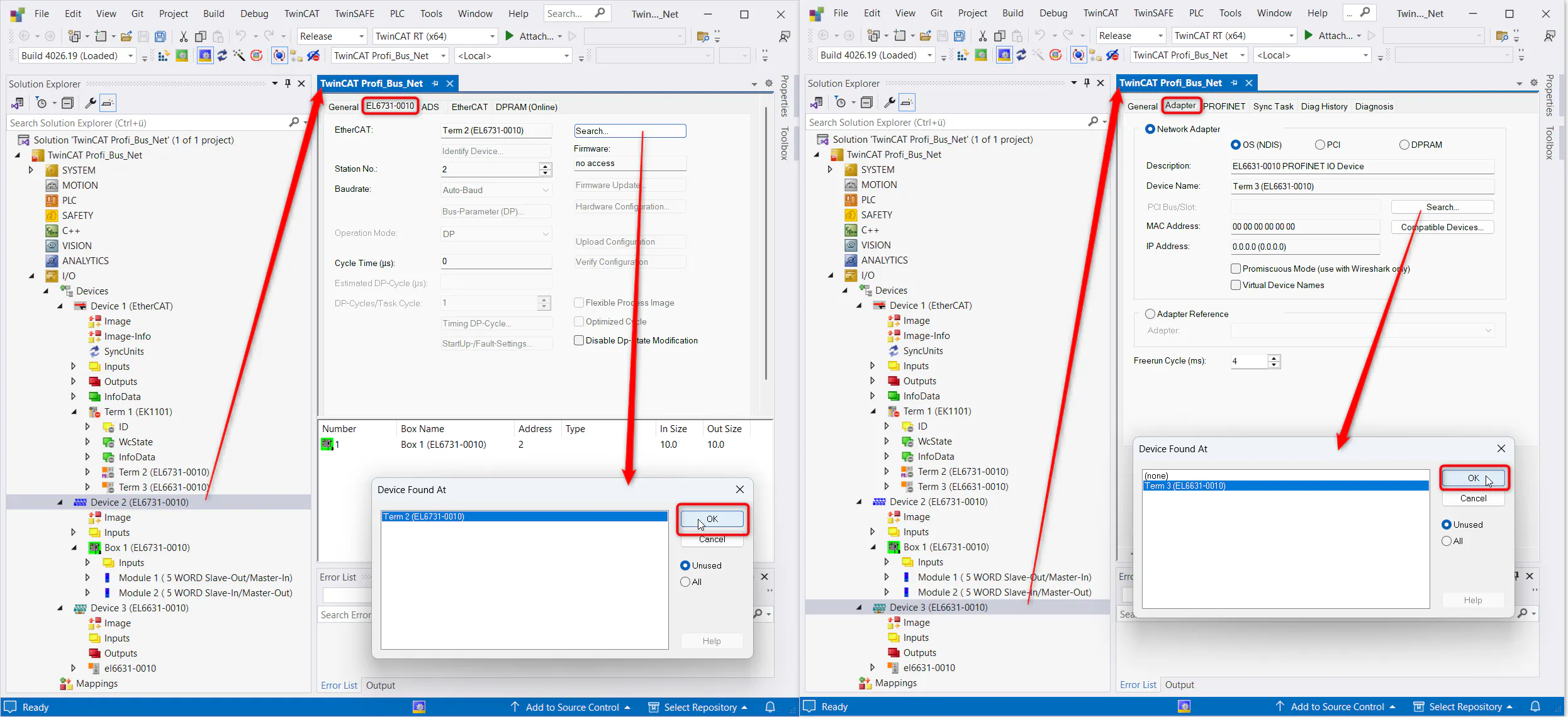
TwinCAT - add IOs to EL6631-0010 Connect both devices to the gateways
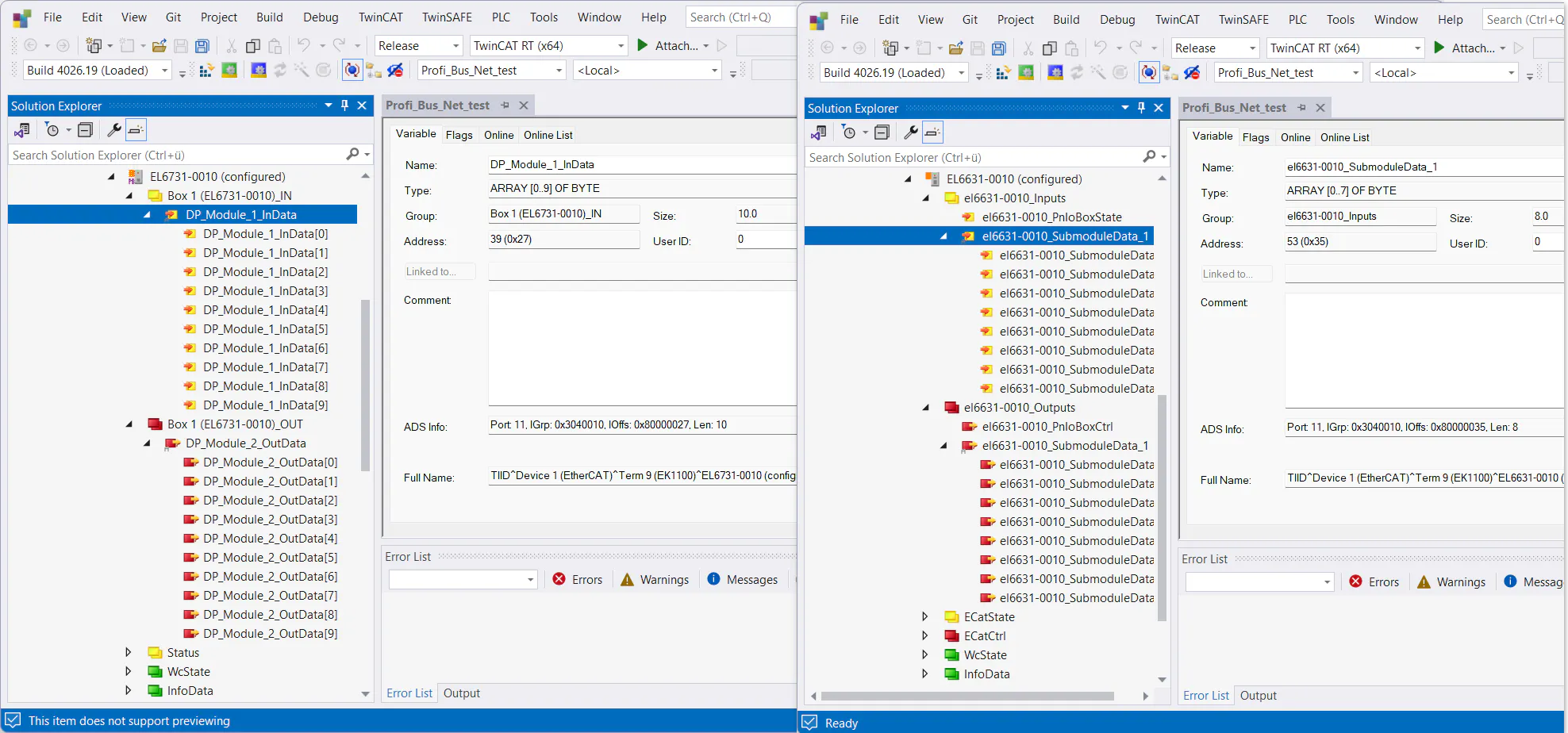
TwinCAT - connect devices to gateways Available IO data can be checked in the gateways settings
TwinCAT - check IOs Optionally:
The setup can be tested by directly connecting PC to bus coupler and switch fieldbus to operating
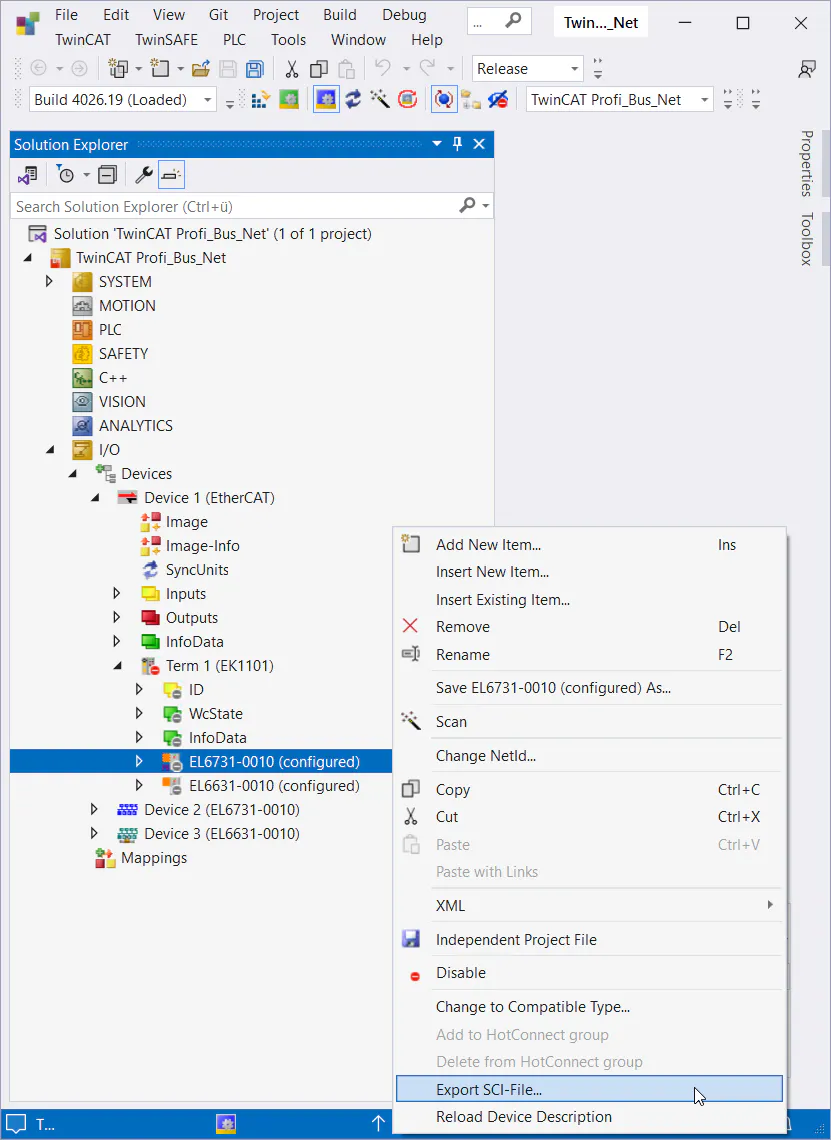
Export SCI-file
Rename the two EtherCAT gateways meaningful and export the SCI-file via their context menus
(Beware that TwinCAT version needs to be at least 3.1.4026.1 to enable SCI-file export)TwinCat - export SCI-file
ctrlX IO Engineering
Install SCI-file to device repository
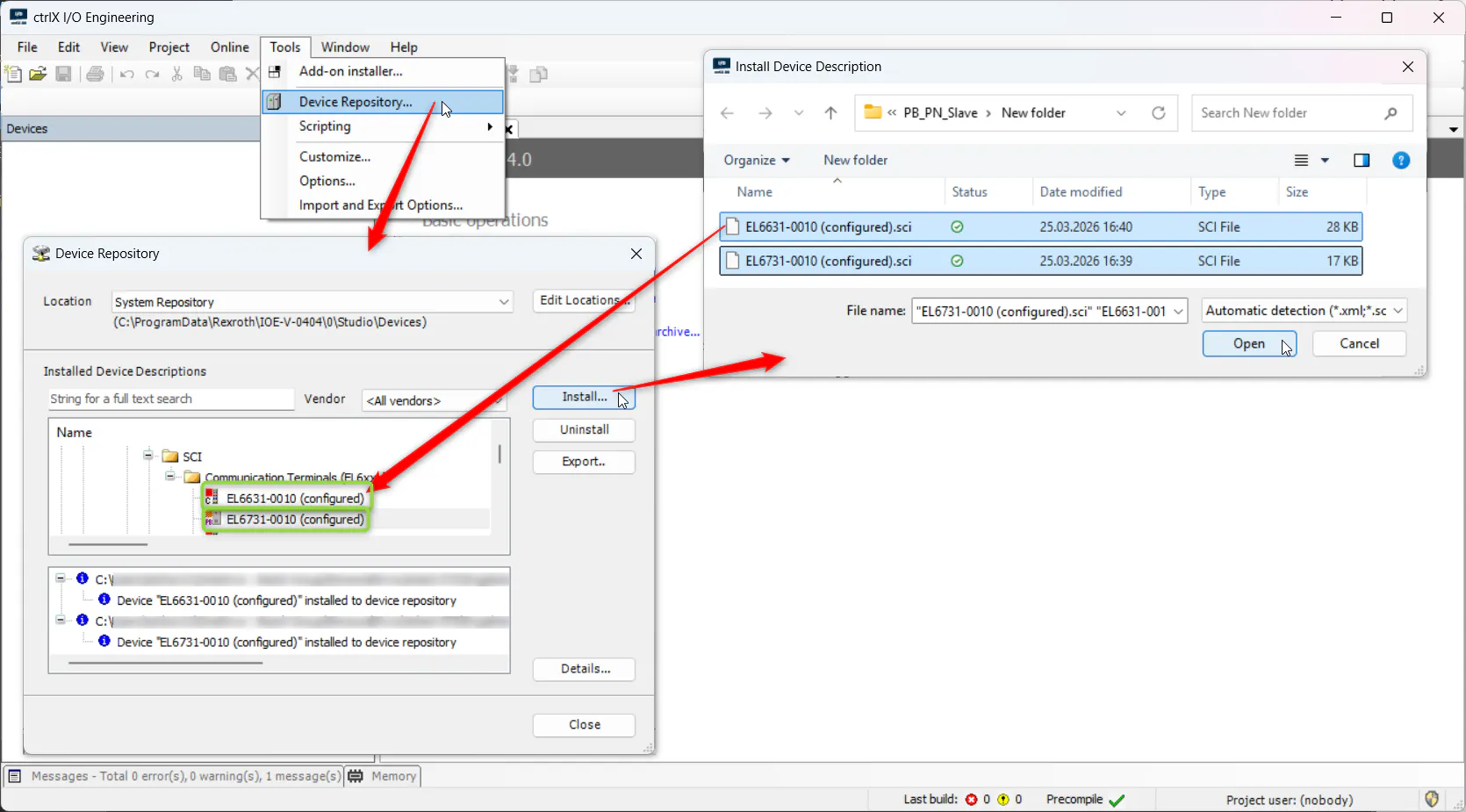
Install the exported SCI-file to device repository into ctrlX IO Engineering via "Tools -> Device Repository..."
ctrlX IO Engineering - install SCI-file
Setup project
Create a new project
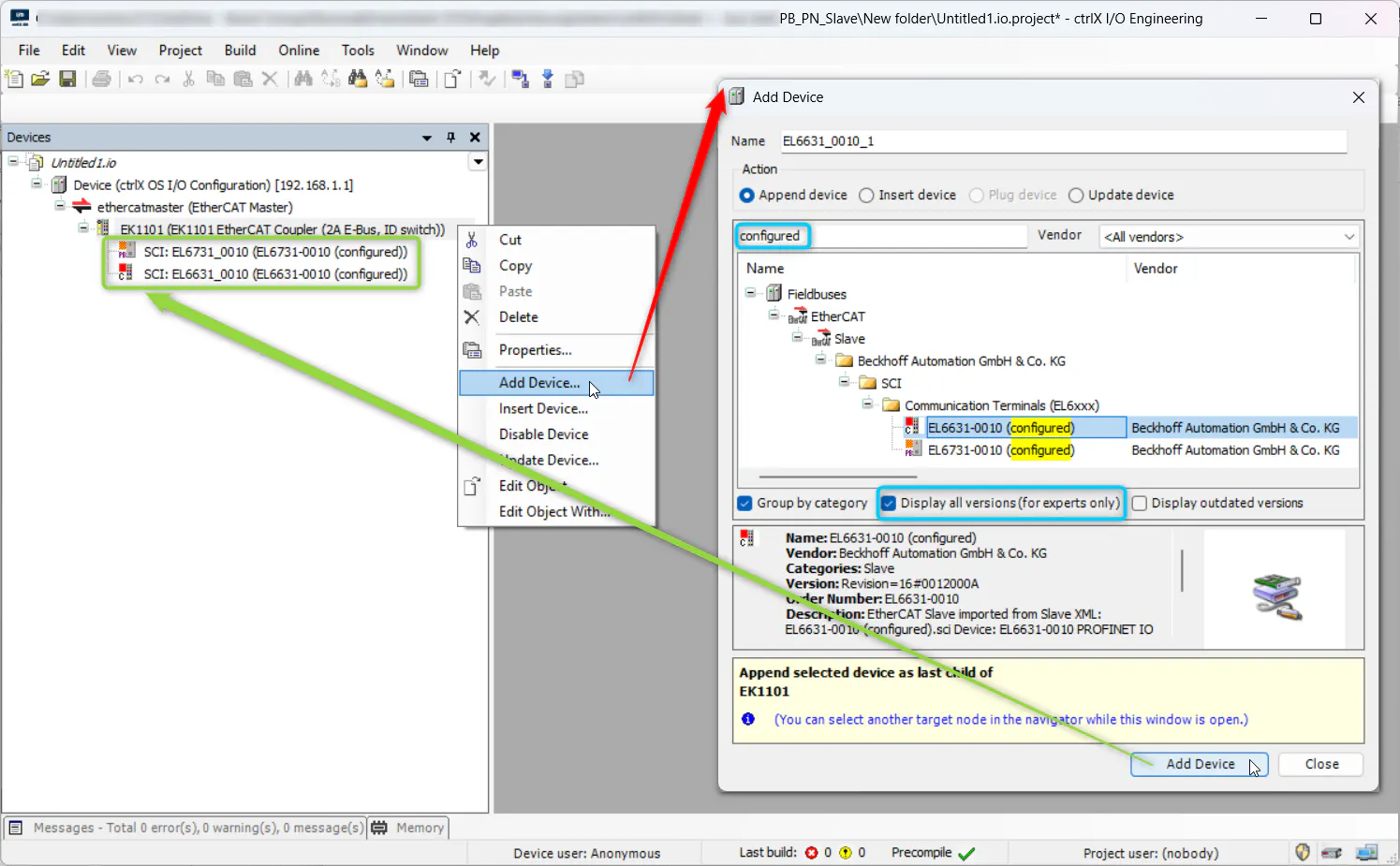
Add bus coupler (e.g. EK1101) via the context menu of the EtherCAT Master node and add devices below via context menu of the coupler
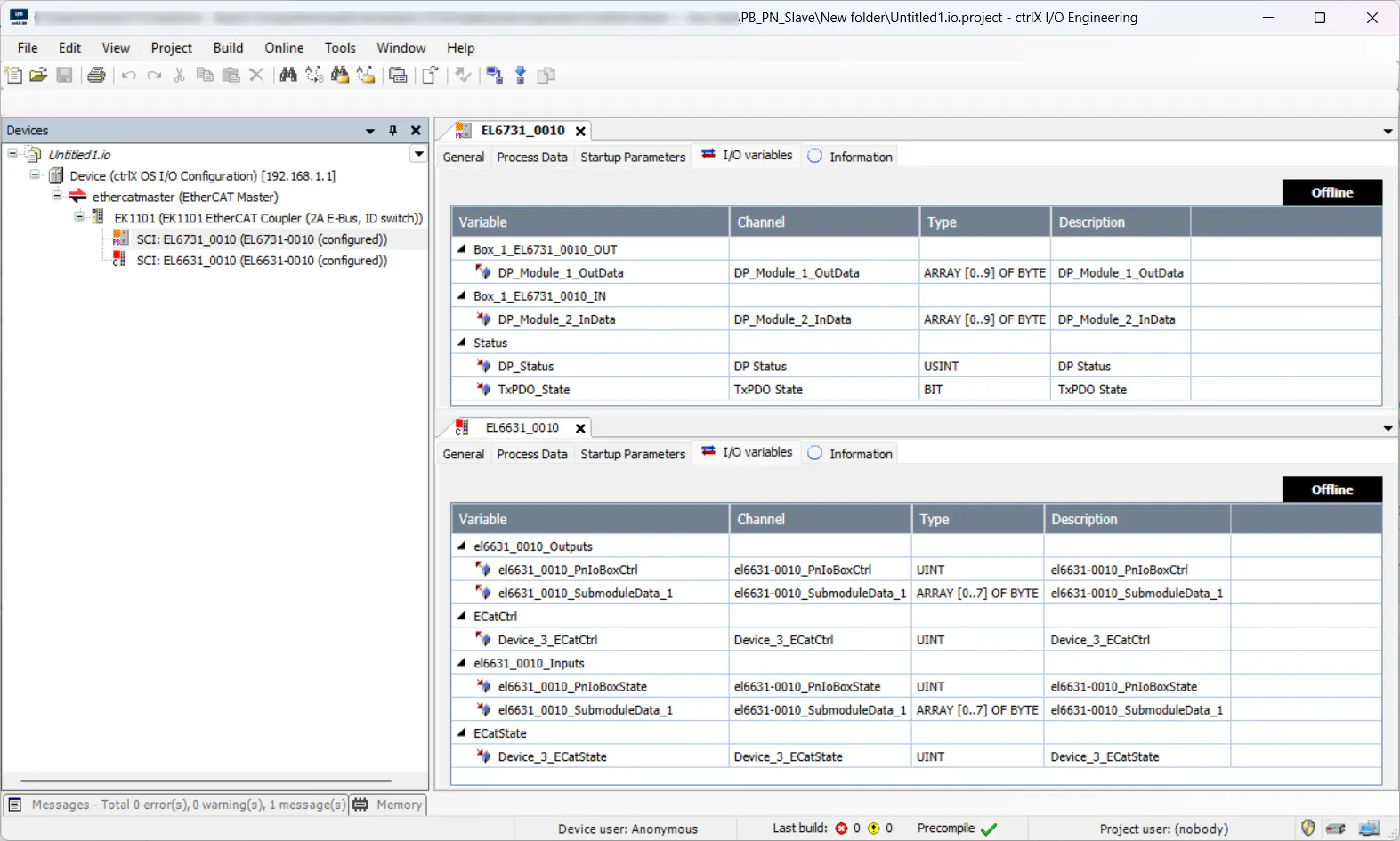
(Beware that setting "Display all versions" for older ctrlX IO Engineering versions is needed to find imported files)ctrlX IO Engineering - add devices to project Imported IO data can be checked in the I/O variables tab of the gateways
ctrlX IO Engineering - check IO data Transfer data to ctrlX OS - EtherCAT master app via corresponding button or the context menu of the EtherCAT Master node
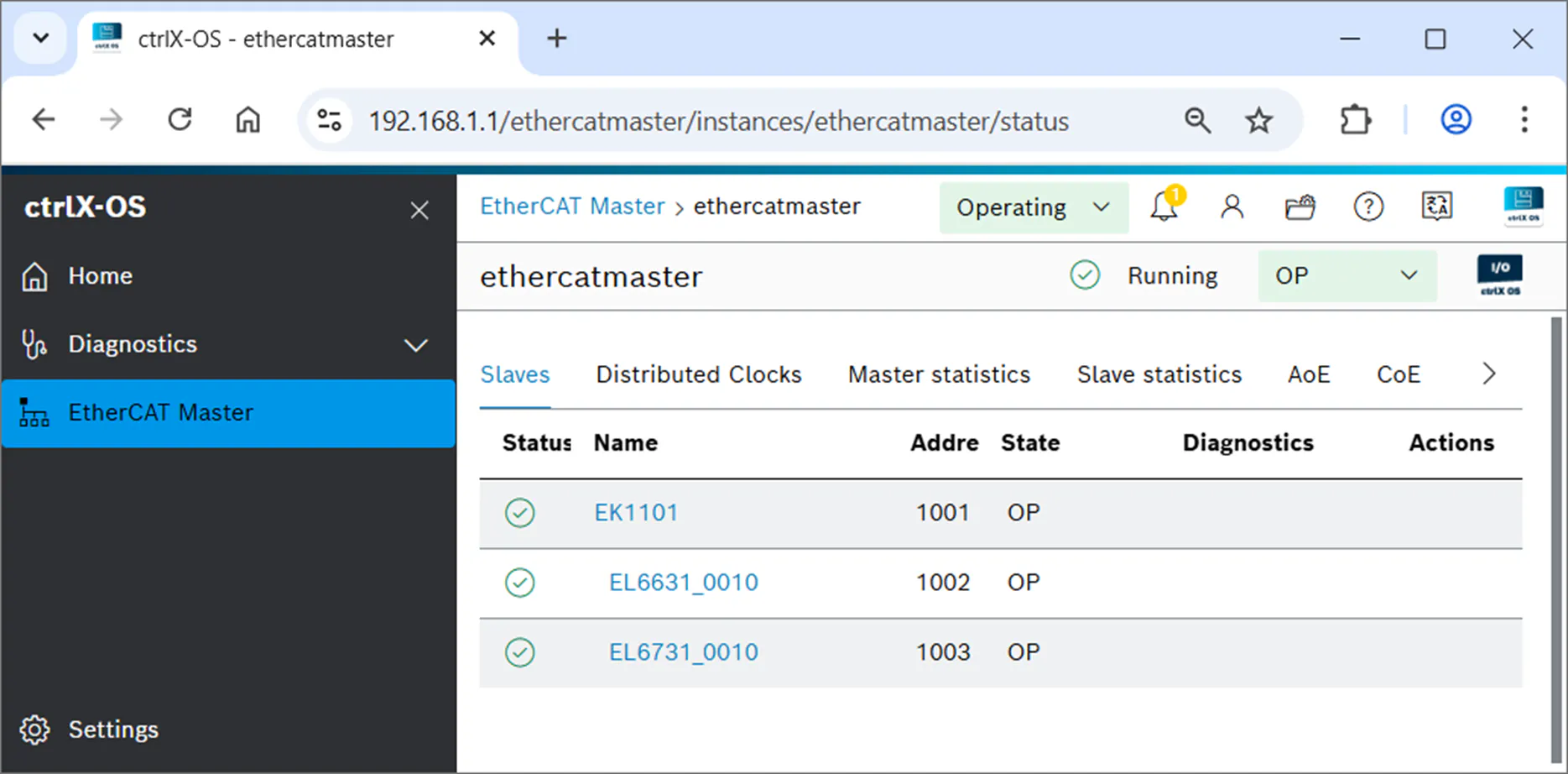
Login to ctrlX OS web UI and check out the EtherCAT master overview
ctrlX OS web UI - EtherCAT master overview