Introduction
This how-to describes how to connect a TP-Link Wifi router to ctrlX CORE for wireless connection!
Requirements
ctrlX CORE
Wifi router (as Access point); in this example I used a tp-link AC750
Step-by-Step Guide
Connect Wifi router to ctrlX CORE.
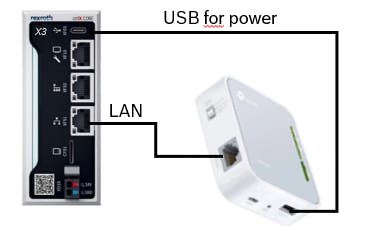
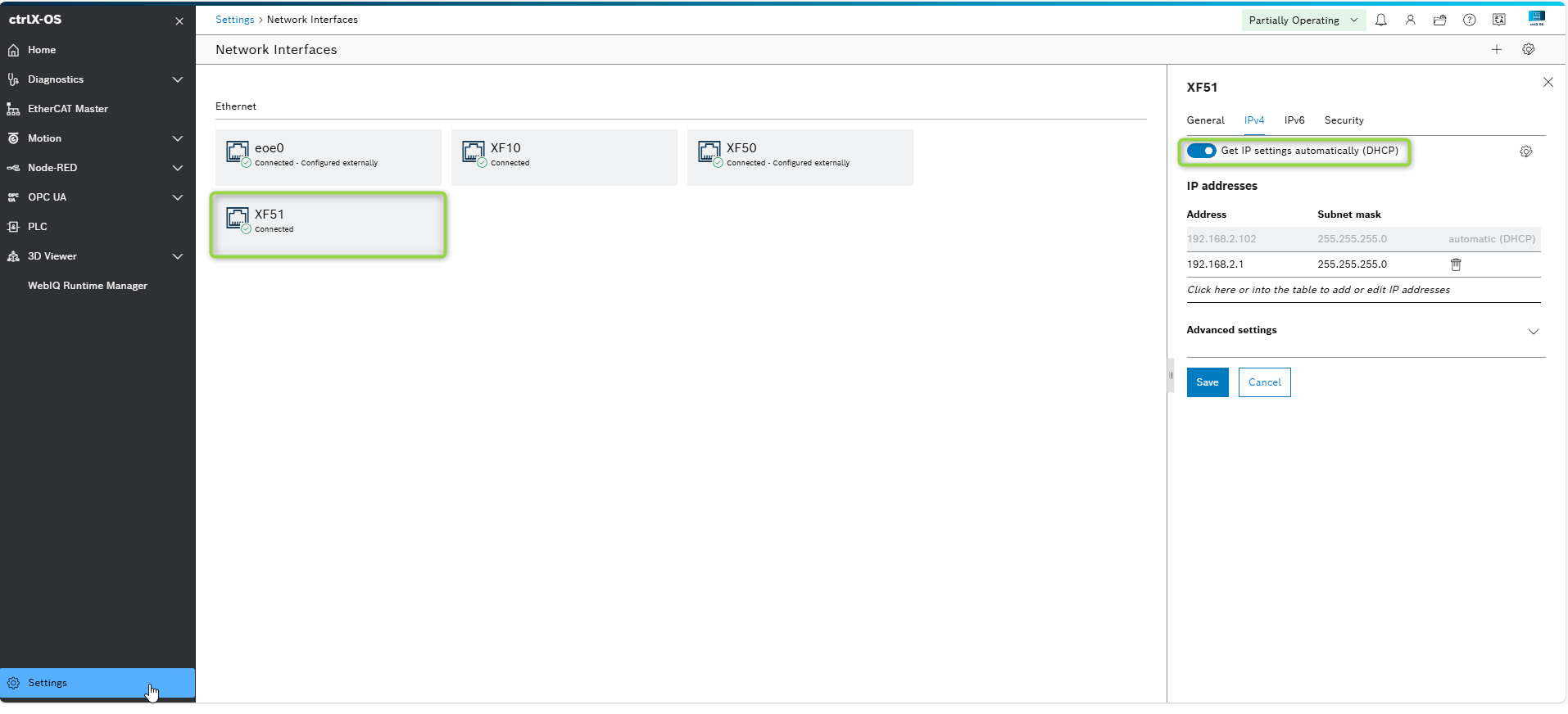
Go to settings on ctrlX CORE and then to menu Network interfaces
Activate -> Get IP settings automatically (DHCP). Save settings.
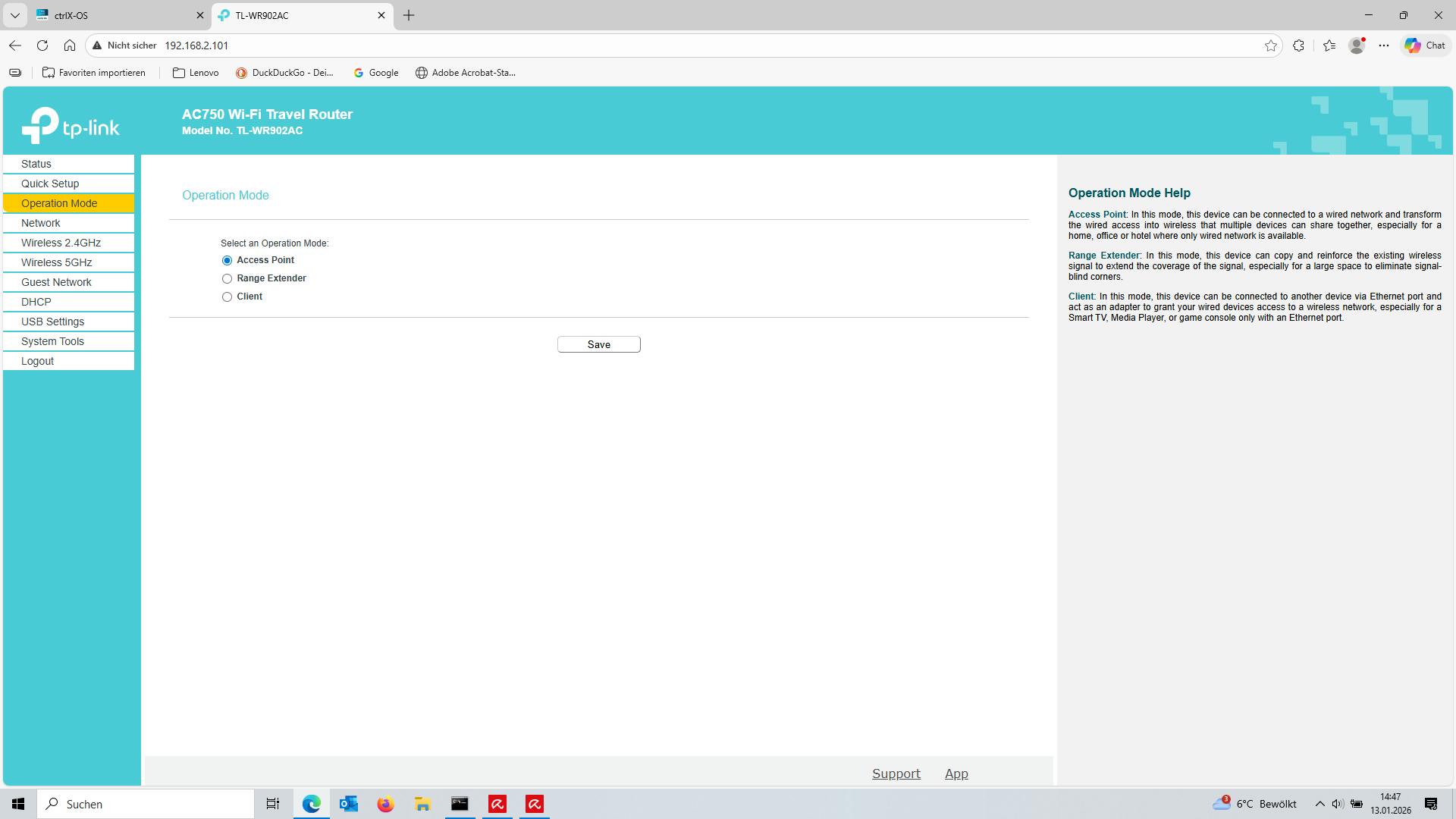
Connect to the Wifi router and make following adjustments.
Set the router operating mode to Access Point.
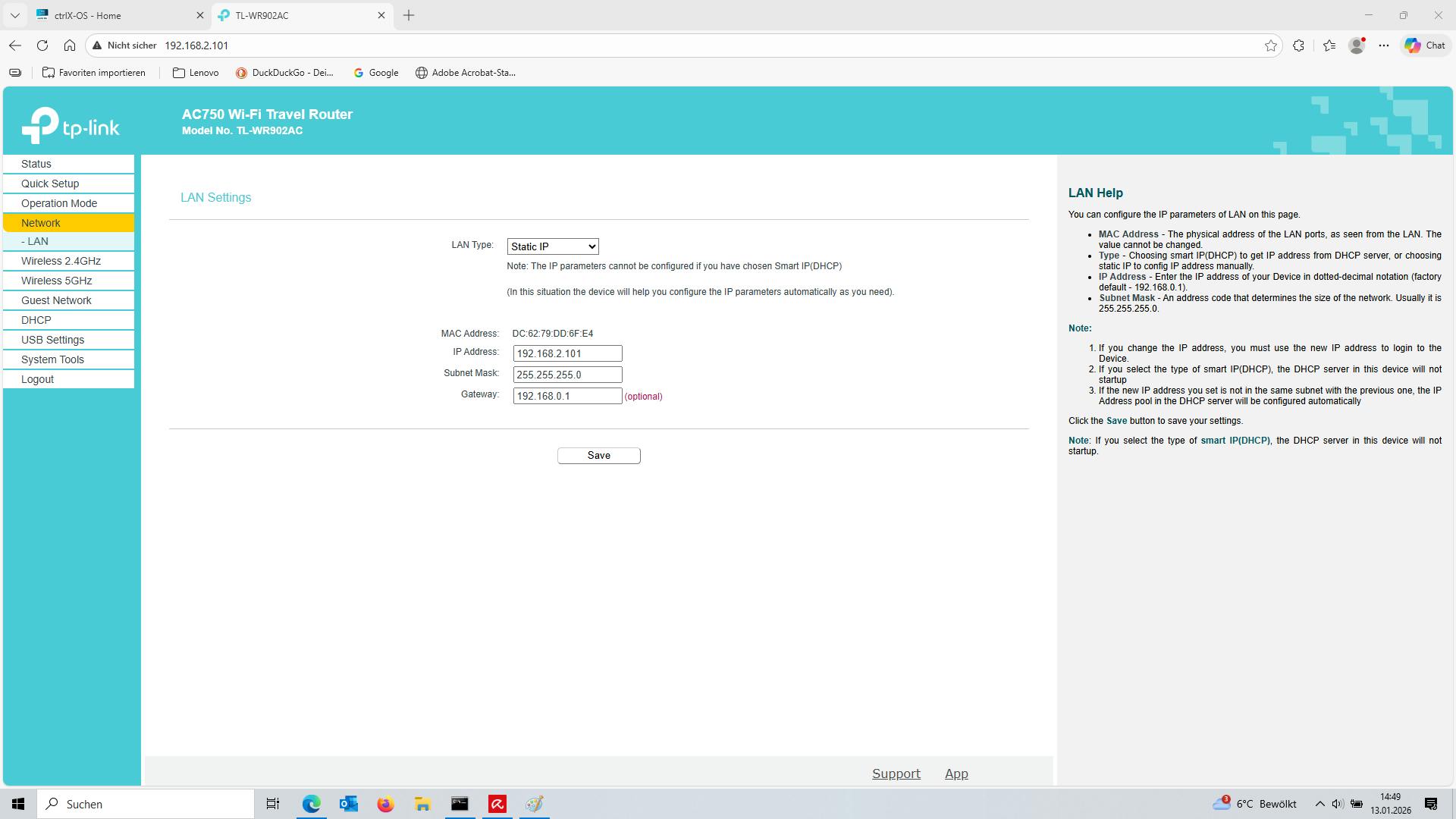
Set LAN settings
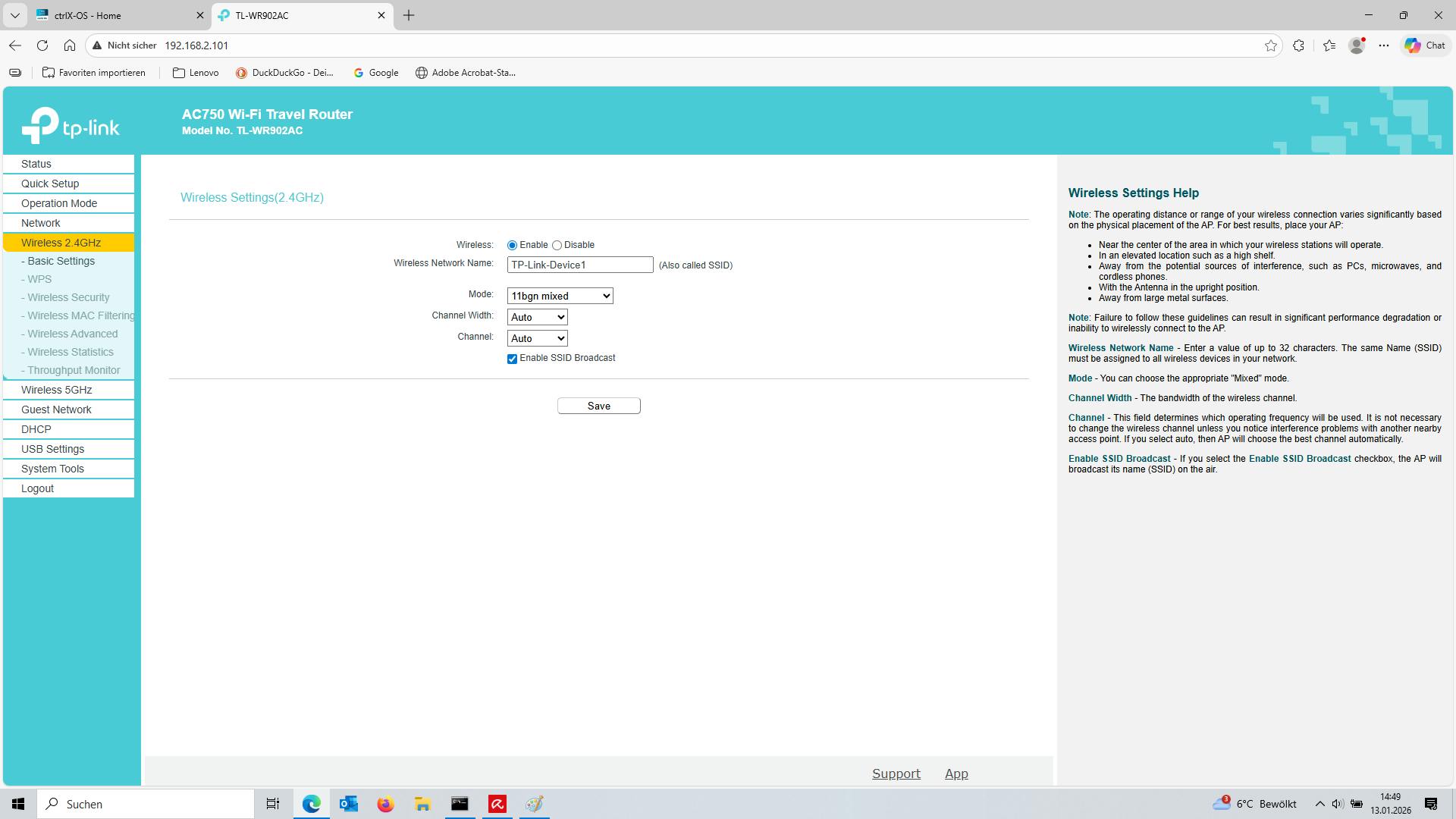
Set WLAN settings
Enter your wireless network name (SSID)
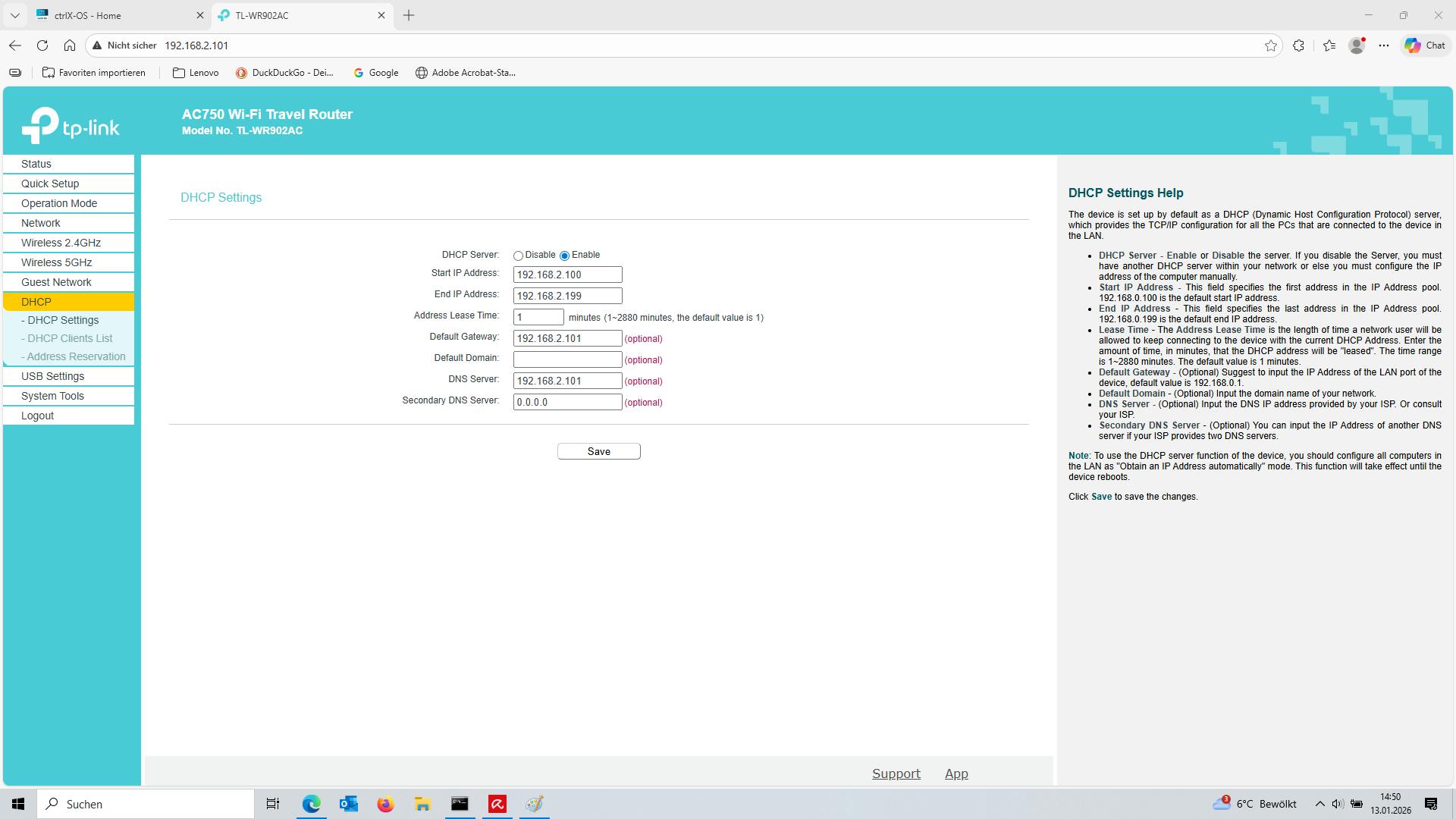
Set DHCP settings
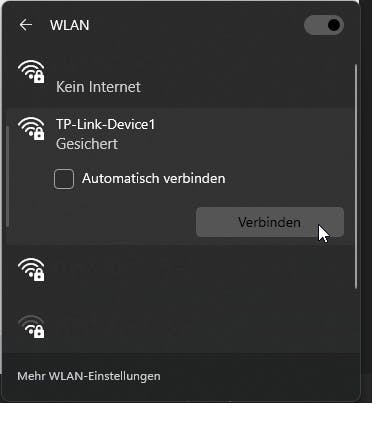
Now you can connect you Laptop, Smartphone, Tablet to the tp-link WLAN network.
After you have connected your device to the Wifi, you can access the ctrlX CORE via the corresponding IP address. In this example 192.168.2.xxx