In some cases, the machines don’t have connection to the internet. Maybe because of missing infrastructure but mostly for security reasons. But it is essential to have a common timestamp on all the used PLCs and PCs. Normally is at least one PC in the machine. This PC you can configure to an NTP-Server without using third party software. This description shows you the steps you have to do. The description refers to Windows 10, the screenshots are made from a PR42.
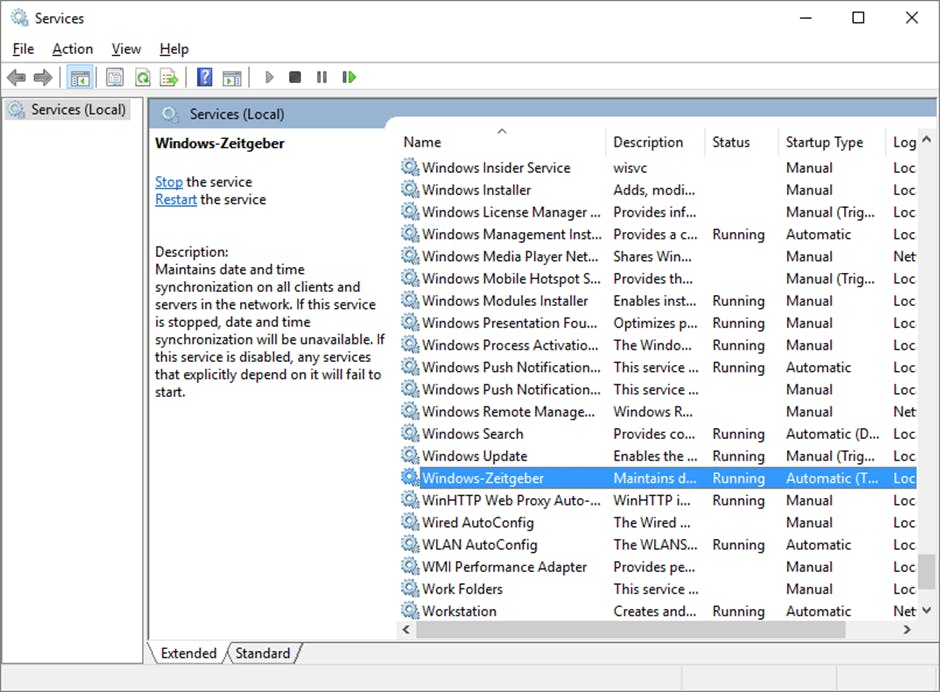
Stop the task “Windows Zeitgeber”:
Start -> Control Panel -> System and Security -> Administrative Tools -> Services -> “Windows Zeitgeber”
Open the registry editor
Search “regedit” and open it, allow changes on your device
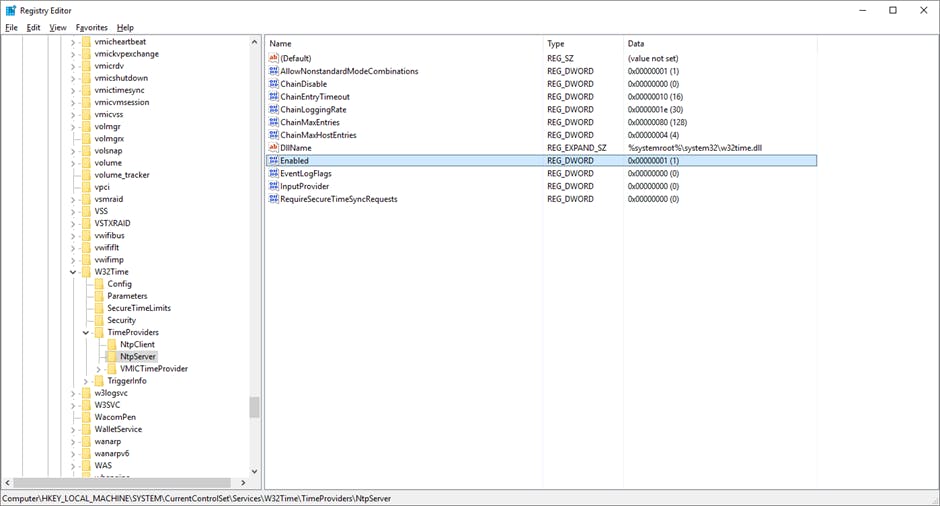
Search for the key “HKEY_LOCAL_MACHINE\SYSTEM\CurrentControlSet\Services\W32Time\Timeproviders\NtpServer”
Change the value “Enabled” to 1
Search for the key
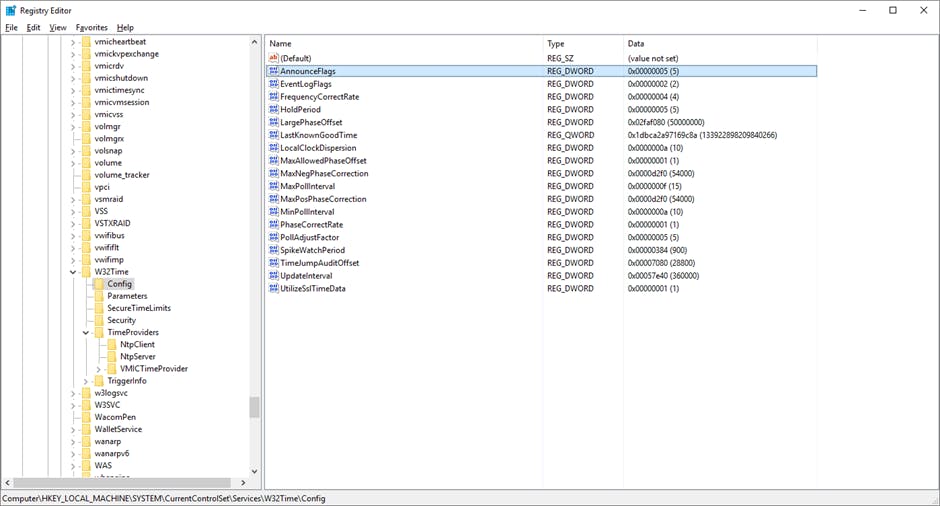
“HKEY_LOCAL_MACHINE\SYSTEM\CurrentControlSet\Services\W32Time\Config”
Change the value “Announce Flags” to 5
Start the service “Windows Zeitgeber” again and set the “Startup Type” to “Automatic”.
Thats all 😃